What should you look for when choosing?
First, check whether your specific game supports gamepad controls. Then choose based on your device and the connection that works best in your room; extra features are only relevant if the game supports them.
| What to consider |
What to look for when buying |
Who should prioritise this? |
| Compatibility with your game and device |
Check whether your specific game supports gamepad controls on the device you play on. |
I want to know in advance whether my mystery game works with a gamepad. Around 36% of consumers give compatibility with their game and device top priority. |
| Connection and space |
Check whether you need Bluetooth, a 2.4 GHz receiver or USB, and which ports are available. |
I want to use my controller without a cable getting in the way around my room. Around 29% of consumers prioritise connection and space. |
| Controls and features |
Compare the button layout and check whether the game supports features such as haptics or motion controls. |
I want features that my games actually use, not just ones listed on the box. Around 21% of consumers prioritise comfort and useful features. |
| Running costs |
Check how the controller is powered and whether the necessary cable or receiver is included. |
I don’t want to factor in extra accessories or unused features when choosing. Around 14% of consumers focus mainly on overall running costs. |
Controllers at Joybuy
This selection includes wired and wireless controllers for Windows PCs, Xbox, PS5, Nintendo Switch and Switch 2. Check separately whether your mystery game supports gamepad controls.
 No image available
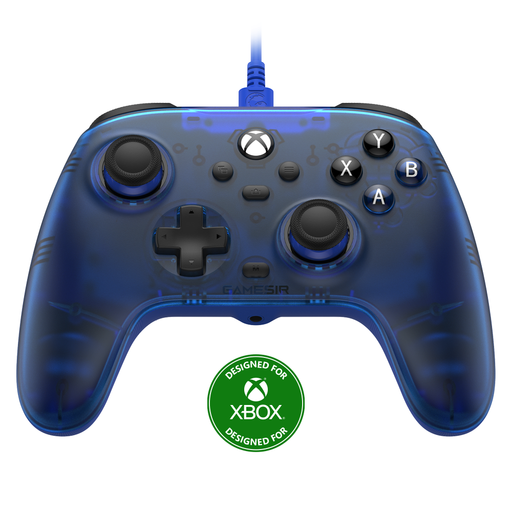
GameSir T7 Wired Xbox Controller (Blue)
A wired option for playing on a Windows PC or Xbox; the specific game must support gamepad controls.
The product title lists Xbox Series X|S, Xbox One, Windows 10/11 and Steam.
Detachable 3 m USB-C cable; Hall Effect sticks and triggers; vibration.
View at Joybuy
 No image available
Xbox Wireless Controller Robot White
Suited to playing on Xbox or a Windows PC; check separately whether the game supports gamepad controls.
The product information lists Xbox consoles and Windows PCs, wireless connectivity and USB-C.
The product information lists customisable buttons. Microsoft lists Bluetooth connectivity for devices including Windows 10/11.
View at Joybuy
 No image available
PS5 DualSense Wireless Controller V3 (Cosmic Red)
A wireless controller for PS5; check whether your mystery game supports the gamepad features you want.
The product information lists haptic feedback, adaptive triggers, a built-in microphone and a rechargeable battery.
Charges via USB-C. According to Sony, haptic feedback on PC requires both game support and a USB connection.
View at Joybuy
 No image available
Nintendo Switch Pro Controller (Black)
A wireless option for Nintendo Switch; check whether your specific game supports gamepad controls.
The product information lists motion controls, HD Rumble and amiibo functionality.
Nintendo confirms that the Switch Pro Controller can also be paired wirelessly with Switch 2.
View at Joybuy
 No image available
Nintendo Switch 2 Official Pro Controller (Black)
The product title identifies this as a controller specifically for Nintendo Switch 2; check whether your game supports gamepad controls.
The product information lists wireless Bluetooth connectivity, USB charging, HD Rumble, motion controls and amiibo functionality.
The product information lists a rechargeable battery.
View at Joybuy
Frequently asked questions
Does every controller work with every mystery game on PC?
No, support varies by game and controller. Steam lists full controller support and support for Xbox controllers for Return of the Obra Dinn, but doesn’t specify support for other devices. So check the information for your specific game.
How do you connect an 8BitDo Ultimate 2C Wireless to Windows?
According to 8BitDo, this model works with Windows via the 2.4 GHz receiver or a wired connection; the Bluetooth connection mentioned by the manufacturer is for Android. Check that your device has the connection you need available.
Do DualSense haptics work on PC via Bluetooth?
According to Sony, haptic feedback on PC requires game support and a USB connection. Check both requirements if this feature matters to you.
What can you try if the controls don’t work in Steam?
First, check whether the game supports gamepads and whether the selected input style is suitable. Steam recommends looking at other available configurations for that game; this doesn’t guarantee a fix for every game.
What are my rights when buying online in the Netherlands?
For eligible distance purchases, you’re often entitled to a 14-day cooling-off period, with some exceptions. The Dutch Government also states that the seller must provide a solution if there’s a problem with a product. These are consumer rights, not extra features of the controller.


