Choose a simple wired keyboard if you mainly need a familiar layout for building and testing the museum website without a mouse. Customisable keys are a better fit for a workflow with your own shortcuts; a split model may be worth considering if setting up a workspace for long typing sessions is your priority. No keyboard makes the website itself accessible: test the site’s controls and focus separately.
Who is this buying guide for?
Accessibility tester
You’re building or checking search fields, filters and collection detail pages without a mouse. W3C guidelines describe keyboard operation and the ability to move out of components as requirements for web content; a suitable layout helps you test this functionality.
Developer with custom shortcuts
You switch between your editor, browser and collection data as you build, and want to assign recurring actions to keys or macros. Keychron lists these customisation options for the V6 Max through Launcher.
Collection editor who types for long periods
You enter a lot of text and metadata, and want to take the keyboard’s shape and your workspace setup into account. Arboportaal outlines requirements for screen-based work; Logitech describes the ERGO K860 for Business as having a split design.
Which buying considerations matter?
| Consideration |
What should you check? |
Who is this more important for? |
| Testing the site without a mouse |
Go through search, filters and detail pages using the usual navigation keys. Also check that you can move out of each component. |
If I want to check every interactive element on my museum website using only a keyboard, this is my top priority. Around 33% of consumers give keyboard testing top priority. |
| Typing for long periods |
Consider the key shape and desk setup together, and allow time to adjust to a different design. |
If I enter a lot of text and metadata, I mainly want a key shape and setup that suit my workspace. Around 27% of consumers prioritise long typing sessions and their typing workspace setup. |
| Custom shortcuts |
Check that the settings work with your operating system and that the keys you need remain available for standard navigation tests. |
If I often repeat the same actions while building, I want to be able to customise keys or macros. Around 20% of consumers give this customisation top priority. |
| Layout and connection |
Check the exact regional layout and whether the available USB port or wireless connection suits your workspace. |
When I order a keyboard, I want to make sure the key legends and connection suit my computer and how I work. Around 20% of consumers prioritise layout and connection. |
Buying pitfalls
-
Confusing a programmable or ergonomic keyboard with an accessible website
A device’s keyboard features don’t tell you whether visitors can use every part of the website with a keyboard. W3C also emphasises that focus must not become trapped within a component.
Test your own pages using standard keyboard navigation, and check the controls and focus for search, filters and detail pages separately.
If controls or focus don’t work properly, you may need to spend extra time on design, testing and fixes.
-
Assuming a model name means a specific regional layout
The same model range may be available in different keyboard layouts. Keychron lists separate ANSI and ISO versions of the V6 Max; the CHERRY KC 6000 SLIM also has regional variants.
Before ordering, check the version, product number and key legends for the variant you’ve chosen.
An unsuitable layout can take extra time to replace or set up again.
Relevant brands to consider
Logitech
The Logitech models mentioned range from a simple wired keyboard to keyboards with customisable keys or a split design.
- Logitech lists a USB connection and number pad for the K120, and programmable keys for the MX Keys S.
- Logitech’s description of the ERGO K860 as comfortable is a manufacturer claim, not a proven health benefit or a guarantee against discomfort.
Keychron
The V6 Max is a mechanical keyboard with customisable keys; Keychron offers separate ANSI and regional ISO versions.
- Keychron says the V6 Max supports key customisation and macros through Launcher.
- Check the exact layout and version. Programmable keys don’t automatically make a website usable without a mouse.
CHERRY
According to CHERRY, the KC 6000 SLIM is a low-profile, full-size Windows keyboard with scissor switches and USB-A.
- The specifications list a full-size layout and an integrated metal plate.
- The specifications say this model has no backlighting. Check the product number and regional layout of the version you want.
ZSA / ErgoDox EZ
The ErgoDox EZ comes in two parts and can be customised if you want to arrange the positioning and key layout yourself.
- ZSA lists a graphical configurator and replaceable switches.
- The split design calls for a considered choice and a period of adjustment; manufacturer claims about comfort are not independent test results.
Joybuy product picks
These keyboards differ in size, layout and connection options. Check which variant and connection suit your workspace for each model.
 No image available
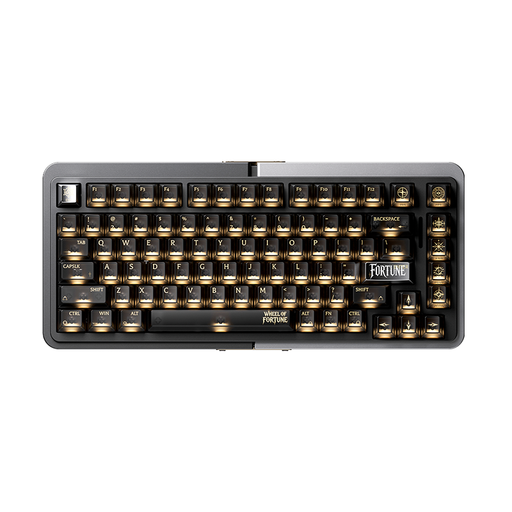
Royalaxe E75 Custom 75% Hall Effect mechanical keyboard
Could suit you if you’re looking for a wired connection and a 75% layout.
The product name lists Hall Effect switches, TTC Magnetic HE Switches and a wired mode. The listed variant has a US layout.
View at Joybuy
 No image available
Ticktype EVO75 Custom Tri-Mode mechanical keyboard
Could suit you if you’re looking for a mechanical keyboard with multiple connection modes and customisable keys.
The product name lists Tri-Mode, VIA compatibility, hot-swappable switches and a US layout.
View at Joybuy
 No image available
REDRAGON wired mechanical keyboard with 94 keys
Could suit you if you’re looking for a wired mechanical keyboard with a wrist rest.
The product name lists 94 keys, a metal case, a phone holder and a wrist rest.
View at Joybuy
 No image available
AJAZZ AK820 MAX 75% Tri-Mode mechanical keyboard
Could suit you if you’re looking for a 75% keyboard with multiple connection modes.
The product name lists wired, Bluetooth and 2.4GHz modes, a volume knob and a US QWERTY layout.
View at Joybuy
 No image available
AJAZZ AK820 MAX Magnetic Axis wired keyboard
Could suit you if you’re looking for a wired mechanical keyboard with magnetic switches.
The product name lists 82 keys, hot-swap and adjustable actuation points.
View at Joybuy
Frequently asked questions
Does a suitable keyboard prove that a museum collections website is accessible without a mouse?
No. W3C says that web functionality must be operable through a keyboard interface and that users must be able to move focus out of components. So test search, filters and detail pages on your own site; a quick check is not a full accessibility assessment.
Does a Dutch museum collections website have to meet accessibility requirements?
That depends on the provider and the service. The Dutch government outlines accessibility requirements for government websites. According to the Authority for Consumers and Markets, rules for e-commerce services apply to providers that meet the relevant conditions, including having 10 or more employees or an annual turnover of more than € 2 million. The description ‘museum collections website’ alone does not determine which rules apply to a particular site.
Do you have to use a separate keyboard with a laptop?
Not every laptop user does. Arboportaal says that for an employee who works at a screen for more than 2 hours a day, the screen and keyboard must not be attached to each other. When using a laptop, it must therefore be possible to use a separate screen or keyboard; assess the workspace as a whole.
What should I check about the connection and keyboard layout?
Before buying, check the connection and the exact regional layout of the variant. Keychron says the V6 Max can be customised with keys and macros through Launcher; remember to use the standard navigation keys when testing the site too.
How does the warranty work when buying in the Netherlands?
According to the Dutch government, when you buy as a consumer you’re entitled to a product that works as it should, and there is no fixed statutory warranty period in the Netherlands. A manufacturer’s warranty is in addition to this; if something goes wrong, contact the seller. Also check the seller’s terms for your specific purchase.


