
Home-based narrator
You practise at a computer, record your voice locally and want to be able to listen back to the file straight away. In recording software such as Audacity, you can select the microphone and playback output.


If you mainly record locally at a computer and want to use the same set-up to listen back, a wired USB headset with a microphone and ear cups suits that workflow. If you practise standing or walking, a separate headset microphone may be a better fit, provided you have the right input, an audio interface if needed, and a separate playback solution.
You practise at a computer, record your voice locally and want to be able to listen back to the file straight away. In recording software such as Audacity, you can select the microphone and playback output.
You want to speak hands-free while standing or walking. So check how the microphone is worn and what input your recording device has; Shure and RØDE list microphones with different connection requirements.
You review your talk over several practice sessions and want to hear it through the headphones you plan to use. Trust describes the Ayda as having soft ear cushions; how comfortable a fit feels varies from person to person.
A good fit if: you want to record locally at a computer and listen back using the same headset.
The trade-off: the cable limits how freely you can move; manufacturer information about microphone features is not an independent assessment of museum recordings.
A good fit if: hands-free speaking during a standing or walking rehearsal is important, and your recording device supports the microphone.
The trade-off: a separate microphone does not have built-in headphones for listening back; you may need a compatible input or interface.
A good fit if: being able to move without a cable matters more for your rehearsal than having a simple recording set-up.
The trade-off: check the connection and frequency of the specific system; the RDI says that some frequency bands for wireless microphones require a licence.
| What to consider | What should you check? | Who is this important for? |
|---|---|---|
| Recording locally and listening back | Check the USB type and port. Select the right microphone and playback output in your recording software, then make a test recording. | If I practise at a computer, I want to save my voice locally and listen back straight away, without extra recording equipment; around 36% of consumers prioritise easy recording and playback. |
| Speaking while moving | Consider how the microphone is worn, its position and the cable routing. Check that your recorder’s input is compatible with XLR or 3.5 mm and provides the required power. | When I rehearse a tour while walking, I want to speak hands-free; around 29% of consumers give freedom of movement top priority. |
| Comfort when listening repeatedly | Check the adjustability and type of ear cushions. Make a short recording to check that you can listen back through the headphones you want to use. | When I review my talk several times, I want the headset to feel comfortable and to hear my voice clearly; around 21% of consumers put this first. |
| Connecting to your device | Note which ports are available and check the exact headset model. Jabra warns that not all USB-C devices or apps support audio; the HS2 requires plug-in power. | If my device has limited or specific audio connections, I want to know in advance whether everything will work together; around 14% of consumers make connection reliability their top priority. |
The Shure WH20XLR and RØDE HS2 are standalone microphones, not USB headsets with built-in headphones. You may also need a compatible input or interface to record.
A separate microphone may also require separate headphones for listening back.
First decide what you’ll use to record and what you’ll use to listen back to the local file. Then check the entire connection set-up.
Jabra says that not all USB-C devices or apps support audio with the Evolve2 30. The RØDE HS2 requires a suitable 3.5 mm microphone input with plug-in power.
An incompatible port may mean you need a suitable input, an adapter or a different headset model.
Check the exact headset model and power requirements against your recording device’s manual.
Logitech and Trust’s claims about noise cancellation are statements from the manufacturers; they don’t prove how your voice will sound in your practice space.
Make a short test recording from the distance you plan to speak at, then check how clear it sounds and listen for background noise before recording a whole tour.
The Dutch Government says that statutory guarantee in the Netherlands has no fixed time limit, and that the retailer is your point of contact if something goes wrong.
Check what any additional warranty offers beyond your existing rights, and keep your proof of purchase.
The H390 is a USB computer headset for speaking and listening at a computer. Choose the version that suits the USB port available on your device.
The Ayda USB-ENC is a computer headset worth comparing if controls and an adjustable fit are important for your practice sessions.
The WH20XLR is a standalone headset microphone for hands-free speaking with a compatible XLR recording set-up.
The HS2 is a standalone presentation microphone for a recording set-up with a suitable 3.5 mm input and plug-in power.
The Evolve2 30 is a wired computer headset available in USB-A and USB-C versions.
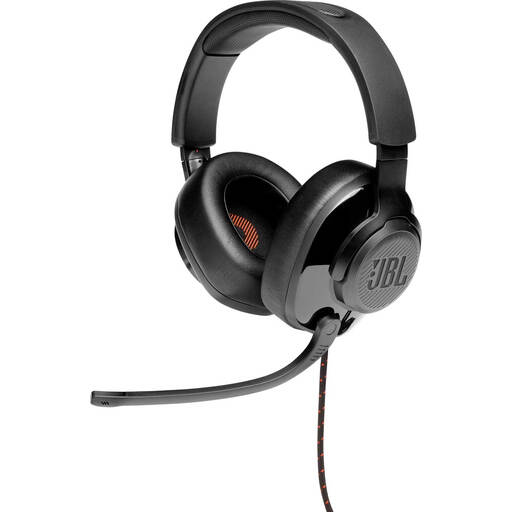
This product selection focuses on wired headsets with a microphone and headphone playback for speaking and listening back at a computer.
 No image available
Suitable for speaking and listening back at a computer, provided the connection is compatible with your device.
The headset combines a microphone with stereo headphone playback. The description lists a USB audio adapter in the box; the boom microphone flips up and the ear cushions are made from memory foam.
 No image available
Suitable for practising at a computer if you want to speak and listen back to stereo audio through one headset.
The description lists an adjustable microphone boom, ear cushions, and volume and mute controls.
 No image available
An option for recording and listening back at a computer with a compatible USB connection.
The description lists a wired USB stereo headset with a microphone and in-line controls.
 No image available
Suitable for computer rehearsals when you want to speak and listen back to stereo audio through the same set-up.
The description mentions digital stereo audio, an adjustable microphone boom and an adjustable headband.
 No image available
Suitable for speaking and listening back at a computer through the USB headset.
The description lists an adjustable microphone and volume and mute controls.
No. Select the headset as the microphone in your recording software, make a test recording and export it as a local audio file. Audacity recommends exporting a recording as WAV or AIFF for safekeeping.
First check that the right microphone is selected as the recording device. A separate XLR microphone needs a compatible input or XLR-to-USB interface; the RØDE HS2 requires a suitable 3.5 mm microphone input with plug-in power.
Record a short clip first, check the selected input and listen back to the result. Export a copy for safekeeping before you start editing in detail.
According to the Dutch Data Protection Authority, an exemption from the GDPR applies when recordings are used solely for personal or household purposes. If you’re recording on behalf of a museum or for another professional purpose, the organisation must assess the appropriate legal basis. Check the venue’s rules before recording there, too.
That depends on the radio frequency used. According to the Dutch Authority for Digital Infrastructure, some uses are licence-exempt and don’t require notification or registration, but a licence is needed for some frequency bands used by wireless microphones. So check the frequency of the specific system.