What should you consider when choosing?
Start by checking how the museum plays its audio tour. Then consider how connected to the gallery you want to stay, how long you’ll wear the headphones and whether a solution you already own will do the job.
| Buying concern |
What should you check? |
Who is this important for? |
| Playback source and speech |
Check whether the tour works on your phone and supports Bluetooth or another connection. Test the pairing and volume controls in advance. |
If I want to follow the spoken commentary privately on the right phone, the tour needs to work with my listening set-up. Around 36% of consumers say the playback source and speech clarity are their main buying concerns. |
| Staying connected to the gallery |
Compare open-ear headphones with sealed earbuds. Check that speech remains clear and that sound doesn’t leak out in a quiet gallery. |
If you want to keep noticing conversations or instructions while listening, choose a fit that suits this. For around 29% of consumers, awareness of their surroundings comes first. |
| Comfort and portability |
Consider the fit, ear cushions and controls; try the model if possible. If it folds, check how easily it fits in your bag. |
If I’m walking around for a long time, I want headphones that feel comfortable and are easy to take with me. Wearing comfort and storage are the main concerns for around 21% of consumers. |
| An unnecessary purchase |
Check whether the museum provides a device and whether your existing headphones work with the tour you’ve chosen. |
If a borrowed device or my existing listening set-up is all I need, I don’t have to buy a new model. Around 14% of consumers say avoiding an unnecessary purchase is their main buying concern. |
Joybuy products for museum audio tours
These products suit different ways of listening on your own phone: wired and wireless in-ear models, on-ear and over-ear headphones, and an open-ear option. Choose based on your device’s connection and how connected to the gallery you want to stay.
 No image available
Bose Noise Cancelling Wired Earbuds, black
A wired option for a device that supports USB-C audio. Check your phone’s connection before choosing.
The product description lists USB-C audio, in-line controls and a microphone, plus several sizes of ear tips. The sealed fit may make conversations or instructions around you harder to hear.
Joybuy
 No image available
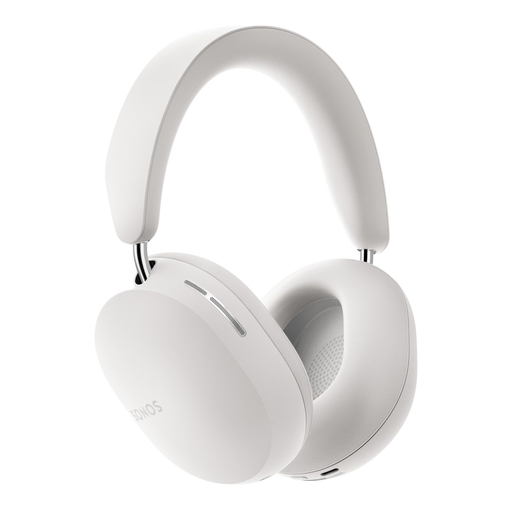
Sonos ACE Over-Ear Bluetooth Headset, white
An over-ear Bluetooth option if you want to play the tour on a compatible phone of your own.
The product description lists buttons for functions including volume and noise control, soft ear cushions and an adjustable headband. Check that the model feels comfortable and that you can still notice instructions in the gallery.
Joybuy
 No image available
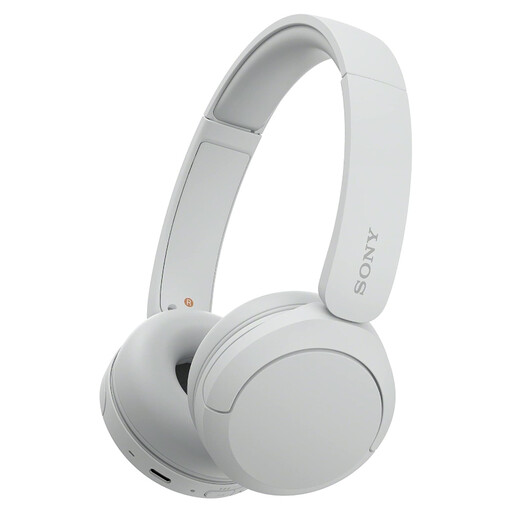
Sony WH-CH520 Wireless Bluetooth Headphones, white
A compact on-ear option for a tour played on a compatible phone of your own, if you prefer ear cups and controls on the headphones.
Sony lists a weight of around 147 g and volume controls for the WH-CH520. The cushions rest on your ears and can create more pressure. Sony also states that passive listening isn’t supported.
Joybuy
 No image available
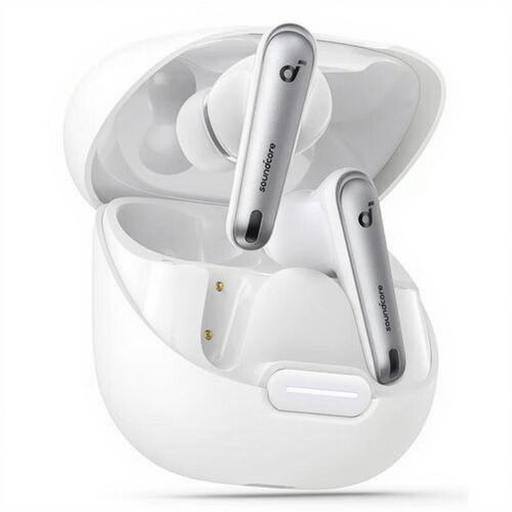
soundcore Liberty 4 NC Wireless In-Ear Earbuds, white
A wireless in-ear option for anyone looking for a sealed fit for a tour on a compatible Bluetooth phone.
The product description lists Bluetooth 5.3, touch controls, active noise cancelling, extra ear tips and a charging case. The sealed fit may make conversations or instructions around you harder to hear.
Joybuy
 No image available
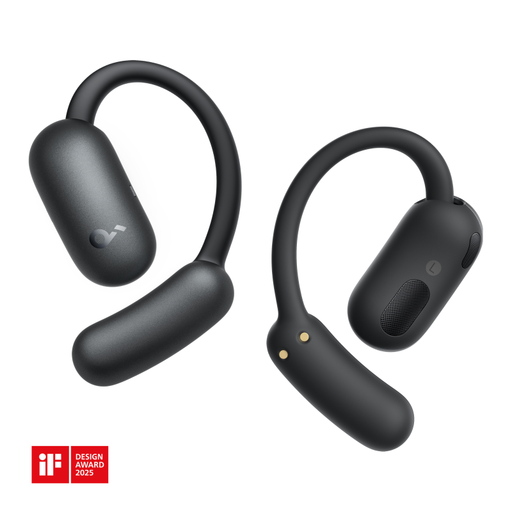
soundcore AeroFit 2 Wireless Open-Ear Headphones, black
An open-ear option for a Bluetooth tour if you want to stay aware of your surroundings while listening.
The product description lists physical buttons. Open-ear headphones let in more surrounding sound than a sealed fit. Check that the commentary remains clear and that other visitors can’t hear your audio in a quiet gallery.
Joybuy
Frequently asked questions
Will every museum audio tour work on your own phone?
No. Check the information for the museum you’re visiting. Wereldmuseum Amsterdam describes a tour accessed via smartphone and QR codes, as well as devices visitors can borrow; the Rijksmuseum directs visitors to its own app for its tours. This doesn’t mean other museums use the same playback method.
Should you set up your Bluetooth headphones in advance?
Ideally, pair your headphones with the phone you’ll use for the tour in advance, then check the battery, volume and playback. This is a practical check, not a museum rule. Sony lists Bluetooth support for the WH-CH520 and states that passive listening isn’t supported.
How can you listen without turning the volume up unnecessarily?
Start at a low volume and only turn it up enough to understand the speech. Also consider how long you’ll be listening. The WHO-ITU guideline gives 80 dB for 40 hours per week as a reference for adults’ sound exposure. This doesn’t guarantee that every volume setting is safe.
Can you return headphones bought online if the fit isn’t right?
For a standard online consumer purchase in the Netherlands, you usually have a statutory cooling-off period of up to 14 days after delivery. ACM ConsuWijzer lists exceptions, so check the applicable terms before returning a specific product.
Does a two-year manufacturer’s guarantee mark the end of your rights?
No. According to ACM ConsuWijzer, your statutory guarantee is separate from a manufacturer’s or retailer’s guarantee. If a product breaks too soon under normal use or doesn’t do what you could reasonably expect, the retailer must resolve the issue appropriately and free of charge. There isn’t automatically one fixed statutory guarantee period for every pair of headphones.


