
Listening in busy galleries
You want to hear the spoken commentary without constantly turning up the volume, and are looking for the right level of isolation. VeiligheidNL explains that a good seal can help keep background noise out.


If you’re listening on your own phone, choose headphones that feel comfortable and offer the level of isolation or awareness of your surroundings you want. Greater isolation can make speech easier to follow against background noise, but it may make it less natural to talk to the people you’re with. If you’re using a museum device, first check which connection it supports: according to the museum, you can also follow the audio tour at Wereldmuseum Amsterdam using a loan device, while the Rijksmuseum recommends that visitors bring headphones.
You want to hear the spoken commentary without constantly turning up the volume, and are looking for the right level of isolation. VeiligheidNL explains that a good seal can help keep background noise out.
On an extended visit, you’re looking for a comfortable fit and practical battery life. Manufacturers’ claims about comfort and battery life don’t replace checking whether a particular model feels comfortable for you.
You want to follow the tour while still being able to respond to the people you’re with. Shokz describes the OpenRun’s open-ear design as a way to keep you aware of your surroundings; speech around you may also compete with the audio tour.
Start by checking what the tour plays through. Then weigh up whether clear speech, lasting comfort, awareness of your surroundings or compatibility with the device matters most to you.
When: if you’re listening on your own phone and gallery noise makes the spoken commentary difficult to hear.
Trade-off: greater isolation can make it less natural to talk to the people you’re with. Check whether a transparency mode would be useful for you.
When: if you want to keep hearing the people you’re with and the space around you while listening.
Trade-off: conversations and other surrounding sounds remain audible and may compete with the commentary.
When: if you’re playing the tour on your own phone and want a compact pair of headphones to take with you.
Trade-off: the ear cushions rest on your ears. Try them on to see whether they remain comfortable when worn for longer periods.
When: if the playback source doesn’t offer a suitable Bluetooth connection, or the museum lends a device that works for you.
Trade-off: a cable will only work with a compatible socket, and the availability of loan devices varies from museum to museum.
| What to consider | What should you check? | Who should give this more weight? |
|---|---|---|
| Hearing speech clearly | Fit and isolation; try spoken audio at a modest volume. | If I want to follow commentary in a busy gallery without constantly turning up the volume, I’ll focus on how well the headphones isolate sound. Around 33% of consumers prioritise speech clarity. |
| Comfort throughout your visit | Check the pressure from the ear cushions and headband; compare the stated battery life with how long you plan to use them. | On a long visit, I mainly want my headphones to stay comfortable and last for the whole session. Around 27% of consumers prioritise long-wear comfort. |
| Awareness of your surroundings | Compare an open-ear design with a model that lets in ambient sound. | If I’m visiting with others, I want to be able to respond to them while listening. Around 20% of consumers put awareness of their surroundings first. |
| Playback connection | Ask which device plays the tour, and check that Bluetooth or the cable connection is compatible. | Before choosing headphones, I want to know whether they’ll work with the audio tour and last for the planned listening time. Around 20% of consumers start by checking playback compatibility. |
Museums don’t all play their tours in the same way. Headphones that work with your phone won’t necessarily work with a museum device.
Before you go, check whether you’ll be listening on your own phone or a museum device. If necessary, ask which Bluetooth connection or cable socket is available.
An open design lets you hear speech around you, but in a busy gallery it may compete with the audio tour.
Decide whether staying connected with the people you’re with or having more isolation matters most during your visit.
Battery-life figures and comfort descriptions are manufacturer claims for specific models. They don’t tell you whether the headphones will stay comfortable for your fit or how long the battery will last in your particular use.
Try the model on if possible, and charge wireless headphones before you set off.
According to ACM ConsuWijzer, for a purchase made by a consumer in the Netherlands, what you can reasonably expect from the product and the circumstances will determine the applicable protection. There is no fixed statutory guarantee period that applies to every product.
Keep your proof of purchase and contact the seller if something goes wrong.
Sony describes the WH-CH720N as an over-ear model with noise cancellation and an ambient sound mode. The WH-CH520 is a different, on-ear design.
According to JBL, the Tune 520BT2 is a foldable wireless on-ear pair of headphones for anyone looking for a compact option to take along.
The Philips TAH4209BK/00 is a foldable on-ear design. Philips highlights swivelling ear cups and USB-C charging.
According to Shokz, the OpenRun is an open-ear, bone-conduction pair of headphones for anyone who wants to keep their ears free.
These wireless headphones from Joybuy are options to compare for a long museum audio tour. For each model, check the fit and whether it works with the museum’s playback source.
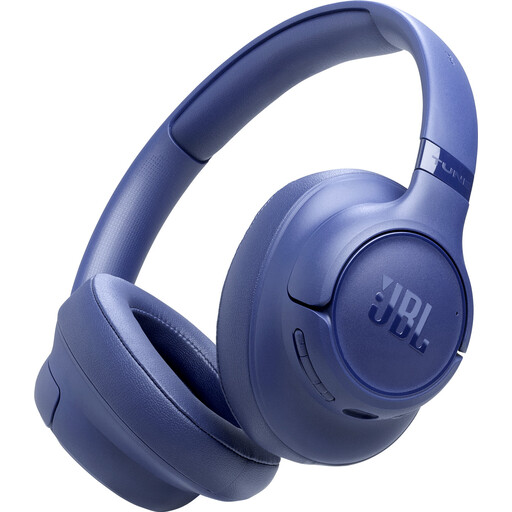 No image available
Worth comparing if you’re looking for wireless headphones with noise cancellation; check whether the fit stays comfortable when worn for longer periods.
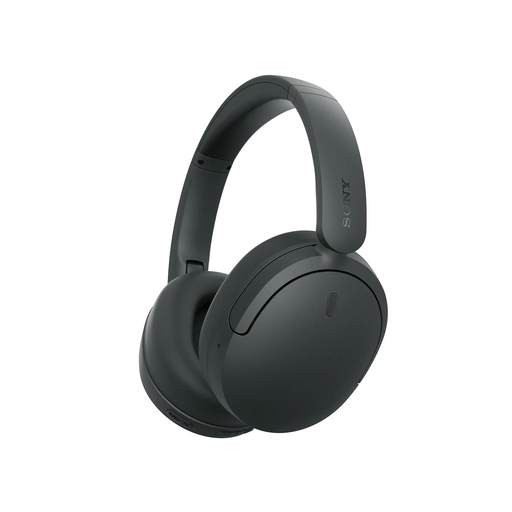
 No image available
An option to compare if you’re looking for wireless headphones with noise cancellation; for a long session, consider how the fit feels for you too.
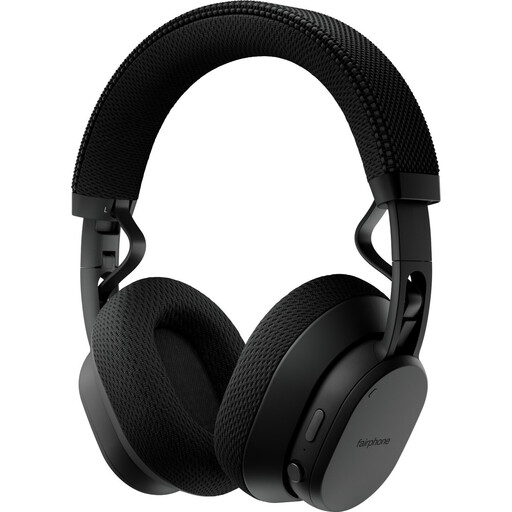
 No image available
Worth considering if you’re looking for wireless headphones for the tour; check the connection with your chosen playback source and whether the fit stays comfortable.
 No image available
A model to compare if you want to switch between greater isolation and awareness of your surroundings while listening; check how to adjust this on the device and whether the fit suits you.
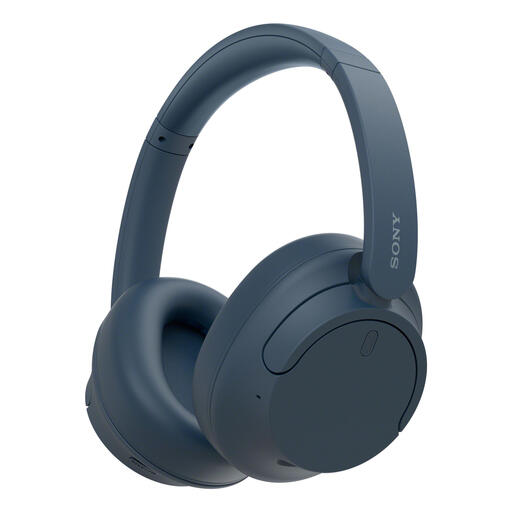 No image available
An option if you want to switch between isolation and ambient sound. Sony describes this model as over-ear, with noise cancellation and an ambient sound mode.
No, it depends on the museum and playback device. The Rijksmuseum offers tours through its app and recommends that visitors bring headphones; Wereldmuseum Amsterdam describes listening via a smartphone that can scan QR codes, as well as using loan devices. Ask the museum which connections its device supports.
Keep the volume low and take listening breaks. The World Health Organization suggests using no more than 60% of the device’s maximum volume as a practical setting; this doesn’t guarantee a safe sound level for every device or listening situation.
First check whether the tour plays on your own phone or a museum device, then connect your headphones to that source. Charge wireless headphones beforehand; the phone-based tour at Wereldmuseum Amsterdam requires a smartphone that can scan QR codes.
For a consumer purchase in the Netherlands, the product must meet what you can reasonably expect from it under normal use. ACM ConsuWijzer explains that there is no fixed statutory guarantee period for every product; contact the seller if something goes wrong.
For online consumer purchases, you generally have a statutory 14-day cooling-off period after receiving the item, although there are exceptions. ACM ConsuWijzer explains how this period works; check the terms that apply to your purchase, especially if you want to open a sealed product.