
Visitors in a noisy gallery
If you want to hear the spoken commentary without continually turning up the volume, look for a comfortable fit and consider how much gallery noise the design lets in.


First, check how the museum provides its audio tour. Some tours work through your own phone, while others let you borrow an audio guide device. If the gallery is noisy, consider a well-fitting, sealed design; open-ear earbuds are an option if you want to stay aware of your surroundings, while wired listening only works with a compatible connection. For wireless earbuds, compare the listening time per charge and try the spoken commentary at a modest volume.
If you want to hear the spoken commentary without continually turning up the volume, look for a comfortable fit and consider how much gallery noise the design lets in.
An open design may be worth considering if you also want to hear your companions and the sounds around you during the audio tour.
Check how the tour starts and whether your phone supports the earbuds’ wired connection or wireless pairing.
First, check whether the tour plays through your own phone or a museum device. Then choose between a sealed design, open-ear earbuds or a wired connection, depending on how much you want to stay in touch with your surroundings and which connections are available.
Choose this option: if gallery noise is making the spoken commentary hard to hear and the fit is comfortable.
Bear in mind: you’ll have less direct contact with voices and sounds around you. An ambient sound mode may be an alternative if the model has one.
Choose this option: if you want to hear your companions or announcements in the gallery while listening.
Bear in mind: an open design won’t block out distracting gallery noise.
Choose this option: if you don’t want to use Bluetooth pairing or an earbud battery, and the audio source has a compatible connection.
Bear in mind: a cable can get in the way when scanning and moving around. Also check the requirements of the specific model.
| What to consider | What should you check? | Who is this important for? |
|---|---|---|
| Hearing speech clearly | Fit, seal and any ambient sound mode; try the tour at a modest volume. | If gallery noise is drowning out the spoken commentary, I want to hear the words without continually turning up the volume. Around 36% of consumers rank speech clarity as their top buying priority. |
| Staying aware of your surroundings | Compare an open design with a sealed model that has an ambient sound mode, and check whether speech remains clear. | I want to keep hearing my companions and the sounds in the gallery during the tour. Staying aware of your surroundings is the top buying priority for around 29% of consumers. |
| Connecting to the audio source | Check how the tour plays, whether the audio source supports a wired connection and whether Bluetooth pairing is possible. | If I’m using my own phone or a museum device, I want to know in advance whether the connection will work. Around 21% of consumers put compatibility first. |
| Battery life and getting started easily | For wireless models, compare listening time per charge in the mode you want to use. Wired listening still requires a compatible output. | I don’t want to charge my earbuds or set up a wireless connection during my visit. Ease of use and not needing an earbud battery are the top buying priorities for around 14% of consumers. |
A tour accessed via a QR code on your own phone calls for different checks from one played on a museum device.
Check how each museum provides its tour. If you’re using a loan device, also check which audio connections are available.
An open design lets ambient sound in. If that drowns out the commentary, turning the volume up isn’t a substitute for a suitable listening solution.
Try the tour at a modest volume and, if the gallery is noisy, compare it with a well-fitting, sealed design.
The case can extend the total listening time, but it charges your earbuds while you’re not wearing them.
Compare the stated listening time per charge, with noise cancelling switched on if you plan to use that mode.
Charging in the case interrupts listening while you’re not wearing your earbuds.
A warranty offered by a retailer or manufacturer is in addition to your statutory rights.
Check what extra cover an additional service provides, and keep it separate from your statutory rights against the retailer.
Sony offers both open-ear models and sealed earbuds with noise cancelling and an ambient sound mode. The right choice depends on how much gallery noise you want to hear.
Apple offers a wired USB-C option and AirPods 4 with active noise cancelling and Transparency mode.
The Soundgear Sense is an open-ear alternative with ear hooks for anyone who wants to keep their ear canals clear.
This selection includes wired USB-C earbuds and wireless in-ear and open-ear models for listening through a compatible audio source.
 No image available
A good fit for wired listening if your phone or audio source supports USB-C audio.
USB-C connection; three-button control and a microphone on the cable.
 No image available
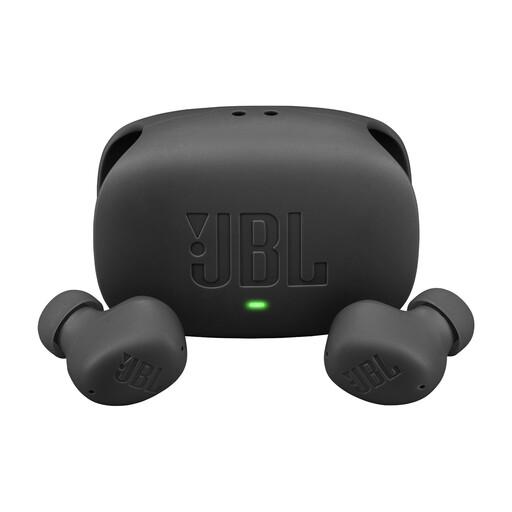
A wireless option to compare if you want to switch between noise cancelling and ambient sound.
The product information lists Active Noise Cancelling and Smart Ambient. JBL states that the earbuds offer 10 hours of playback and 40 hours in total with the case, with ANC off.
 No image available
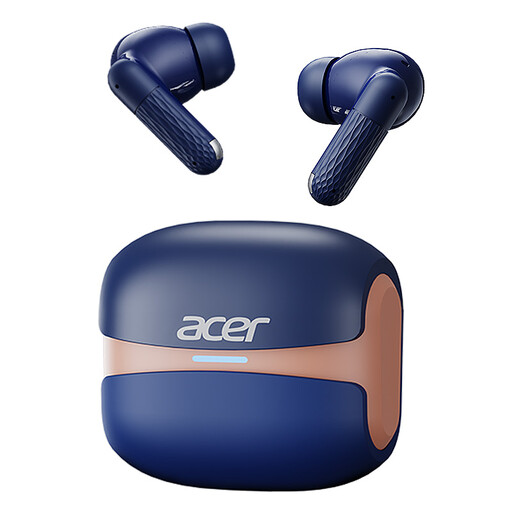
A good fit for listening via Bluetooth if your phone or tour device supports pairing.
Bluetooth 5.4; the charging case has a Type-C connection.
 No image available
A wireless in-ear option to compare if gallery noise could make the spoken commentary hard to hear.
Active noise cancelling and Bluetooth; Samsung states up to 6 hours of playback with ANC on.
 No image available
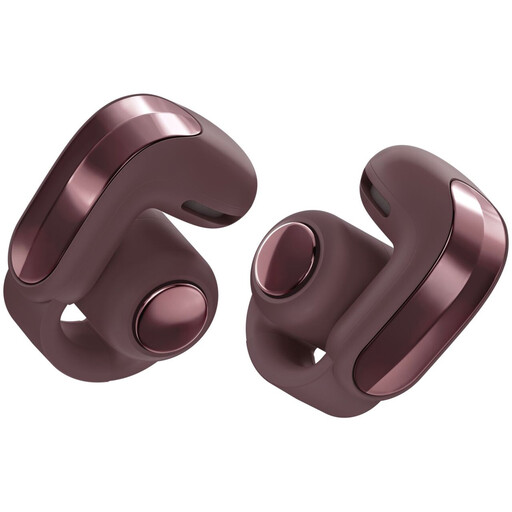
An open-ear option if you want to stay aware of ambient sounds during the audio tour.
Open-ear design; the product information states up to 9 hours of playback per charge and IPX4.
If the gallery is noisy, this open design won’t block out the sounds around you.
No. Check how the specific museum provides its tour. The TextielMuseum describes a tour accessed through QR codes on your own smartphone; Wereldmuseum Amsterdam recommends using your own earbuds or headphones when listening on your phone. The Stedelijk Museum Amsterdam says visitors can borrow an audio guide at designated locations.
Connect or pair your earbuds before starting the tour, then test the sound at a low volume. For its QR-code tour, Wereldmuseum Amsterdam recommends using a compatible smartphone and your own earbuds or headphones.
Charge your earbuds and case beforehand, and compare the listening time per charge in the mode you plan to use. Apple states that AirPods 4 with ANC offer up to 4 hours per charge with ANC on; Consumentenbond points out that battery life including the case isn’t the same as uninterrupted listening.
No. An additional warranty service isn’t a condition of your statutory guarantee. ACM ConsuWijzer explains that your statutory guarantee exists alongside a retailer’s or manufacturer’s warranty, so check any extra cover separately.
The applicable rules for radio equipment are relevant to Bluetooth devices. The Dutch Authority for Digital Infrastructure explains that manufacturers apply the CE marking when equipment meets the applicable requirements.