What should you look for when choosing?
The Cruquius Museum describes a downloadable smartphone tour, but the playback method can vary from one museum to another. First decide where the files will be played, then choose the connection, fit and level of awareness of your surroundings that’s right for you.
| What to consider |
What should you look for? |
Who is this important for? |
| Playback method and files |
Check where the audio is stored and whether your phone supports USB-C audio or Bluetooth. If you’re listening without your phone, also check file transfer and playback formats. |
If my tour file is on my phone, I want to know whether the connection is compatible; if I’m going without my phone, I want to be able to play files directly. Around 36% of consumers prioritise this playback method. |
| Awareness of your surroundings |
Choose deliberately between an open design and greater isolation; try the fit and listen at a sensible volume. |
I want to stay aware of conversations and sounds in the gallery as I walk around. Around 29% of consumers prioritise awareness of their surroundings. |
| Speech clarity |
Consider how the headphones fit around or in your ears, and assess the fit while listening to spoken audio. VeiligheidNL points out that well-fitting models can let less sound through and may reduce the temptation to turn up the volume. |
If I want to follow spoken commentary, I don’t want to keep turning up the volume to drown out background noise. Around 21% of consumers prioritise speech clarity at a sensible volume. |
| Comfort and battery life |
Try the headphones on and check for pressure on your ears or ear hooks. Charge a wireless model beforehand and check how to use the controls. |
For a longer museum visit, I want something comfortable to wear and ready to use. Around 14% of consumers prioritise comfort and battery life. |
Joybuy product picks for museum audio
These product picks include wired USB-C earbuds and Bluetooth models for listening on your phone, as well as open-ear options and headphones with local storage. For each model, check that the connection and playback method suit your tour.
 No image available
JBL Tune 305C wired USB-C earbuds – blue
A wired option if your phone supports USB-C audio.
The product title lists USB-C. The product description mentions in-line controls and a microphone; check compatibility with your phone.
Joybuy
 No image available
Sennheiser MOMENTUM 4 Wireless over-ear headphones – black
A wireless option if your phone plays the audio files and you don’t want to use an audio cable.
Bluetooth, over-ear cushions and noise cancelling are listed. The product title also mentions 60-hour battery life, fast charging and four microphones.
Joybuy
 No image available
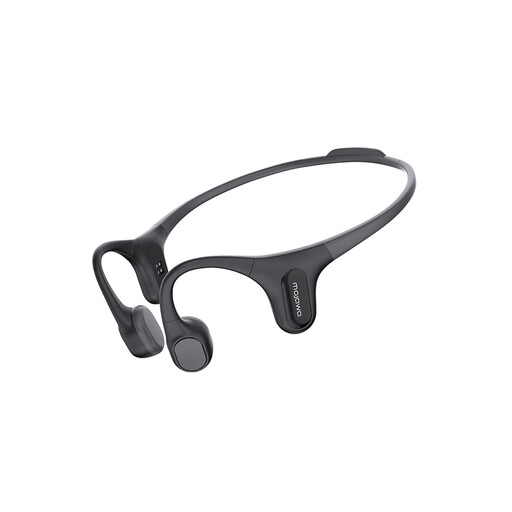
Mojawa RunPlus open-ear headphones – black
An option if you want to play audio files directly from the headphones and stay aware of your surroundings while listening.
The product title lists 32 GB of storage, an MP3 player, Bluetooth and an IP68 rating. Check that your tour can be played directly as a file: local storage won’t automatically replace a museum app or QR code to start the tour.
Joybuy
 No image available
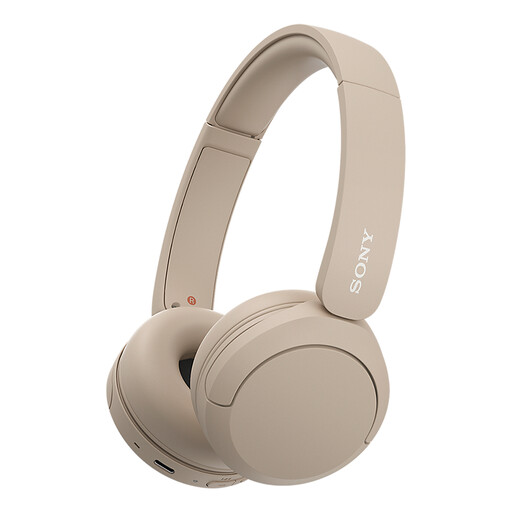
Sony WH-CH520 wireless Bluetooth headphones – beige
A wireless option if your phone plays the audio files and you want controls on the headphones while you listen.
Bluetooth and on-earcup controls are listed. The description also mentions an adjustable headband and soft ear cushions.
Joybuy
 No image available
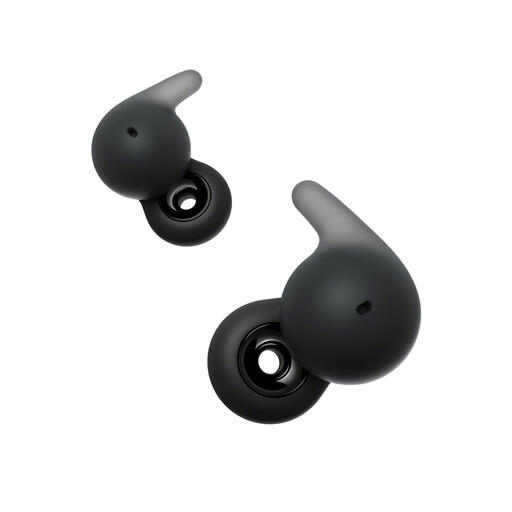
Sony LinkBuds Open open-ear earbuds – black
A Bluetooth option if you’re using your phone for audio files and want to keep your ears open.
The product description lists a weight of 4,8 g per earbud. The open design lets in surrounding sounds, so it won’t block out gallery noise.
Joybuy
Frequently asked questions
Do local audio files need to be stored on the headphones?
No, not if your phone plays the downloaded tour: the headphones are then simply for listening to the audio. If you want to leave your phone at home, you’ll need a model with local storage, and it’s best to test beforehand that it can play your files. The Cruquius Museum describes downloading to a smartphone; Mojawa lists storage in the Run Plus.
Will a downloaded audio file work with every museum tour in the Netherlands?
You can’t assume that it will, as the playback method varies between museums. The Cruquius Museum describes a downloadable smartphone tour, while Wereldmuseum Amsterdam and Het Scheepvaartmuseum also mention using a QR code at the venue for their audio tours. Check the museum’s instructions and, if downloading is possible, test the tour beforehand.
How can you avoid continually turning up the volume on the audio tour?
Start at a sensible volume and check the fit. VeiligheidNL says that well-fitting earbuds or headphones can let in less background noise, so you may not need to turn up the volume as much. An open model may therefore not be the best choice if the gallery is noisy.
What are my rights if headphones bought online aren’t right for me or break too soon?
According to ACM ConsuWijzer, online purchases from a trader generally come with a cooling-off period of up to 14 days after delivery, subject to statutory exceptions. You’re also covered by the legal guarantee if, under normal use, the product doesn’t do what you could reasonably expect; the seller must put this right under the applicable terms. If you’re returning the product because you’ve changed your mind, also check the terms that apply to it.
What product regulations apply to Bluetooth headphones sold in the Netherlands?
The European Commission describes the Radio Equipment Directive as the framework for placing radio equipment on the EU market. This framework concerns the product being placed on the market; on its own, it doesn’t prove that an individual model being offered for sale meets every requirement.


