Catamates describes Stamp Mate as Windows desktop software, so a Windows PC is the obvious choice for running it. If you use a spreadsheet or online catalogue, you could also consider other operating systems. Before buying, test your own multilingual sample records, including an export and reimport, and make sure the screen, scanner connections and backup suit your workspace. More processing power won’t fix errors in catalogue data or character encoding.
Who is this choice relevant to?
Collectors who enter details in several languages
If you record countries, names or details in different languages, check that your catalogue software preserves those characters and that they come through correctly when you export. HCC!seniorenacademie describes spreadsheets, specialist software and online catalogues as possible ways to manage a collection; Catamates describes Stamp Mate as software for Windows.
Collectors who scan stamps
If you want to link images to catalogue records, check that your scanner connects properly and consider how you’ll store and back up your images. Catamates describes scanning and adding stamps manually when they aren’t found automatically.
Collectors with limited workspace
A mini PC or tower uses a separate screen, while an all-in-one has the screen built into the computer. Your choice of software may also determine whether you need a Windows PC.
Which buying priorities should you consider?
Choose your catalogue software first, then check whether the computer, peripherals and backup options suit the way you work.
| What to consider |
What to look for |
Who it’s for |
| Software and multilingual data |
Choose your software before your PC. Test names with accents and other scripts, as well as exporting and reimporting. Catamates describes Stamp Mate as software for Windows; Microsoft Support explains how to set language and keyboard layouts and open UTF-8 CSV files in Excel. |
If I enter foreign names and notes, I want the characters to be preserved in my catalogue. Around 33% of consumers prioritise software and multilingual input. |
| Scans and images |
Check that your scanner and its software work with your chosen operating system, and find out how images are stored and backed up. Epson describes the V39II as a flatbed scanner with a USB connection. |
If I want to link images to stamp records, the scanner needs to fit into my workspace and I need to be able to find the files again. Around 27% of consumers prioritise their own scans and image management. |
| Workspace and included accessories |
Compare the exact configuration, screen connections and what’s included. Acer lists HDMI and DisplayPort for the XC-1860 DT.BMYEH.002, but no keyboard or mouse; the ASUS V400 AiO configuration reviewed has a built-in 23.8-inch Full HD screen. |
If I want a compact setup, it matters whether I already have a screen and input devices. Around 20% of consumers prioritise the workspace setup and included accessories. |
| Backup and preservation |
Find out where the software stores records and images, make copies in another location and test that you can restore them. Microsoft Support lists external drives and cloud storage as possible backup locations. |
If my catalogue contains my own records and images, I want to be able to restore them if the computer fails or I switch computers. Around 20% of consumers prioritise preservation and transfer. |
Pitfalls when buying a computer for your catalogue
-
Choosing a computer before choosing your catalogue software
A Windows desktop programme won’t necessarily work with every operating system. LibreOffice supports Apple silicon, but that doesn’t confirm that Windows software such as Stamp Mate works on macOS.
Choose your programme first, then test your own multilingual sample records before settling on an operating system.
-
Assuming a mini PC or tower is a complete workstation
A standalone PC needs a compatible screen. The included keyboard and mouse combination varies by configuration; Acer says these aren’t included with the XC-1860 DT.BMYEH.002.
Check the full model code, what’s in the box and whether the connections are suitable for your existing equipment.
-
Assuming a spreadsheet export is a complete backup
Microsoft warns that saving as text or CSV can lose some formatting, data and features. A UTF-8 file may also need to be imported in a particular way.
Keep a copy in the original file format too, and test exporting, reimporting and restoring your own sample records.
Brands and product ranges to consider
Acer
The Aspire XC is a compact Windows tower for a workspace with a separate screen.
- For the XC-1860 DT.BMYEH.002, Acer lists Windows 11 Home, 16 GB of memory, a 1 TB SSD and two memory slots.
- Acer says this configuration doesn’t include a keyboard or mouse. Features may vary by configuration.
ASUS
The V400 AiO combines the computer and screen in a single workstation.
- For configuration 90PT03X1-M012F0, ASUS lists a 23.8-inch Full HD screen, Windows 11 Home, 16 GB of memory and a 512 GB SSD.
- ASUS doesn’t list a keyboard as included with this configuration. Check what’s included using the full model code.
MSI
The PRO DP21 series is a small Windows desktop designed to be used with a separate screen.
- MSI lists USB, HDMI and DisplayPort connections, as well as memory slots, among the series’ features.
- The processor and wireless connectivity may vary by configuration, so check the specifications for the exact model.
HP
The 24-cr all-in-one series is an option if you want your computer and screen in one setup.
- An all-in-one can give you a complete workstation without a separate desktop tower.
- HP warns that components vary by configuration, so check the specifications using the full model number.
Apple
The Mac mini is a compact desktop for use with a compatible spreadsheet or online catalogue and a separate screen.
- Apple lists 16 GB of unified memory and a 256 GB SSD for the M6 base configuration. LibreOffice supports Apple silicon.
- Stamp Mate is offered as Windows desktop software, so compatibility with macOS hasn’t been confirmed. Check that your scanner and catalogue software are supported too.
Joybuy desktops for cataloguing
These Joybuy products are suited to a Windows workstation with a separate monitor or an all-in-one setup. Before buying, check that your chosen catalogue software and peripherals are compatible.
 No image available
ACEMAGIC AK1PLUS Mini PC
A compact Windows PC for a workspace with a separate screen and peripherals.
Intel Celeron N5095 (4C/4T), 16 GB LPDDR4X memory, 256 GB M.2 2280 SATA SSD, HDMI 2.0 and Windows 11 Pro.
View at Joybuy
 No image available
ACEMAGIC E3B Mini Desktop
A Windows desktop for a setup with a separate screen. Check that the connections are suitable for your peripherals.
AMD R5 7430U, 16 GB LPDDR4X 3200MT/s, 512 GB M.2 2280 SATA SSD, HDMI 2.0, DP 1.4b, USB-C and Windows 11 Pro.
View at Joybuy
 No image available
LG AIO 24CQ651N-6N All-in-One
An all-in-one for an integrated workstation. The product description positions this model for cloud and VDI applications; check that your catalogue software is suitable for this setup.
View at Joybuy
 No image available
MSI Modern AM273Q AI 1UM-058EU
An all-in-one with an integrated screen for a permanent workstation. Compare the screen size with the space you have available.
Intel Core Ultra 7 155H, 27-inch screen (2560 × 1440), 32 GB DDR5 memory, 1 TB SSD and Windows 11 Pro.
View at Joybuy
 No image available
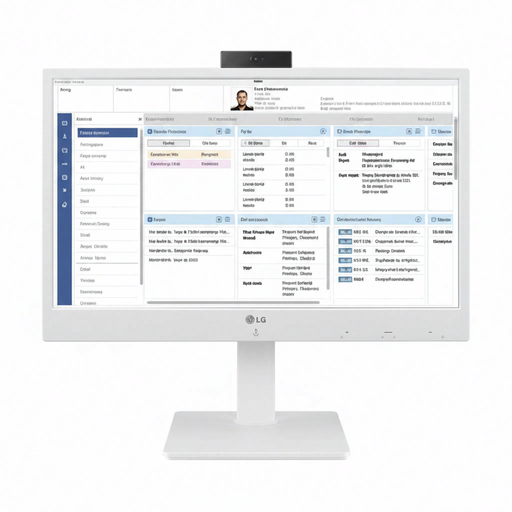
LG All-in-One Thin Client 24CR670N-6P
This all-in-one thin client is designed for cloud and VDI use. Before choosing this model, check that your catalogue and storage method are suitable for this type of environment.
View at Joybuy
Frequently asked questions
Do you need a special computer for a multilingual catalogue?
Not just to add another keyboard layout: Windows has settings for this. Do test your catalogue software with your own sample names and check that you can export and reimport them. Microsoft Support, for example, explains how to import UTF-8 CSV files into Excel.
Can you start simply and add more details later?
Yes. HCC!seniorenacademie describes spreadsheets, specialist software and online catalogues as possible ways to get started. Decide which fields and images you want to keep, and check that your data can be transferred before switching to another system.
How can you protect your catalogue if your PC breaks down?
Find out where the software stores records and images, make copies somewhere other than that computer and test that you can restore them. Microsoft Support lists external storage and cloud storage as possible backup locations.
Are you automatically entitled to just two years’ legal guarantee on a desktop in the Netherlands?
No. According to the Dutch Government, there’s no fixed statutory guarantee period in the Netherlands: you’re entitled to a product that works as it should, depending on what you can reasonably expect. If there’s a problem, contact the retailer first; the manufacturer’s guarantee is separate.
Where can you take your old computer?
According to the Dutch Government, when you buy a new, similar appliance, you can hand in your old one under the ‘old for new’ scheme. The Dutch Government also lists collection points and your local council recycling centre; computers are covered by the scheme.


