
Vandaag of morgen in huis

Kwaliteit gegarandeerd

Welkomstaanbiedingen ontgrendelen: GRATIS bezorging | Tot 80% korting | Gratis 30 dagen JoyPlus-proefperiode
Download de app
If you're considering the switch from a single-extruder to a multicolor 3D printer, you're likely looking for more than just color. You're seeking efficiency, precision, and the ability to create complex, functional prototypes without the hassle. The market makes big promises, but doesn't always deliver. Before you invest, it's crucial to recognize the common pitfalls that can delay your projects and lead to unnecessary costs.
Many advanced users run into the same problems. Manufacturers often highlight specifications that sound impressive but cause frustration in practice.
To avoid these pitfalls, focus on the technology that truly matters. Check these three specifications before you buy an Anycubic 3D printer or any other brand.
Not all systems for a multicolor 3D printer are created equal. The focus should be on an integrated system that minimizes filament waste and ensures reliable color changes. Modern systems, often referred to as AMS (Automatic Material System) or similar names, are designed to switch filament quickly and with minimal purging. This is crucial for efficiently using a 3D printer for prototypes, where both time and material costs are a factor.
A high print speed (e.g., 500-600 mm/s) is only useful if the printer can maintain quality. This is made possible by two key technologies:
Look for a printer that goes beyond standard bed leveling. A system with automatic leveling that also calibrates the Z-offset itself saves a tremendous amount of time and prevents failed prints. Printers that use the nozzle as a sensor or have another fully automated process offer much higher reliability. This ensures the first layer is perfect time and time again, which is the foundation for any successful print.
Based on these objective criteria, we have selected several models that suit different user profiles.
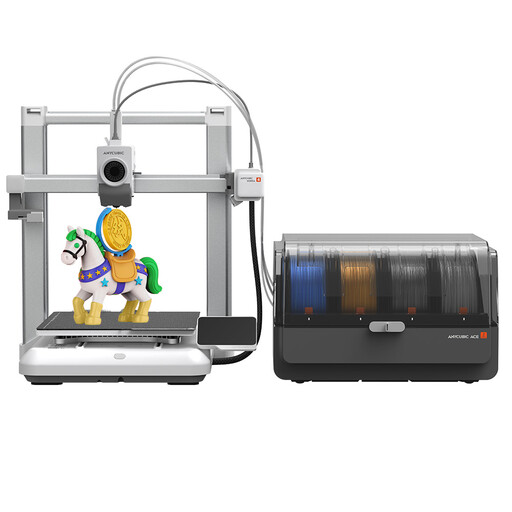
Why This Fits Their Persona: Perfect for professionals and makers who need speed and seamless multicolor integration for functional prototypes and complex models. Efficiency is paramount.
The integrated 4-color (expandable to 8) system is designed for minimal filament waste. The combination of high speed with vibration compensation and AI detection prevents loss of quality.
Print speeds up to 600 mm/s while maintaining quality; integrated ecosystem with smart features like spaghetti detection and automatic leveling.
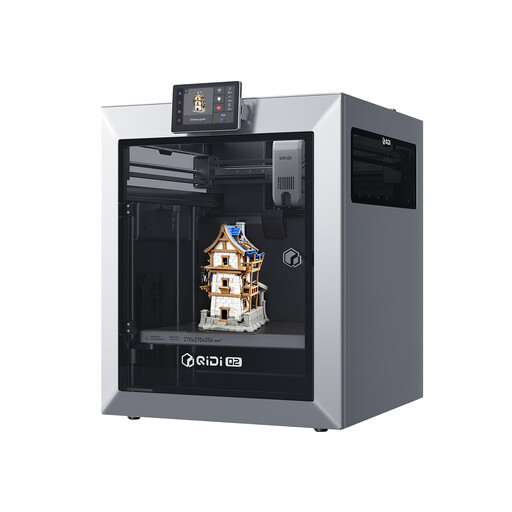
Why This Fits Their Persona: Ideal for engineers and hobbyists who want to work with advanced materials like ABS, ASA, or carbon-fiber composites, which require a controlled printing environment.
The enclosed chamber, heated up to 65°C, prevents warping and delamination—a common problem with engineering filaments. The optional QIDI BOX enables multicolor printing without compromise.
370°C all-metal hotend for high-temperature materials; active chamber heating for superior layer adhesion and dimensional accuracy; open-source platform for complete control.
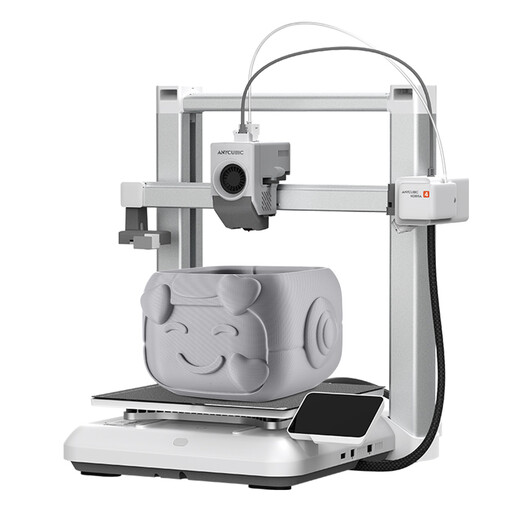
Why This Fits Their Persona: For the user who wants to leap to a modern, high-speed printer but doesn't immediately need multicolor functionality. The focus is on speed, reliability, and print quality.
It delivers the core technology for speed-without-compromise (vibration compensation, flow control) without the added cost of a multicolor system. The focus is on a perfect single-color experience.
Offers the same maximum print speed of 600 mm/s and smart features as the Combo model. A solid foundation for fast, reliable prints at a more attractive price point.
We have compiled a complete, up-to-date list of products that fully meet these strict selection criteria and EU regulations.
The amount of wasted filament depends heavily on the system. Older systems or poorly designed add-ons can create a "purge tower" that weighs almost as much as the model itself. Modern, integrated systems like the one in the Anycubic Kobra 4 Combo are optimized to minimize the purge, sometimes down to just a few grams per color change, by purging the filament into the model's infill or through a more efficient switching mechanism.
Absolutely. When using a 3D printer for prototypes, speed is a huge asset. It allows you to iterate much faster. A design that previously took a day to print can now be ready in a few hours. The prerequisite, however, is that the printer features technologies like vibration compensation and flow control, so that the higher speed does not compromise the dimensional accuracy and surface quality of the prototype.
This depends on the manufacturer. Some brands with a highly integrated ecosystem encourage the use of their own slicer for the best results, especially for multicolor settings. However, many printers, including models based on open-source firmware, still offer support for popular slicers like Cura or PrusaSlicer. Always check for compatibility before making a purchase if you are strongly attached to your current workflow.
