
Vandaag of morgen in huis

Kwaliteit gegarandeerd

Welkomstaanbiedingen ontgrendelen: GRATIS bezorging | Tot 80% korting | Gratis 30 dagen JoyPlus-proefperiode
Download de app
You see those stunning, colourful 3D prints online and think, "I want that too." The ability to print complex objects in multiple colours opens up a world of creative and professional possibilities. But before you purchase a multi-colour 3D printer, it's important to know what to look for. Many marketing promises hide drawbacks that can cost you time and money.
As a Joybuy Product Recommendation Officer, I'm here to help you separate fact from fiction. These are the most common pitfalls and how to avoid them.
To ensure you make the right choice, it's crucial to look beyond the marketing hype and focus on the technical specifications that determine performance. When you want to buy an FDM 3D printer, pay close attention to the following three points.
A multi-colour 3D printer typically works via an external unit, such as an AMS (Automatic Material System) or CFS (Color Filament System). This unit feeds different filaments to a single extruder. With each colour change, the old filament is retracted and the new one is fed in. This process is efficient, but as mentioned, it does generate waste. Pay attention to the reliability of the feeding system and whether it's compatible with third-party filaments or whether you'll be locked into more expensive, proprietary spools.
A high-speed 3D printer is defined not just by its maximum speed (mm/s), but also by its acceleration (mm/s?). High acceleration allows the printer to quickly reach its top speed on short segments, significantly reducing total print time. Additionally, the stability of the frame is essential. A CoreXY frame is typically more stable at high speeds than a traditional "bed-slinger" design, resulting in better print quality. For a 3D printer for professionals, a large build volume is also often a requirement to print larger prototypes in a single run.
True "set-and-forget" auto-levelling is rare. Look for systems that not only map the print bed but also automatically compensate for the Z-height. Features like Anycubic's LeviQ 3.0 Auto-Leveling accurately measure the distance to the bed and adjust it dynamically. This ensures a perfect first layer without manual intervention, which is essential for a reliable printing process.
Based on these criteria, we have selected a few models that suit different user profiles.
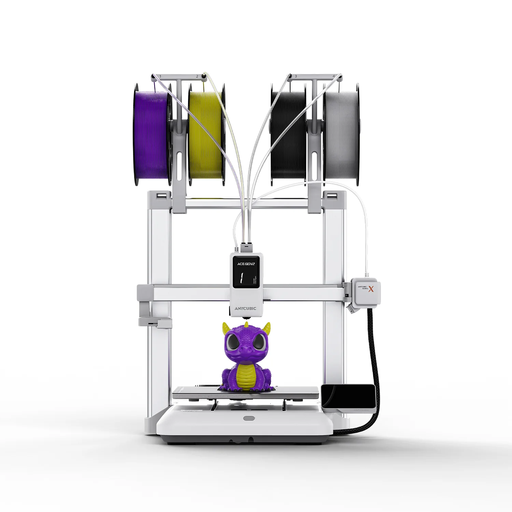
Why This Fits Their Persona: Perfect for those looking to step into colourful projects without the complexity of a professional system. This printer offers an integrated solution that works right out of the box.
The built-in 4-colour system is designed for ease of use. The LeviQ 3.0 Auto-Leveling with automatic Z-offset adjustment tackles the calibration problem head-on for a reliable first layer.
Built-in multi-colour functionality and a high recommended print speed (300 mm/s) at an accessible price point. The spacious 260x260x260 mm? build volume is a plus.
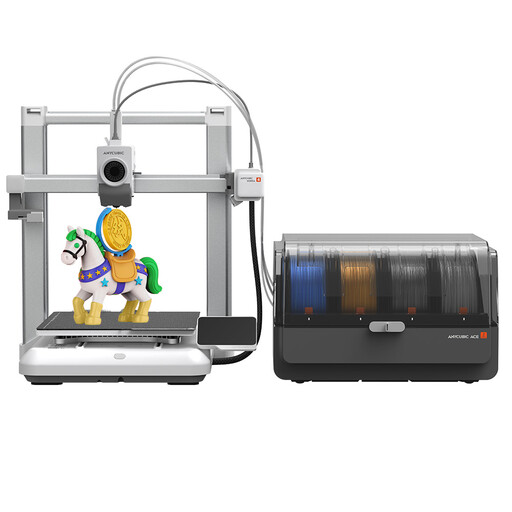
Why This Fits Their Persona: Designed for product designers and small businesses who need speed, reliability, and a large build volume for creating functional, colourful prototypes.
The AI detection for 'spaghetti' and jammed filament prevents wasted material and time, a significant hidden cost. The specifications make a clear distinction between the maximum speed (600 mm/s) and the recommended, stable print speed (300 mm/s).
Large build volume (260x260x260 mm?), smart AI features for reliable production, and a hardened steel nozzle that can reach 300°C, enabling printing with engineering-grade filaments.
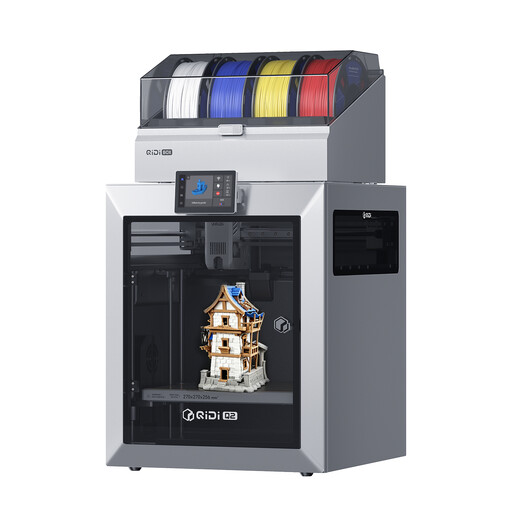
Why This Fits Their Persona: Ideal for engineers and designers who work with demanding materials like ABS or ASA and strive for the highest print quality. The enclosed chamber provides a stable printing environment.
The actively heated chamber (up to 65°C) minimizes warping, a common and costly problem with engineering filaments. The optional 16-colour system (QIDI BOX) is a clear upgrade, not a hidden requirement.
The heated build chamber is a unique advantage for superior results with temperature-sensitive materials. The all-metal hotend, reaching up to 370°C, opens the door to high-performance composites.
We have compiled a complete, up-to-date list of products that fully meet these strict selection criteria and relevant safety regulations.
The amount of waste depends on the system and the number of colour changes in your print. A 'purge tower' is often necessary to clean the nozzle. Some modern systems, like those from Anycubic, are optimised to minimise this waste, but it is unavoidable. Expect 10% to 25% extra filament consumption for a print with many colours.
While it's tempting, multi-colour printing adds an extra layer of complexity. It requires more calibration and knowledge of slicing software. We recommend first getting comfortable with single-colour printing on the same machine. Most combo systems can also be used perfectly well as single-colour printers.
A direct drive extruder, where the drive mechanism is located directly above the hotend, offers superior control over the filament. This is crucial for the fast and precise retractions needed during colour changes. It reduces the chance of 'stringing' (thin strands of plastic between printed parts) and clogs, leading to cleaner and more reliable multi-colour prints.
