
Vandaag of morgen in huis

Kwaliteit gegarandeerd

Welkomstaanbiedingen ontgrendelen: GRATIS bezorging | Tot 80% korting | Gratis 30 dagen JoyPlus-proefperiode
Download de app
An all-in-one PC saves space, but not every compact computer is automatically suitable for working from home, studying or a small office. With the MSI Modern AM242TP 1M-1229EU, you get a 23.8-inch touchscreen, Windows 11 Pro and modern wireless connectivity. However, there are a few points you should check before buying.
This buying guide will help you assess the specifications in practical terms, put marketing claims into perspective and choose an MSI all-in-one PC that suits the way you use it.
A touchscreen is useful for quick interactions, presentations or creative applications. When typing or working with spreadsheets for long periods, you will generally still use a keyboard and mouse. So, check whether the stand and viewing angle suit your desk. The MSI Modern AM242TP has a 23.8-inch IPS display with a matt, anti-glare finish. This can be more comfortable in daylight, but the screen size still determines how many windows you can open side by side.
A 256GB SSD will generally start up quickly and respond smoothly when opening files. However, some of the storage is used by Windows 11 Pro, updates and installed programmes. For documents and web use, 256 GB may be sufficient. If you store lots of photos, videos or large business files, you may need external or cloud storage.
The product information for the MSI Modern AM242TP 1M-1229EU states that the charger is no longer included as standard and must be purchased separately. Check this before checkout and only choose a compatible MSI power adapter that meets the product specifications. Otherwise, a missing adapter could delay getting started.
The computer features a 23.8-inch Full HD display with a resolution of 1920 × 1080 pixels, an IPS panel and a capacitive touchscreen. Full HD is suitable for office software, browsing the internet, video calls and streaming. A higher resolution is mainly relevant if you work with highly detailed images or need more screen space.
The matt finish helps to reduce reflections. Even so, avoid positioning the PC directly opposite a window or strong lamp, as an anti-glare screen can still produce distracting glare.
According to the product specifications, the Intel Core 3 100U has six cores and a maximum turbo frequency of 4.7 GHz. This makes this Intel Core 3 100U PC suited to everyday tasks such as word processing, browsing, video calls and light multitasking.
The 8GB DDR5-SDRAM operates at up to 5,600 MT/s, and two memory slots are listed. According to the product details, the maximum memory capacity is 64 GB. For basic use, 8 GB is practical, but if you regularly open lots of browser tabs, large spreadsheets or several business applications at once, it is worth checking whether a future memory upgrade is possible.
For wireless connectivity, the PC has Wi-Fi 6E via the Intel Wi-Fi 6E AX211 controller, as well as Bluetooth 5.3. Wi-Fi 6E can use the 6GHz band, but this also requires a suitable router and network configuration. Without such a router, the connection will fall back to compatible 2.4GHz or 5GHz bands.
The following are also included:
If you work in an office with several peripherals, it is sensible to count how many USB ports you will need in advance. A USB hub can be a solution, but it takes up additional space.
The choices below are based on listed specifications such as screen resolution, processor, memory, storage, operating system and ports. They do not guarantee a particular user experience in every software application.
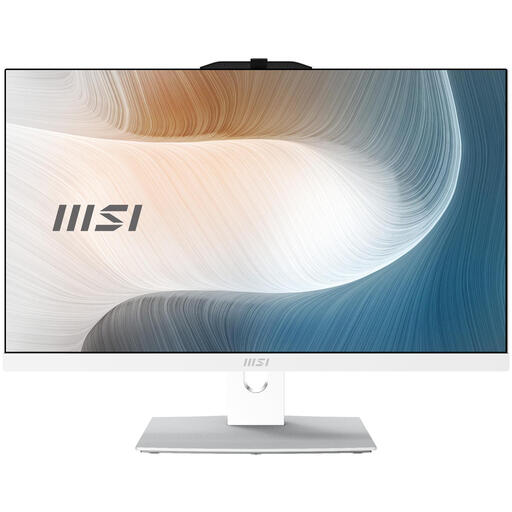
Why it suits this profile: This white all-in-one PC combines a built-in display with Windows 11 Pro and a touchscreen, so you do not need to buy a separate monitor.
The relevant storage, memory and display specifications are clearly stated. However, make sure that the separately purchased power adapter meets the product specifications.
23.8-inch Full HD touchscreen, 8 GB DDR5, 256 GB SSD, Windows 11 Pro and Wi-Fi 6E.
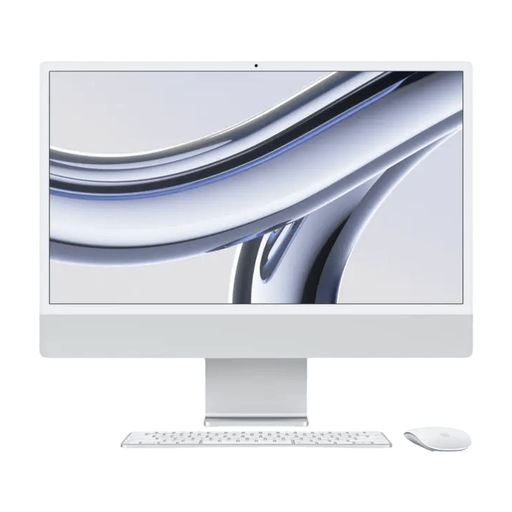
Why it suits this profile: This all-in-one is aimed at users who want more memory, storage and screen resolution and prefer to work within macOS.
The product details list 16 GB RAM, 512 GB SSD and a 4.5K resolution. Check in advance that your business software is available for macOS.
Apple M3 chip, 16 GB memory, 512 GB SSD and 4480 × 2520 pixels.
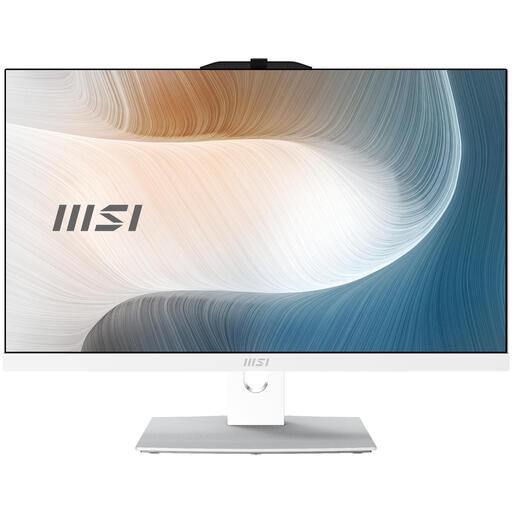
Why it suits this profile: This variant is aimed at users who want a similar all-in-one design with a more powerful Intel Core 5 120U processor and more storage.
According to the product details, the 512GB SSD provides more room for programmes and files than a 256GB configuration. Here too, you should check the adapter.
Intel Core 5 120U, 512 GB SSD, 8 GB DDR5, Windows 11 Pro and Wi-Fi 6E.
We have put together a complete, up-to-date list of products that fully meet these strict selection criteria and the applicable European safety regulations.
Place the all-in-one on a stable, level surface and keep the ventilation openings clear. Do not place the computer on a bed, thick carpet or any other soft material. Connect the correct power adapter first, then follow the Windows 11 Pro installation process.
For working from home and video calls, it is sensible to check in advance whether the webcam, microphone and speakers are suitable for your meeting platform. Use Ethernet if you need a wired connection; Wi-Fi 6E only works at its best when your network equipment supports it.
Carry out regular Windows and driver updates, and keep some free SSD space available. The lifespan depends on usage, ventilation, maintenance and any upgrade options. Fully shut down the PC before cleaning it and do not apply liquid directly to the screen.
Yes, the listed configuration is suitable for word processing, internet use, video calls and everyday multitasking. The PC has Windows 11 Pro, a webcam, Wi-Fi 6E, Ethernet and several USB ports. For heavy video editing or demanding 3D software, the integrated Intel UHD Graphics is less clearly suitable.
Windows 11 Pro and system updates use some of the capacity. The available space is therefore lower than 256 GB. If you store large photo or video libraries, you can use an external SSD or cloud storage.
According to the product information provided, the charger is not included as standard and must be purchased separately. Therefore, check the current package contents and the required specifications before buying.
