
Vandaag of morgen in huis

Kwaliteit gegarandeerd

Welkomstaanbiedingen ontgrendelen: GRATIS bezorging | Tot 80% korting | Gratis 30 dagen JoyPlus-proefperiode
Download de app
Buying a fast gaming monitor sounds simple: choose a high refresh rate, a low response time and an attractive price. In practice, the most important differences often come down to the details. For example, a screen may advertise 240Hz but only achieve it with the right connection and at the correct resolution. A low response time also does not tell you everything about motion clarity in every usage mode.
For dedicated PC gamers looking for an MSI MAG 272QP QD-OLED X24 gaming monitor, three purchasing pitfalls are particularly relevant.
A 240Hz monitor can display movement incredibly smoothly, but your PC also needs to deliver enough frames per second. In a graphically demanding game, you may not reach 240 fps at WQHD. So check not only the monitor, but also your graphics card, processor and the connection you are using.
The stated 0.03 ms response time of an OLED gaming monitor is generally a GtG specification measured under certain conditions. This does not automatically mean that every game, setting or picture mode will produce exactly the same result. Treat the figure as a technical indication, and also consider the refresh rate, variable synchronisation and picture settings.
A QD-OLED monitor can offer deep blacks and high contrast because its pixels are controlled individually. At the same time, prolonged display of static images remains a consideration with OLED panels. Think of a desktop left unchanged for hours, fixed streaming layouts or an in-game interface.
MSI equips this model with MSI OLED Care, a range of proprietary features including pixel shifting and protection against static images. According to MSI, these features are designed to reduce the risk of image retention. They do not guarantee that an OLED panel will never show changes. Use the built-in protection features and switch the screen off when you will not be using it for an extended period.
The monitor uses a 26.5-inch QD-OLED panel with a resolution of 2560 × 1440 pixels, also known as WQHD. This delivers more detail than Full HD without the graphical demands of 4K. For a 27-inch gaming monitor, this is a popular combination for shooters, racing games and modern single-player games.
The flat 16:9 aspect ratio also suits most games and videos. However, check that your desk has enough depth and that your viewing distance is suitable for a screen of this size.
The native refresh rate is 240Hz. This is particularly appealing for competitive games in which your PC can produce high frame rates. The stated 0.03 ms GtG response time is consistent with the fast pixel response generally associated with OLED technology.
Variable synchronisation is also important for a consistent picture. According to the product specifications, this model supports Adaptive Sync, NVIDIA G-SYNC Compatible and AMD FreeSync Premium. After installation, check your graphics card drivers to ensure that the desired feature is active.
QD-OLED combines OLED pixels with quantum dot technology. The product specifications list deep blacks, a wide colour range and a contrast ratio of 1,500,000:1. The monitor also features 10-bit colour processing (8-bit + FRC) and supports VESA DisplayHDR True Black 400.
For connecting a PC, HDMI, DisplayPort and USB Type-C are available. It is best to check the technical manual for the exact capabilities of USB-C, such as video transmission or power delivery. DisplayPort is usually the logical choice for high-refresh-rate PC gaming, while HDMI can be useful for a second device or console.
The included stand supports height adjustment of up to 110 mm, tilting, swivelling and pivoting. Thanks to VESA 100 × 100 mm support, a monitor arm can also be used.
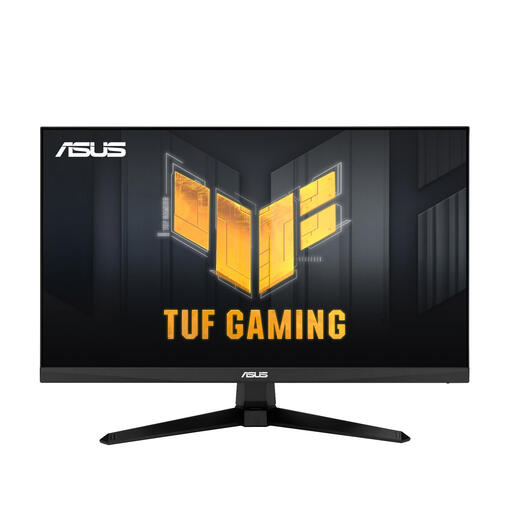
Why it suits this profile: This 23.8-inch Full HD screen offers a more accessible entry point for gamers who mainly want fast gameplay without moving straight to QD-OLED.
The product specifications list 100Hz, 0.5 ms MPRT and AMD FreeSync. This makes the key motion and synchronisation details clear.
Full HD, 100Hz, AMD FreeSync and an adjustable tilt stand.
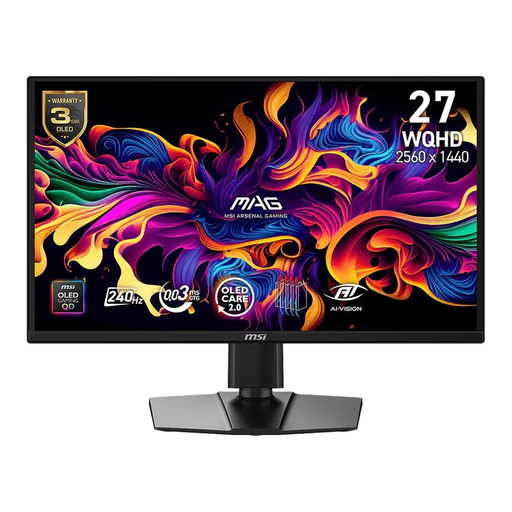
Why it suits this profile: The combination of WQHD, 240Hz, QD-OLED, HDR and broad synchronisation support is well suited to demanding PC gamers.
The relevant figures are specified clearly: 2560 × 1440, 240Hz, 0.03 ms GtG and DisplayHDR True Black 400. MSI OLED Care also addresses OLED panel maintenance.
QD-OLED, WQHD, 240Hz, Adaptive Sync, NVIDIA G-SYNC Compatible and AMD FreeSync Premium.
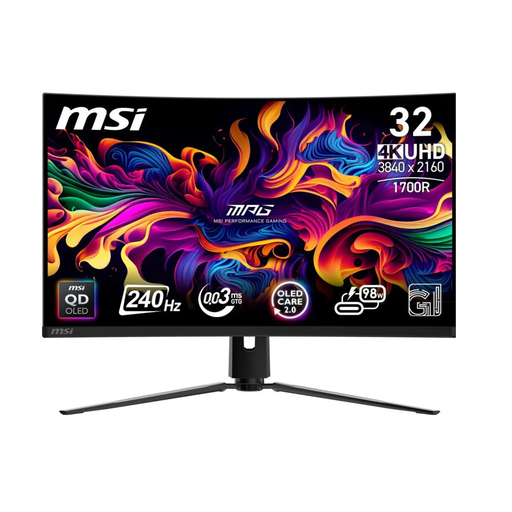
Why it suits this profile: This 31.5-inch 4K model is designed for users who want to combine a larger viewing area and high resolution with fast-paced gaming.
The monitor lists separate specifications for resolution, refresh rate, HDR and connections. MSI OLED Care features are included; however, check the available desk space beforehand.
31.5-inch QD-OLED, 4K resolution, 240Hz, HDMI 2.1 and USB-C with up to 98W Power Delivery according to the product specifications.
We have put together a complete, up-to-date list of products that fully meet these strict selection criteria and the applicable European safety regulations.
It can be, particularly when your PC delivers high frame rates. The MSI MAG 272QP QD-OLED X24 combines WQHD with 240Hz and a stated GtG response time of 0.03 ms. The final experience also depends on your graphics card, game settings and connection.
Use the connection that, according to the product specifications and manual, supports the desired resolution and refresh rate. For a PC, DisplayPort is often the practical choice. HDMI may be suitable for other devices, but always check the version and maximum settings.
Avoid displaying static images for extended periods, use the built-in OLED protection features and switch the screen off when it is not in use. These measures can help protect the panel, but do not provide an absolute guarantee against image retention.
