
Vandaag of morgen in huis

Kwaliteit gegarandeerd

Welkomstaanbiedingen ontgrendelen: GRATIS bezorging | Tot 80% korting | Gratis 30 dagen JoyPlus-proefperiode
Download de app
An MSI MPG 491CQP QD-OLED monitor is designed for users who want one large screen for gaming, sim racing, multitasking and creative applications. With a 49-inch diagonal, a 32:9 aspect ratio and a DQHD resolution, this type of monitor can replace two separate screens in many setups.
However, a long list of specifications does not tell the whole story. With a large OLED monitor in particular, connectivity, desk space, graphics card performance and usage patterns are all important. Below are the key points for buyers in the Netherlands.
A 49-inch ultrawide monitor is approximately 1.2 metres wide. According to the product specification, the MSI MPG 491CQP QD-OLED is approximately 1,195 mm wide, 328 mm deep with its stand and weighs 10.3 kg including the stand. So do not just measure the width of your desktop; also check the viewing distance and the space behind the screen.
A monitor arm or wall mount must also be suitable for the weight, dimensions and VESA pattern. Several Neomounts mounts supplied or available in the range are designed for screens up to 27 or 30 inches. They are therefore not automatically suitable for this MSI monitor.
The MSI MPG 491CQP QD-OLED has a refresh rate of 144Hz and a resolution of 5120 x 1440 pixels. This means that the computer has to drive many more pixels in games than it would with Full HD or standard QHD.
For competitive games, a powerful graphics card may be needed to achieve genuinely high frame rates. With sim racing, open-world games and demanding graphics settings, the frame rate is often lower. The 144Hz specification remains useful for smooth movement, but the result depends on the combination of graphics card, game settings, cable and connection used.
OLED panels can display deep blacks and strong contrast, but according to MSI’s safety information, prolonged exposure to static images can contribute to image retention or burn-in. Avoid leaving the same desktop, dashboard or fixed game element on screen for hours at a time.
Where possible, use a screensaver, change the content regularly and follow the maintenance functions in the monitor menu. This is particularly relevant for content creators and professionals who use the same interface every day.
The combination of 5120 x 1440 pixels and a 32:9 aspect ratio is often referred to as DQHD. The screen is extremely wide horizontally, while retaining roughly the same vertical workspace as a 1440p monitor. This makes it suitable for:
However, check whether games support this ultrawide resolution. Some titles display black bars or use an adjusted field of view.
The panel type is QD-OLED. According to the stated product specification, the monitor supports 10-bit colour, 98% Adobe RGB and 99% DCI-P3. These figures are relevant for colour-intensive applications, but they do not tell you everything about factory calibration. For professional work, a separate colour profile or calibration is still worthwhile.
The monitor lists DisplayHDR True Black 400 and HDR10 support. HDR True Black 400 refers to an HDR classification that takes OLED’s black levels and contrast into account. Do not expect every game or video to look good in HDR automatically: the source, settings and software must all support HDR correctly.
The MSI is listed with a 0.03 ms response time. When comparing products, always check whether other manufacturers use the same measurement method, such as GTG or another laboratory setting. A lower figure on a product page is therefore not always directly comparable.
The monitor supports FreeSync and variable synchronisation up to 144Hz. This allows the refresh rate to be matched to the frame rate of a compatible graphics card. The product information also states that G-Sync is not officially certified. Enabling G-Sync may work, but the outcome is not guaranteed.
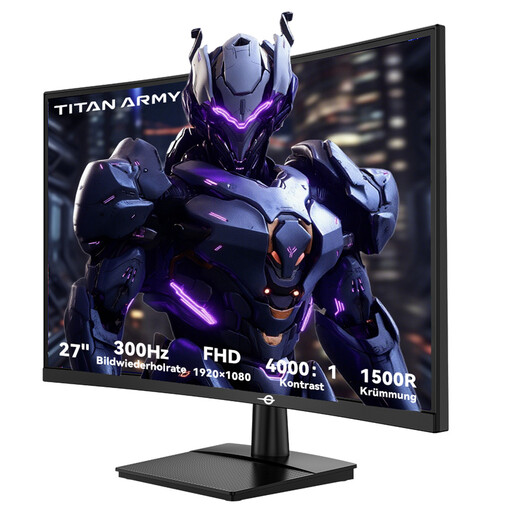
Why it suits this profile: This 27-inch screen is more manageable for a smaller desk and puts less demand on the graphics card than a DQHD monitor because of its Full HD resolution.
Its compact size prevents you from buying a large screen without enough desk space. The resolution is also easier to drive.
27 inches, Full HD, 300Hz, 1ms GTG and FreeSync compatibility according to the product specification.
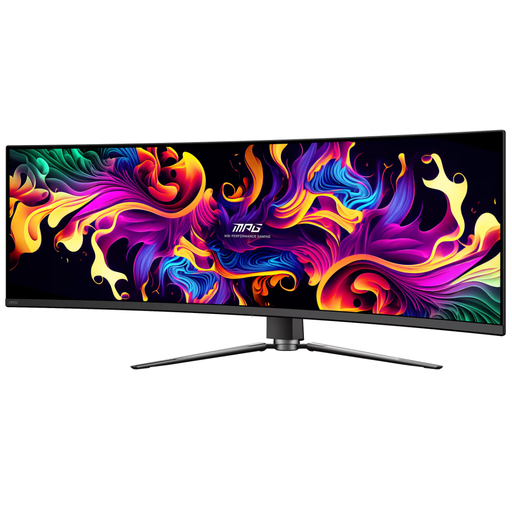
Why it suits this profile: For gamers, sim racers and multitaskers who want one wide screen with QD-OLED, DQHD and a fixed 1800R curvature.
The relevant dimensions, the 100 x 100 mm VESA pattern and the connections can all be checked in advance. The OLED warning makes it clear that prolonged static images require care.
49 inches, 5120 x 1440, 144Hz, 0.03 ms response time, FreeSync, HDR True Black 400 and USB-C with up to 90W according to the product specification.
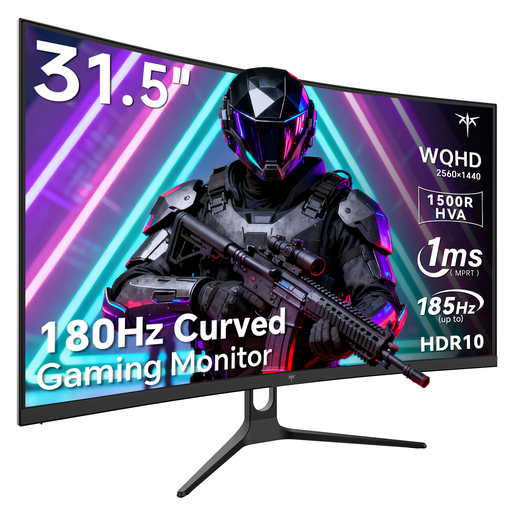
Why it suits this profile: A practical middle ground for gamers who want a curved gaming monitor and QHD, but cannot accommodate a 49-inch screen.
The 32-inch diagonal reduces the desk space required and makes it easier to find a suitable monitor arm and viewing distance.
QHD 1440p, 180Hz or 185Hz overclocked according to the product name, 1500R curvature and Adaptive Sync.
Ideally, position the MSI directly in front of where you sit, as a 32:9 screen takes up a great deal of horizontal viewing space. Use a DisplayPort or HDMI cable suitable for the desired resolution and refresh rate. Check separately in Windows, the driver and the monitor menu that 5120 x 1440 and 144Hz are active.
For a wall-mounted solution, do not look only at the VESA standard. Also check the mount’s maximum screen size and load capacity. A model for 10–30 inches, such as a compact Neomounts wall mount, is not suitable based on the VESA pattern alone.
We have compiled a complete, up-to-date list of products that fully meet these strict selection criteria and the applicable European safety regulations.
Yes, the 32:9 aspect ratio, 5120 x 1440 resolution and 1800R curvature can be well suited to a wide cockpit view. Check whether ultrawide resolutions are supported for each game. A suitable graphics card is still required for stable performance.
Avoid prolonged static images. Use a screensaver, allow the OLED maintenance functions to run their cycle when the monitor requests it, and switch regularly between applications. Follow the instructions in the MSI manual.
A higher refresh rate can make scrolling and moving windows appear smoother. The difference depends on the computer, software and your own perception. For multitasking, the DQHD resolution and wide 32:9 layout are the most important factors.
