
Vandaag of morgen in huis

Kwaliteit gegarandeerd

Welkomstaanbiedingen ontgrendelen: GRATIS bezorging | Tot 80% korting | Gratis 30 dagen JoyPlus-proefperiode
Download de app
An all-in-one PC saves space, but not every compact desktop is automatically right for your work. With an MSI all-in-one PC in particular, it is important to look beyond the screen size and processor name. A touchscreen, Windows 11 Pro and a sleek design may sound appealing, but the practical details determine whether the computer remains comfortable to use.
The MSI Modern AM242TP 1M-1229EU all-in-one PC is aimed at home users, self-employed professionals and office work. Below, you will find out which specifications really matter, which purchasing pitfalls to avoid and what type of user this model – or an alternative – is best suited to.
A touchscreen can be useful for navigation, presentations and simple controls. For long texts and administrative work, however, a keyboard and mouse are often more practical. So check that the all-in-one PC you want actually has a touchscreen. According to the product specifications, the MSI Modern AM242TP features a 23.8-inch capacitive touchscreen. Not every comparable model in the same product category includes this feature.
The Intel Core 3 100U in this model has a maximum turbo frequency of 4.7 GHz. This figure describes the maximum clock speed under certain conditions; it does not guarantee that every task will run continuously at that speed. You should also consider the number of cores, the amount of memory and the type of storage.
The charger is no longer included as standard with the MSI Modern AM242TP 1M-1229EU. You will need to purchase a suitable charger separately. Check this before ordering and only use a compatible power adapter in line with the product information.
Storage capacity also deserves attention. A 256 GB SSD boots up quickly, but the available space will decrease as you install programmes and save photos, documents and local backups.
The screen has a resolution of 1920 × 1080 pixels, an IPS panel and a matt, anti-glare finish. For email, word processing, spreadsheets and video calls, Full HD is a standard choice. The aspect ratio is 16:9.
A matt finish can help reduce distracting reflections, but you should still avoid placing the computer directly opposite a window. The touchscreen uses capacitive technology; if you use gloves or specific accessories, check that they are compatible with this type of input.
According to the listed specifications, the Intel Core 3 100U PC has six cores. The MSI Modern AM242TP comes with 8 GB DDR5-SDRAM running at 5,600 MT/s. This is suitable for everyday office work, browsing, video calls and light multitasking.
For numerous browser tabs, large spreadsheets, image editing or demanding business software, 8 GB may become a limitation sooner. The system has two memory slots and supports up to 64 GB according to the specifications, but before upgrading, check that the warranty terms and compatible modules are suitable for your needs.
The 256 GB SSD PC uses an M.2 solid-state drive. An SSD is generally quieter and more responsive than a traditional hard drive. The capacity is suitable for documents and programmes, provided you store large media libraries externally or in the cloud.
The available connections include:
A Wi-Fi 6E computer can use the 6GHz band if your router and network support it. Without a suitable router, the connection will switch to another compatible Wi-Fi band. For a permanent office setup, Ethernet can be the more predictable option.
This Windows 11 Pro PC is designed for users who need the Pro edition in a home-working or business environment. Check in advance which Windows features your organisation actually uses; for simple personal use, the Home edition may be sufficient.
The white all-in-one computer is approximately 652 mm wide, 455 mm high and 222 mm deep. Leave space around the ventilation openings and place the device on a stable, level desk. Do not put the computer on a soft surface, such as a bed or carpet, as this could block ventilation.
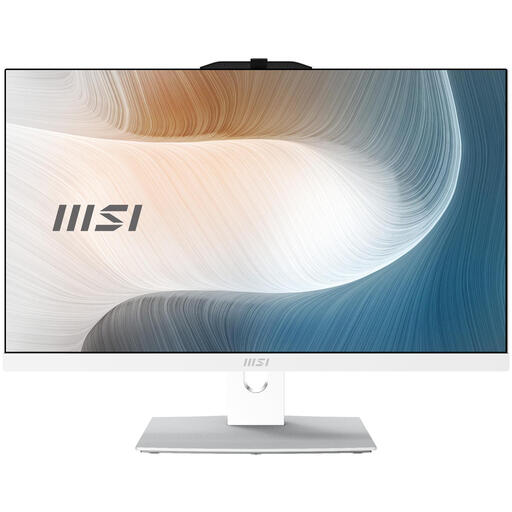
Why it suits this profile: This 23.8-inch Full HD touchscreen computer combines PC components and display in a single enclosure for everyday use at home or in the office.
The product specifications list the touchscreen, IPS panel, anti-glare finish and DDR5 separately. Please note: the charger must be purchased separately.
23.8-inch Full HD touchscreen, 8 GB DDR5, 256 GB M.2 SSD and Windows 11 Pro.
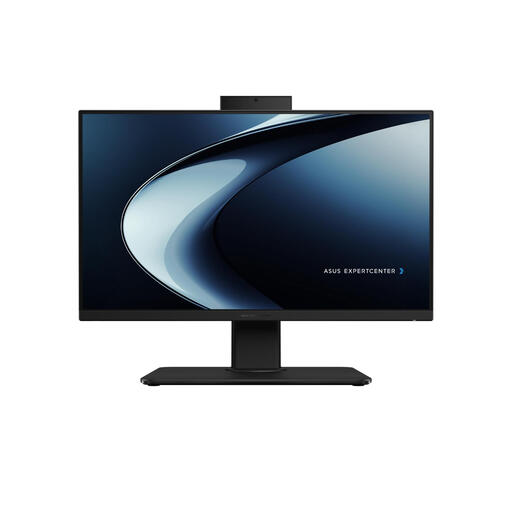
Why it suits this profile: This 23.8-inch model is aimed at users who want more memory and storage for multitasking, video calls and larger files.
The specifications list 16 GB DDR5 and a 1 TB SSD. This model does not have a touchscreen and uses Windows 11 Home, so check that it meets your requirements.
Intel Core i7-13620H, 16 GB DDR5, 1 TB SSD and built-in webcam with privacy shutter.
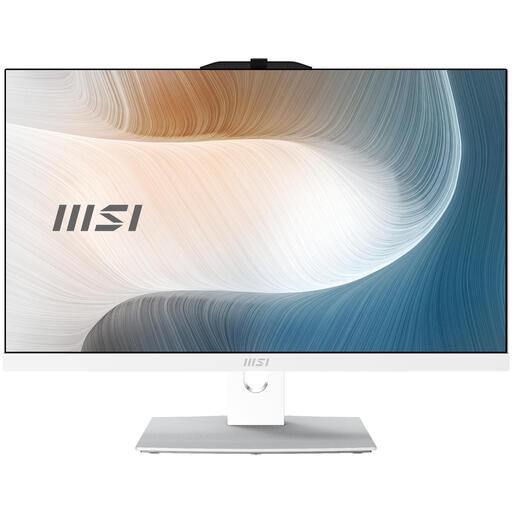
Why it suits this profile: For a business all-in-one PC with the same screen size, but more storage and a more powerful Core 5 configuration.
Storage is 512 GB rather than 256 GB. Here too, the product information states that the charger must be purchased separately.
Intel Core 5 120U, 512 GB SSD, Windows 11 Pro and Wi-Fi 6E. This model does not have a touchscreen.
We have put together a complete, up-to-date list of products that fully meet these strict selection criteria and the applicable European safety regulations.
The combination of a 23.8-inch Full HD display, 8 GB DDR5, SSD storage, webcam and Windows 11 Pro is well suited to email, documents, administration and video calls. For demanding video editing, modern games or large local datasets, other specifications may be more suitable.
Consumption depends on brightness, processor load, connected devices and settings. According to the product specifications, the MSI Modern AM242TP has a 120 W power supply; this is the adapter’s maximum output and does not automatically represent its constant power consumption. Use sleep mode and automatic screen shut-off to reduce unnecessary energy use.
Its lifespan depends on workload, maintenance, updates and upgrade options. Position the computer in a well-ventilated area, keep the operating system up to date and make regular backups. When buying, also check the statutory warranty: consumers in the EU are entitled to at least statutory conformity protection, although the specific rights depend on the circumstances and national rules.
