
Vandaag of morgen in huis

Kwaliteit gegarandeerd

Welkomstaanbiedingen ontgrendelen: GRATIS bezorging | Tot 80% korting | Gratis 30 dagen JoyPlus-proefperiode
Download de app
Buying a fast gaming monitor seems straightforward: choose a high refresh rate, a low response time and an appealing HDR rating. Yet these are often where the biggest pitfalls lie. For example, a screen may support 240Hz, but only through the right connection and with a suitable graphics card. And a claimed response time of 0.03 ms doesn’t automatically mean every game will feel free of visible motion blur or input lag.
The MSI MAG 272QP QD-OLED X24 gaming monitor is aimed at PC gamers who want to combine speed with deep blacks and vivid colours. The main question is whether a 26.5-inch QD-OLED monitor with WQHD resolution is right for the games you play, your hardware and the way you use your screen.
A 240Hz monitor can display movement more smoothly than a 60Hz or 100Hz screen, but your PC also needs to deliver enough frames per second. You may not be able to make full use of the maximum refresh rate in demanding games or with a less powerful graphics card.
The MSI’s stated 0.03 ms response time is a GtG specification. This measures pixel transitions; it is not a complete measurement of input lag. So pay attention to your graphics card, the cable you use, your game settings and the picture mode you select.
HDR True Black 400 is designed to combine OLED black levels with HDR display. The HDR peak brightness for this model is listed as 400 cd/m². That’s not the same as a screen that stays very bright for long periods in a well-lit room.
QD-OLED is known for its strong contrast, as each pixel can dim individually. So expect to notice the difference mainly in dark scenes and colour contrast, rather than an exceptionally bright picture in every situation.
OLED panels can be sensitive to elements that stay on screen for a long time, such as a fixed interface, taskbar or game HUD. MSI therefore includes MSI OLED Care features and lists a custom heatsink with a graphene film to dissipate heat. According to MSI’s product information, these features are designed to reduce stress on the panel and support its lifespan. They do not guarantee protection against image retention or permanent burn-in.
Use the built-in maintenance features as instructed in the manual, avoid leaving the screen showing a static image for hours unnecessarily, and check the warranty terms before buying.
The MSI MAG 272QP QD-OLED X24 has a resolution of 2560 × 1440 pixels, also known as WQHD. On a 26.5-inch screen, this gives you a higher pixel density than Full HD at the same size. Text, details and game graphics can therefore look sharper.
WQHD does require more graphics processing power than Full HD. If you want to make the most of 240 frames per second, you’ll need a suitable graphics card for competitive games. Also check that your system supports the resolution and refresh rate you want via DisplayPort or HDMI.
An MSI QD-OLED monitor combines OLED pixels with quantum dot technology. The stated specifications list a contrast ratio of 1,500,000:1, 10-bit colour processing via 8-bit + FRC, and support for 1.07 billion colours. These figures describe the panel’s capabilities; the final picture also depends on calibration, picture mode and source material.
The monitor has a flat screen with a 16:9 aspect ratio. This works well for esports games, shooters and general PC gaming, without the wider aspect ratio of an ultrawide monitor.
According to the stated product specifications, the monitor supports Adaptive Sync, NVIDIA G-SYNC Compatible and AMD FreeSync Premium. These technologies match the picture output to your graphics card to help reduce tearing and stutter. After installation, check your graphics card settings to make sure the synchronisation you want is enabled correctly.
The product name lists 2x HDMI, DisplayPort and USB Type-C. Before buying, check the latest technical specifications to see which features are available via USB-C, such as video signal, data transfer or power delivery. A USB-C port doesn’t automatically mean a laptop will also charge.
The stand supports:
This makes the monitor suitable for a permanent gaming setup, as well as a desk where you regularly change your posture or viewing angle.
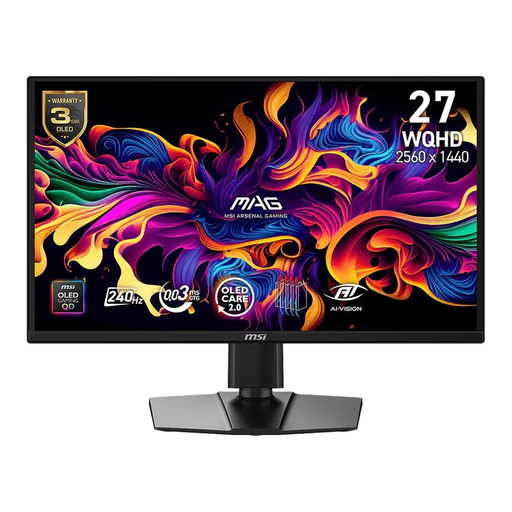
Why it suits this profile: For gamers who want to combine QD-OLED picture quality, WQHD and 240Hz in a single 16:9 screen.
The specifications list more than just 240Hz and 0.03 ms GtG: they also include Adaptive Sync, several synchronisation standards and OLED Care features. Be sure to check your source hardware and usage settings.
26.5-inch QD-OLED, 2560 × 1440, 240Hz, HDR True Black 400 and an ergonomic stand.
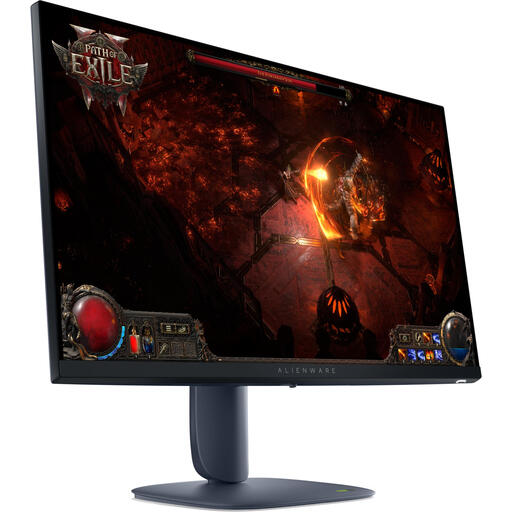
Why it suits this profile: For anyone looking for a 27-inch gaming monitor for competitive games, but who doesn’t necessarily need QD-OLED.
Choosing an IPS panel and 180Hz keeps the specifications straightforward if you don’t want to factor OLED maintenance into how you use your monitor.
27 inches, 2560 × 1440, 180Hz, IPS panel and support for AMD FreeSync Premium Pro, according to the product information.
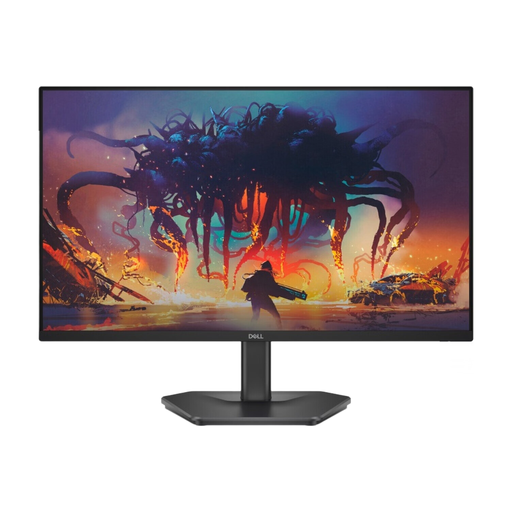
Why it suits this profile: For beginners who want a high refresh rate without moving straight to WQHD or QD-OLED.
Full HD resolution puts less demand on your graphics card, making 200Hz easier to achieve in suitable games.
24 inches, IPS panel, 1920 × 1080, 200Hz and AMD FreeSync Premium, according to the stated specifications.
We’ve put together a complete, up-to-date list of products that meet these strict selection criteria and the applicable European safety regulations.
Not necessarily. Your PC needs to deliver enough frames per second in the game you’re playing. We recommend using DisplayPort or an HDMI connection that supports the WQHD and 240Hz combination you want. Also check the settings in Windows, the game and your graphics card driver.
Avoid leaving static images on screen for long periods, use the available OLED Care features and follow MSI’s maintenance instructions. Enable a screensaver when you’re not using the monitor. Clean the panel only as instructed by the manufacturer, and don’t put pressure on the screen.
Power consumption depends on brightness, HDR use, the content on screen and how long you use the monitor. OLED pixels don’t emit light when displaying black, but large bright areas can use more energy. If energy costs matter to you, compare the stated SDR and HDR power consumption.
