
Vandaag of morgen in huis

Kwaliteit gegarandeerd

Welkomstaanbiedingen ontgrendelen: GRATIS bezorging | Tot 80% korting | Gratis 30 dagen JoyPlus-proefperiode
Download de app
Buying a fast monitor sounds simple: look at the refresh rate, response time and resolution. Yet many gamers pay for features they cannot fully use. With an MSI QD-OLED monitor, there are additional factors to consider, such as OLED care, connectivity and the difference between a quoted response time and the actual experience in games.
The MSI MAG 272QP QD-OLED X24 gaming monitor is aimed at competitive PC gamers looking for a 27-inch gaming monitor with WQHD resolution and 240Hz. Below, we set out the key specifications and potential pitfalls side by side.
A 240Hz monitor can display motion more smoothly than a 60Hz or 144Hz model. However, your PC also needs to produce enough frames per second. You may not reach 240 fps in a demanding single-player game, whereas a competitive game with lower graphics settings might achieve it.
So check:
According to the product specifications, the MSI MAG 272QP QD-OLED X24 has a 0.03 ms GtG response time. GtG stands for Grey-to-Grey and is a technical measurement. Actual motion clarity also depends on factors including the selected picture mode, frame rate, colour transitions and graphics card settings.
A short response time is therefore useful, but it is not the only criterion. Also consider the combination of 240Hz, Adaptive Sync and a stable frame rate.
QD-OLED uses self-emissive pixels. This enables deep blacks and high contrast. At the same time, elements that remain unchanged for long periods, such as a taskbar, HUD or window, can place additional strain on an OLED panel. This does not mean the screen is unsuitable for office work, but regularly changing content and sensible usage are important.
The monitor features MSI OLED Care. According to the product information, the model includes a redesigned heatsink and graphene film for heat dissipation. The stated operation and contribution to product lifespan are MSI product claims; they do not guarantee a specific service life.
The MSI MAG 272QP QD-OLED X24 has a flat 26.5-inch panel, a 16:9 aspect ratio and a resolution of 2560 × 1440 pixels. This WQHD resolution provides more workspace and detail than Full HD without the graphics load of 4K.
QD-OLED combines OLED contrast with quantum dot technology. According to the product description, this delivers deep blacks and a wide colour gamut. The stated viewing angle is 178° horizontally and vertically. The screen also has an anti-reflective coating.
The native refresh rate is 240Hz. The monitor supports:
These technologies synchronise the monitor’s refresh rate with the graphics card’s frame output. This can help reduce tearing and stuttering. After installation, check in Windows, the monitor menu and the driver settings that the desired technology is actually enabled.
For competitive gaming, the combination of WQHD, 240Hz and 0.03 ms is appealing, but only if the PC can achieve the required frame rate. A suitable DisplayPort cable and a graphics card with the correct output are also essential.
The screen is certified for VESA DisplayHDR True Black 400. The stated peak HDR brightness is 400 cd/m², while the SDR brightness is listed as 200 cd/m² in the specifications.
HDR True Black 400 mainly indicates the combination of black levels and brightness within the certification. It does not mean that every game will automatically be configured correctly for HDR. You need to enable and calibrate HDR in both the monitor menu and Windows or the game.
The included stand supports:
The product title lists 2x HDMI, DisplayPort and USB Type-C. The technical product information does not specify the exact version or function of every connection. Before buying, therefore, check whether USB Type-C actually supports video, data transfer or power delivery for your laptop or PC.
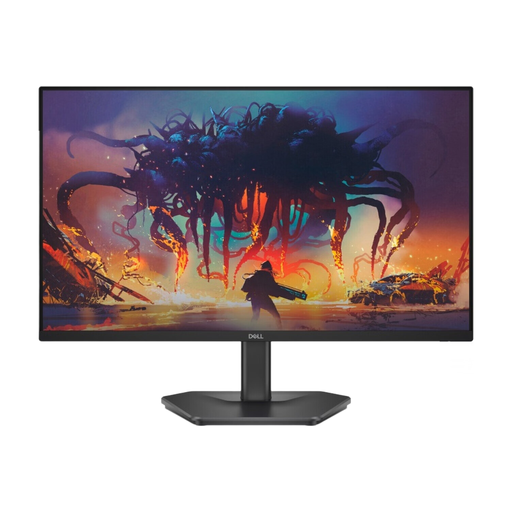
Why it suits this profile: A more accessible model for anyone who wants to try high-speed gaming without moving straight to OLED.
The specifications list a 200Hz refresh rate, 1 ms GtG in Extreme mode and FreeSync Premium separately.
24 inches, Full HD, IPS panel, 200Hz and two HDMI connections according to the product information.
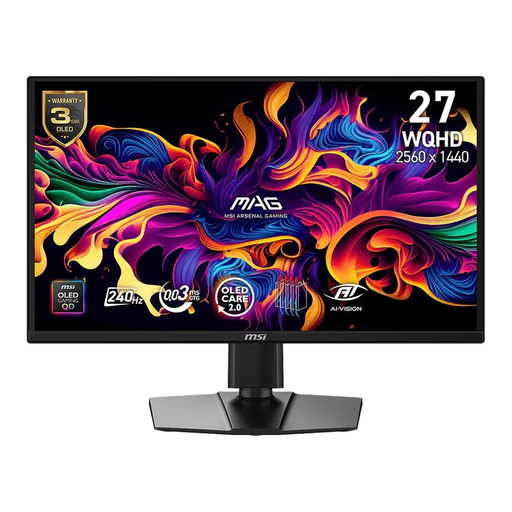
Why it suits this profile: For gamers looking for WQHD, QD-OLED contrast, 240Hz and extensive ergonomic adjustment in a single screen.
MSI OLED Care is included, but users still need to take static images and appropriate display settings into account.
QD-OLED, 2560 × 1440, 240Hz, 0.03 ms GtG, DisplayHDR True Black 400 and support for G-SYNC Compatible and FreeSync Premium.
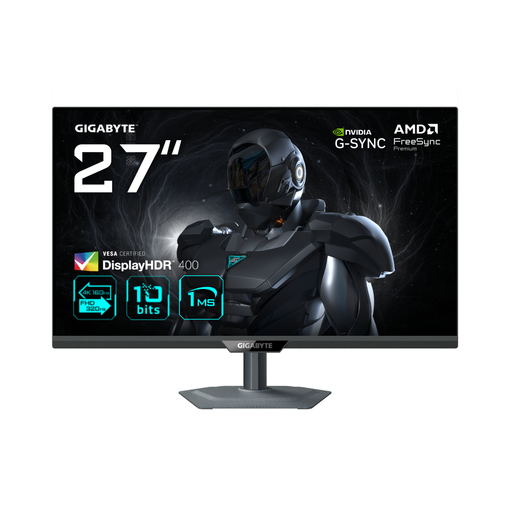
Why it suits this profile: For users who want to switch between high resolution for image quality and a higher frequency for competitive games.
The dual-mode function makes it clear that 4K and an extremely high refresh rate use different settings.
27-inch IPS, 4K at 160Hz or Full HD at 320Hz, HDMI 2.1, DisplayHDR 400, FreeSync Premium and G-SYNC Compatible.
We have put together a complete, up-to-date list of products that fully meet these strict selection criteria and the applicable European safety regulations.
The combination of WQHD, 240Hz and 0.03 ms GtG is well suited to fast-paced PC games. The final experience depends on your graphics card, frame rate, cable and settings. For stable 240Hz performance, your PC must also be able to deliver the desired frame rate.
A fixed service life cannot be stated reliably. Lifespan is related to brightness, hours of use, temperature, static elements and the use of care features. With an MSI QD-OLED monitor, it is sensible to enable OLED Care, use an automatic screen saver and limit prolonged display of static images.
Power consumption varies according to brightness, image content and HDR usage. The product specifications for this MSI model do not include a complete energy profile in the information provided. If you want to compare consumption, check the European energy label and the technical documentation for the specific listing.
