
Vandaag of morgen in huis

Kwaliteit gegarandeerd

Welkomstaanbiedingen ontgrendelen: GRATIS bezorging | Tot 80% korting | Gratis 30 dagen JoyPlus-proefperiode
Download de app
Choosing a new gaming laptop can sometimes feel like navigating a minefield of marketing terms and specifications. Brands promise the world with flashy RGB lighting and impressive numbers. But how do you know if you're making a good purchase, or if you're paying for features you don't need? Before you make a decision, it's important to recognise a few common pitfalls that could cost you money and frustration in the long run.
As a Joybuy Product Recommendation Officer, I'm here to help you filter out the noise. We'll look at the specifications that truly matter and how to choose a model that fits your needs, whether you're gaming, studying, or doing both.
The 3 Pitfalls of Buying a Gaming Laptop:
To make the right choice, it's helpful to know which components actually determine performance. Focus on these three elements to avoid buyer's remorse.
For gaming, the graphics card, or GPU, is the most important component. It's responsible for rendering the images you see on your screen. A model like the NVIDIA GeForce RTX 5060 is a solid choice for 2026. This card not only offers enough power to play modern games on high settings but also supports technologies like DLSS (Deep Learning Super Sampling). According to NVIDIA, DLSS uses AI to give performance a significant boost, allowing you to achieve higher framerates with no visible loss in quality.
A 144Hz laptop ensures extremely smooth motion, which is a major advantage in fast-paced, competitive games. But also pay attention to the panel technology. An IPS panel is recommended for its better viewing angles and colour reproduction compared to older TN panels. Also, check the brightness, expressed in 'nits'. A value of 250 nits is the minimum, but 300 nits or more provides a much more pleasant experience, especially in well-lit rooms.
A powerful GPU needs a capable processor to function well, but you don't always have to go for the top-of-the-line model. A modern Intel Core i7 gaming laptop, or even a recent Core i5, is often sufficient to avoid hindering the GPU ('bottlenecking'). Combined with 16GB of DDR5 RAM, you have a machine that not only runs games smoothly but is also perfect for multitasking. This makes it an excellent laptop for gaming and studying. A fast SSD (Solid State Drive) is standard and ensures that your operating system and games load at lightning speed.
Not every laptop is right for everyone. Below is a selection of models that suit different user profiles, based on their specifications and how they address the pitfalls mentioned earlier.
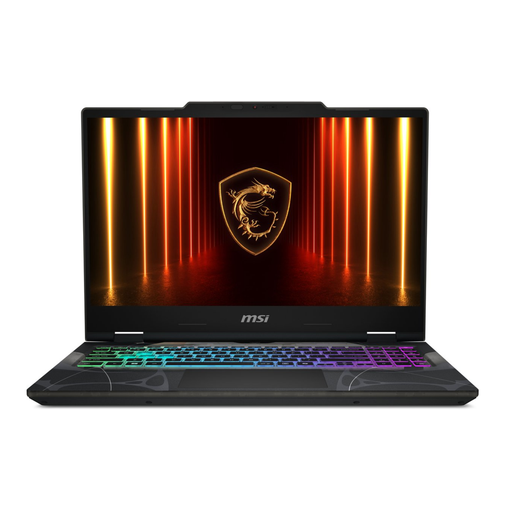
Why This Fits Their Persona: This is an excellent choice for those seeking a balanced machine. The combination of an RTX 5060 and a 144Hz display offers future-proof performance for the latest games, while the hardware is also powerful enough for study-related software. Its striking, partially transparent design appeals to the target audience looking for something unique.
This laptop avoids the CPU trap by pairing a capable Core i5 with a powerful RTX 5060, allocating the budget to the GPU. According to MSI, the 'Shared-Pipe' thermal design ensures efficient heat dissipation, tackling the cooling blunder.
Solid gaming performance thanks to the RTX 50-series GPU. Smooth 144Hz IPS display. Unique cyberpunk-inspired design.
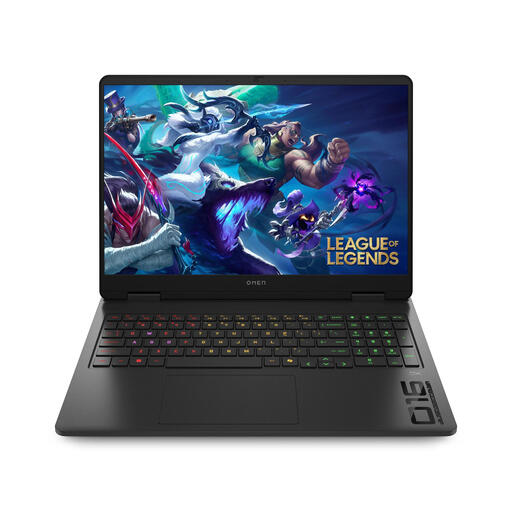
Why This Fits Their Persona: For the gamer who wants to get the absolute most out of their machine. The more powerful Intel Core 7 processor is ideal for those who also stream or edit videos alongside gaming. The larger 16-inch screen and 1TB SSD provide more comfort and storage space for an extensive game library.
The OMEN series is renowned for its effective cooling system, which minimises thermal throttling. The 16:10 display with 300 nits of brightness is a clear upgrade, addressing the screen dilemma by offering a brighter and more immersive picture.
More powerful Intel Core 7 processor for demanding tasks. Spacious 1TB SSD. Larger 16-inch screen for greater immersion.
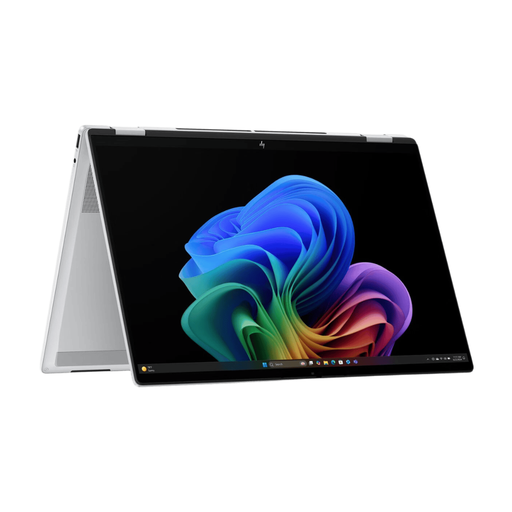
Why This Fits Their Persona: For the young professional or student seeking a powerful, versatile laptop for work and entertainment, but who isn't a hardcore gamer. The 2-in-1 design with a touchscreen is ideal for presentations and creativity, while the AI processor (NPU) accelerates tasks. Its sleek, professional aesthetic fits better in an office or lecture hall environment.
This model sidesteps the pitfalls by setting a different priority. Instead of focusing on pure gaming power, it invests in versatility, a premium design, and new AI technology. It prevents you from buying an 'overkill' gaming machine when your needs are broader.
Flexible 2-in-1 design with a touchscreen. Certified as a Copilot+ PC for AI features. Long battery life and a professional look.
We've curated a complete, up-to-date list of products that meet these strict selection criteria.
Yes, for most users, 16GB of RAM is the ideal amount. It's more than enough to play the latest games, even while running programs like Discord or a web browser in the background. While 32GB is an option for very heavy multitasking or specific professional software, it's not a necessary upgrade for the average gamer or student.
Cooling is crucial. Without an effective cooling system, the processor and graphics card cannot dissipate heat during intense gaming sessions. This leads to 'thermal throttling', where the components slow themselves down to prevent overheating. Therefore, good cooling ensures stable, high performance and contributes to a longer lifespan for the hardware. According to the manufacturer, the MSI Cyborg 15 uses a design with shared heat pipes between the CPU and GPU to improve efficiency.
Absolutely. The powerful hardware in a gaming laptop makes it extremely suitable for demanding software often used in technical or creative fields, such as video editing, 3D modelling, or programming. The main considerations are weight and battery life if you plan to use the laptop on the go frequently. However, for work at a desk, it is a very capable and versatile machine, making it a great choice as a laptop for gaming and studying.
