Choose based on your main concern: click noise in a shared room, how the mouse fits your hand during long revision sessions, or limited space on your desk. Then check that the connection works with your laptop. For extended screen use, Arboportaal also recommends varying your activities and taking microbreaks.
Which mouse is right for you?
Writer with housemates
You often write or edit while others in your student room, or nearby, are resting. Pay particular attention to click noise and whether the connection works with your laptop. Logitech describes both Bluetooth and wired silent mice.
Writer who works in long sessions
You spend a lot of time rearranging and reviewing scenes, and want to choose a comfortable fit and working posture carefully. For screen work, Arboportaal recommends varying your activities and taking microbreaks.
Writer with a small desk
You share limited workspace with a laptop, notes and script pages. Kensington says the Orbit trackball stays in place, but it works differently from a standard mouse.
What should you look for when choosing?
Standard silent mouse
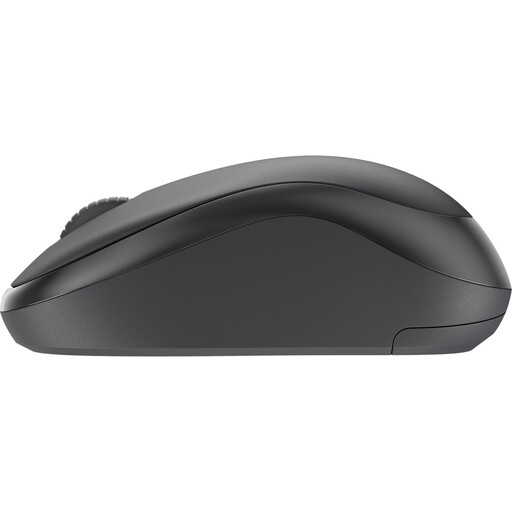
Choose this option: if repeated clicking in a shared room is your main concern. The Logitech M240 Silent uses Bluetooth; the M110 Silent is wired.
Bear in mind: your laptop needs to support Bluetooth; the wired version needs a suitable USB port and space for the cable.
Vertical mouse
Choose this option: if you want to try a different hand position during long revision sessions. Logitech and Trust describe vertical models with different angles.
Bear in mind: you may need time to get used to the grip, and it is not a proven treatment for discomfort. Also check the size and choose the version designed for your preferred hand.
Stationary trackball
Choose this option: if you have little room to move a standard mouse around. The Kensington Orbit has a scroll ring.
Bear in mind: using a ball is different from using a standard mouse, and the device itself still takes up space.
Wireless mouse with USB receiver
Choose this option: if you would rather use a receiver than Bluetooth. Trust describes the Yuki Silent as a compact mouse with silent buttons.
Bear in mind: check that your chosen version comes with a receiver and that your laptop has a suitable free port.
| What to consider |
What should you check? |
Who should pay particular attention? |
| Click noise |
Check whether the specific version has silent main buttons. A manufacturer's claim about click noise does not mean every action, or the whole room, will be silent. |
If I'm writing in a shared room, I want to make as little clicking noise as possible when selecting things repeatedly; around 36% of consumers prioritise quiet clicks. |
| Fit in your hand |
Check the dimensions, how far you need to reach for the buttons, and whether the version is designed for your preferred hand. |
During long revision sessions, I want a grip that suits my hand, without assuming a particular shape will resolve discomfort; around 29% of consumers give hand fit top priority. |
| Room to move |
Measure the free space on your desk and consider whether you would find a trackball comfortable to use. |
With script pages and notes on a small desk, I want to use as little space as possible for mouse movement; around 21% of consumers put limited room to move at the top of their list. |
| Connection and power |
Check Bluetooth support, the type of port required, and whether the mouse uses a battery or cable. |
If my laptop has limited ports, I want to know in advance which connection the mouse needs and how it is powered; around 14% of consumers start with connectivity and ease of use. |
Common mistakes when choosing
-
Assuming every mouse with ‘M240’ is the same version
The standard Logitech M240 Silent uses Bluetooth without a dongle; the separate M240 for Business uses Logi Bolt.
Compare the full model name, connection and box contents before you choose.
-
Assuming a vertical mouse is guaranteed to resolve discomfort
A description of the hand position does not prove that a mouse will suit your hand or treat discomfort. Your posture and extended screen use also play a part.
Check the fit and preferred-hand version, vary your tasks and posture, and take breaks. If discomfort persists, seek appropriate professional advice.
-
Checking the connection and battery only after buying
Bluetooth, a USB receiver and a USB cable each have different requirements for your laptop. Logitech says the M240 uses an AA battery.
Check the exact version, the available ports and the information about batteries included in the box. You only need an adapter if the connection would otherwise be incompatible.
If the port is incompatible, you may need to buy an adapter separately.
Brands to compare
Logitech
The range includes silent mice with Bluetooth or a cable, as well as vertical models such as the Lift.
- According to Logitech, the standard M240 Silent is a Bluetooth mouse without a dongle; the M110 Silent is wired.
- Logitech describes the Lift as suitable for small to medium-sized hands. Check whether the left- or right-handed version is right for you.
Trust
Trust describes the Yuki Silent as a compact wireless mouse and the Verto as a wired vertical mouse.
- The manufacturer specifies silent buttons for the Yuki and a 60° vertical angle for the Verto.
- A compact size or vertical shape does not prove that a mouse will suit every hand; the Verto uses a USB cable.
Kensington
The Orbit trackball with scroll ring offers stationary control if you would rather not move a standard mouse around your desk.
- Kensington describes the Orbit as stationary and symmetrical, with a scroll ring.
- Using a ball is different from using a standard mouse; a manufacturer's description is not a personal fit test.
CHERRY
The MW 4500 and MW 4500 LEFT are separate angled wireless models for different preferred hands.
- CHERRY specifies a 45° angle and separate left- and right-handed versions.
- The nano receiver needs a suitable port. CHERRY's claim that it helps relieve wrist strain is a manufacturer's claim, not a guarantee for individual use.
Joybuy products
This Joybuy selection includes a Logitech mouse with extensive scrolling controls, vertical mice, a Logitech M240 version with a USB receiver, and an AJAZZ mouse with several connection options. For each model, check the connection, how it fits your hand and the specifications that matter for the way you work.
 No image available
Logitech MX Master 4 for Mac, Space Black
For anyone reviewing long script drafts and regularly switching between devices.
Features a MagSpeed scroll wheel with silent scroll modes and a horizontal thumb wheel. The wireless options listed are Bluetooth and a Logi Bolt receiver; the product name specifies Mac, iPadOS and Windows.
View at Joybuy
 No image available
Ergonomic Vertical Wireless Mouse, USB-C
For anyone who wants to try a vertical grip at their computer and is looking for wireless connection options.
The product name specifies Bluetooth and 2,4 GHz, three DPI levels: 800, 1200 and 1600, and USB-C charging. Check that the grip suits your hand.
View at Joybuy
 No image available
Wireless Ergonomic Vertical Mouse, 6 buttons
For anyone looking for a vertical shape and side buttons; check that the controls suit your hand and the way you work.
The product name specifies 2,4 GHz, USB-C and a range of 800–1600 DPI; the product information lists three DPI settings and six buttons.
View at Joybuy
 No image available
Logitech M240 for Business Silent Wireless Black
For anyone looking for a silent mouse with a USB receiver and a suitable port available.
The product information lists a Logi Bolt receiver and Silent Touch. This has a different connection from the standard M240 Silent with Bluetooth.
View at Joybuy
 No image available
AJAZZ AJ159 PRO, White
For anyone considering a rechargeable mouse with several listed connection options.
The product information lists a 400 mAh rechargeable battery and connection via 2.4G, USB-C or Bluetooth. The stated shape is designed for medium to large hands.
View at Joybuy
Frequently asked questions
Do you need a USB receiver for a Bluetooth mouse?
Not for the standard Logitech M240 Silent: Logitech describes it as pairing via Bluetooth without a dongle. Do check that your laptop supports Bluetooth, and don't confuse this version with the separate M240 for Business with Logi Bolt.
How can you use a mouse during long writing sessions without relying on the mouse shape alone?
Vary your posture and tasks, look away from the screen regularly and take microbreaks. Arboportaal recommends these for screen work; they are not a substitute for personal medical advice.
Where can you take a broken mouse?
You can take a small broken mouse to a collection point for electrical appliances. Milieu Centraal specifically lists mice as small electrical appliances.
What are your rights if you buy a mouse online from a business in the Netherlands?
According to the Dutch Government, distance purchases generally come with a 14-day cooling-off period. You are also entitled to a product that meets the standards you are entitled to expect; the Netherlands does not have a fixed statutory two-year guarantee period. What you can expect from a product depends, among other things, on the product, its price and the information provided by the seller.


