
Explorer of wide spreadsheets
You often scroll sideways through datasets and want to compare mice with a separate wheel. Trust describes a side-scroll wheel on the Ozaa+; Logitech mentions a thumb wheel in the MX Master 3S manual.


For wide datasets, it’s worth considering a mouse with a separate side or thumb wheel. Also check how the main wheel handles long pages. At a shared desk, quiet buttons and a connection that works with your computer are important. A vertical mouse or trackball may suit you if you prefer a different way of controlling the cursor.
You often scroll sideways through datasets and want to compare mice with a separate wheel. Trust describes a side-scroll wheel on the Ozaa+; Logitech mentions a thumb wheel in the MX Master 3S manual.
You want to consider click noise, your computer’s connections and how to keep shared input devices clean. HP describes quiet clicks and a USB-A receiver for the HP 280 Silent Wireless Mouse; Kensington provides cleaning advice for trackballs.
You’re comparing a vertical mouse or stationary trackball with a conventional mouse, without assuming that one shape will work the same way for everyone. Logitech describes the hand sizes and versions available for the Lift; Kensington describes the Orbit as a trackball with a scroll ring.
| What to consider | What should you check? | Who is this important for? |
|---|---|---|
| Horizontal and vertical scrolling | Check whether the model has a side or thumb wheel, and try it in the application you use to view datasets. | If I often scroll sideways through wide spreadsheets, I want to try the controls in my spreadsheet application. Around 31% of consumers give navigating wide datasets their top priority. |
| Quiet clicks | Check whether quiet clicks are listed for the exact model; check scrolling features separately. | At a shared desk, I want to minimise the noise my clicks make for others. Around 25% of consumers prioritise quiet clicking. |
| Fit and control | Check the hand size and whether the model is for left- or right-handed use; if possible, try a vertical design or trackball. | If I prefer a different grip or way of pointing, I want to assess those controls first. Around 25% of consumers give fit and hand control their top priority. |
| Connection and switching | Check whether Bluetooth is available or whether your computer has a spare USB-A port. | When I use different workspaces, I want to know which connections are available there. Around 19% of consumers put a suitable connection at the top of their list. |
A side wheel is designed for horizontal navigation; that alone doesn’t tell you how the main wheel scrolls through long pages.
Check the functions of both wheels separately and see whether they work in the application you use.
A different mouse shape doesn’t guarantee a particular result. Fit varies from hand to hand, and your workstation setup also plays a part.
Choose the right-handed or left-handed version, try the shape if possible, and set up your workspace to suit you.
According to HP, the HP 280 Silent Wireless Mouse needs a spare USB-A port for its receiver.
Check your computer’s connections and what’s included in the box before you decide.
Dirt around the ball can affect how it works. At a shared workspace, a trackball therefore needs extra attention when it comes to cleaning.
Follow the cleaning instructions and don’t spray liquid directly onto the trackball.
The Ozaa+ is worth considering if you’re looking for a side-scroll wheel, quiet buttons and a choice of connections.
The MX Master 3S and Lift cater to different preferences: a thumb wheel and a vertical design, respectively.
The HP 280 Silent Wireless Mouse is a straightforward option if quiet clicks and a receiver connection are your priorities.
The wired Orbit with scroll ring is a stationary alternative to a mouse that you move across the desk.
This Joybuy selection includes mice for quiet operation, models for horizontal navigation and a vertical mouse. Compare each model’s connection, controls and fit with the computer and workspace you use.
 No image available
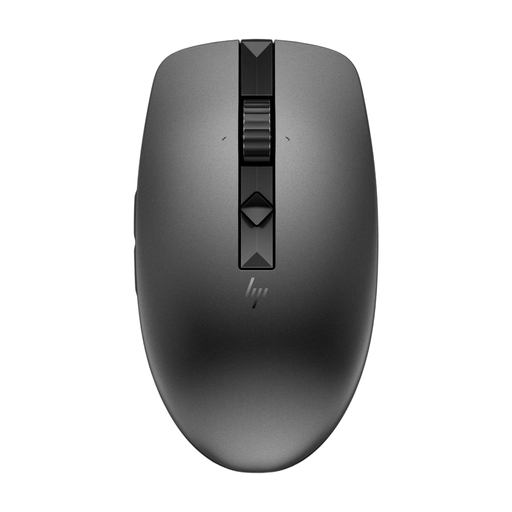
An option to compare if quiet clicks and a wireless connection matter at a shared desk.
The product name lists 2.4G+BT, adjustable DPI levels and 1xAA Battery.
 No image available
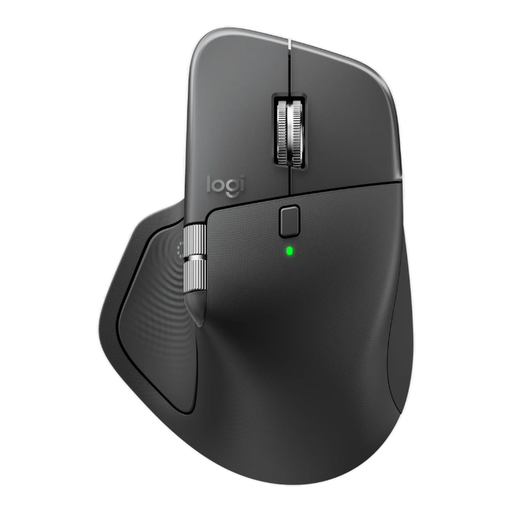
An option to compare if horizontal navigation and quieter clicks matter; check that the right-handed design suits you.
The product name lists 8K DPI, a Logi Bolt receiver, Bluetooth and USB-C charging.
 No image available
An option to compare if quiet operation and adjustable scrolling matter.
The product name describes a wireless mouse for multiple devices.
 No image available
An option to compare if you want to scroll horizontally through wide spreadsheets and are looking for quiet operation.
The product name lists RF wireless, Bluetooth, 3200 DPI and a right-handed design. It’s also described as a large model.
 No image available
A vertical mouse to compare if you’re looking for a different way to control the cursor; this version is for right-handed use.
The product information describes this version as suitable for small to medium-sized hands.
Not necessarily. If you often scroll sideways through wide spreadsheets, you could consider a side or thumb wheel and check that it works in your application. Trust describes this type of control on the Ozaa+; Logitech mentions a thumb wheel in the MX Master 3S manual.
Check which connections are available on that computer. According to HP, the HP 280 Silent Wireless Mouse needs a spare USB-A port for its receiver; Trust also describes Bluetooth for the Ozaa+. Whether you’re allowed to pair a device or install configuration software at a particular workplace depends on its policies.
Follow the manufacturer’s cleaning instructions and don’t spray cleaner directly onto the trackball. Kensington recommends cleaning shared input devices more often; moisture can get into the housing.
According to ACM ConsuWijzer, the seller is responsible under the legal guarantee if a product breaks sooner than you could reasonably expect when used normally. A manufacturer’s warranty doesn’t replace this right.
Dutch government information on screen-based work covers managing health and safety risks and alternating screen-based work with other tasks or a break. It doesn’t prescribe a particular mouse model, so don’t take it to mean there’s a general requirement to use a vertical mouse.