Choose a mouse that suits your hand, laptop and available desk space. Extra buttons or horizontal scrolling are useful mainly if you use them in your design software. For long sessions, consider the fit and vary your working position. In a shared room, also check the click noise and connectivity of the specific model.
Who is this guide for?
Student who does a lot of design work
If you spend long periods working on page layouts, consider how the mouse suits your hand and working position. Arboportaal notes that screen-based work can involve repetitive hand movements and static strain; the shape of a mouse alone cannot guarantee that you will avoid discomfort.
Student in a shared room
If someone else in the room is studying or sleeping, click noise and a connection that works with your laptop may be important factors. Check these features for the specific model.
Student with a small desk
If you have little space beside your laptop or take your mouse to different study spaces, compare its size and connection options with your workspace.
What should you look for when choosing?
Start with the fit and how the mouse connects to your laptop. Then consider which control features, noise levels and power options matter for your room and the way you work.
When choosing a mouse for designing a landing page in a student room, your first priority depends on how and where you work.
| What to consider |
What should you check? |
Who is this most relevant for? |
| Control while designing |
Try the cursor speed, scroll wheel and button placement; check which settings are available in your operating system. |
If I navigate around a design a lot, I want features that suit my software and working style. Around 29% of consumers make control while designing their top priority. |
| Hand comfort during longer sessions |
Check the size of your hand, whether the model is designed for left- or right-handed use, and whether you can comfortably support your forearm. |
During long design sessions, I want a shape that suits my hand, without assuming that any one shape will prevent discomfort. Around 23% of consumers make fit and hand comfort their main priority. |
| Click noise in the room |
Check whether the specific model has quiet buttons and, if possible, listen to how noisy the scroll wheel is too. |
If someone else in the room is studying or sleeping, I want to take the noise of the mouse into account. Around 18% of consumers prioritise keeping the peace with housemates. |
| Power and charging |
Check whether the mouse is rechargeable or uses a replaceable battery, and whether the required cable or connection suits your workspace. |
I want to know whether charging or a replaceable battery suits the way I use my mouse, so it’s ready for my work sessions. Around 18% of consumers make the power source their main selection criterion. |
| Space and laptop connectivity |
Compare the size with your hand and desk; check Bluetooth, the USB port available on your laptop and whether a required receiver is included. |
With a small desk or when moving between study spaces, I want a size and connection that work with my laptop. Around 12% of consumers prioritise space and connectivity. |
Common buying mistakes
-
Assuming a high DPI means better design work
A high maximum sensitivity doesn’t automatically make the cursor easier to control for every task or on every screen.
Check that you can adjust the cursor speed to suit your screen and the way you work.
-
Choosing a vertical mouse without checking the fit
Logitech says the Logitech Lift is designed for small to medium-sized hands and is also available in a left-handed version. Its shape is not a proven treatment or a guarantee against discomfort.
Check the hand preference and fit of the exact model, and vary your posture during screen-based work.
-
Assuming every mouse connects or gets its power in the same way
Models can differ in connectivity and power source; a connection that your laptop doesn’t support won’t work for your set-up.
Before buying, check your laptop’s connections and the connectivity and power options of the mouse you’ve chosen.
Brands to consider
Logitech
The MX Master 3S we reviewed offers extensive controls; according to Logitech, the Lift’s vertical shape is designed for small to medium-sized hands.
- Logitech lists adjustable sensitivity and quiet clicks for the MX Master 3S. The Lift is also available in a left-handed version.
- The models differ in shape and controls. Check the fit and whether you’ll actually use the extra features.
Trust
The Ozaa+ we reviewed is larger and has two scroll wheels; the Ozaa Compact is designed for a smaller workspace and switching between devices.
- Trust lists quiet buttons for both of the models we reviewed.
- The different sizes make it worth checking the fit for your hand; the number of features alone doesn’t tell you whether a mouse will be comfortable to use.
Rapoo
The M500 Silent we reviewed is a wireless option with quiet clicks and a choice of connection options.
- Rapoo lists Bluetooth and a 2.4GHz receiver as connection options for this model, and provides information about battery life.
- The information provided doesn’t demonstrate an advantage in accuracy or comfort over the other mice discussed.
Microsoft
The Ergonomic Mouse we reviewed is a wired option for a Windows PC with a USB connection.
- Microsoft lists Windows 10 or 11 as a system requirement for this model.
- Check that your computer meets the stated requirements and that a cable suits your desk set-up.
Mice at Joybuy
This selection at Joybuy includes wireless mice, as well as compact or quiet models for different workspaces. Check the connection, power source and fit of each model for your laptop and desk.
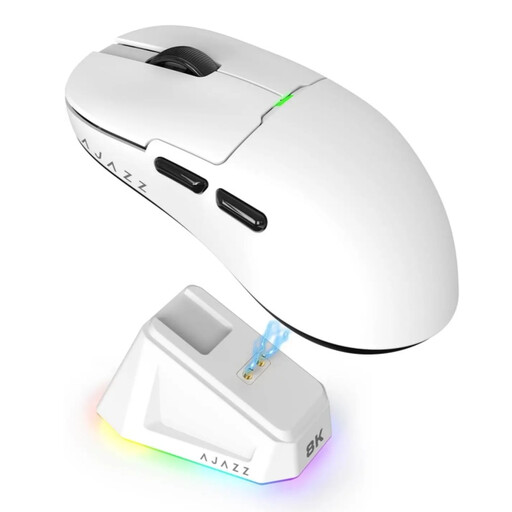 Image unavailable
AJAZZ AJ159 PRO wireless gaming mouse, white
The listed connection options may be useful if you want to use different connection types; check which ones work with your laptop.
PAW3395 sensor, 26K DPI and 2.4G, USB-C or Bluetooth connectivity.
The product name lists a magnetic charging dock, a 400 mAh battery and a weight of 56 g.
The product information advises keeping the magnetic charging dock away from pacemakers and medical implants.
Joybuy
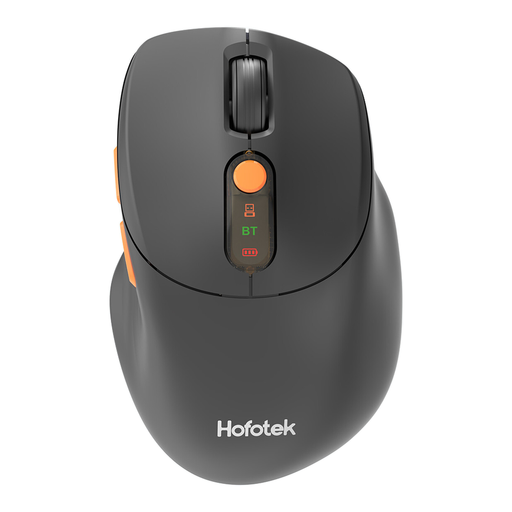 Image unavailable
HOFOTEK M311 quiet wireless office mouse
The product name describes quiet operation; check whether the noise level of this model suits a shared room.
2.4G or Bluetooth connectivity, with adjustable DPI levels.
The product name lists one AA battery as the power source.
Joybuy
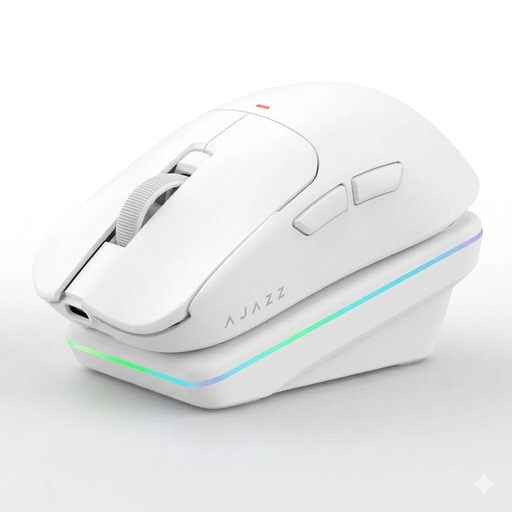 Image unavailable
AJAZZ AJ200 AI MC wireless gaming mouse
The range of listed connection options may suit a set-up with more than one type of connection; check your laptop’s requirements.
Tri-Mode: Bluetooth, 2.4G and USB-C.
The product name lists a PAW3311 sensor, 24,000 DPI and a weight of 63 g.
Joybuy
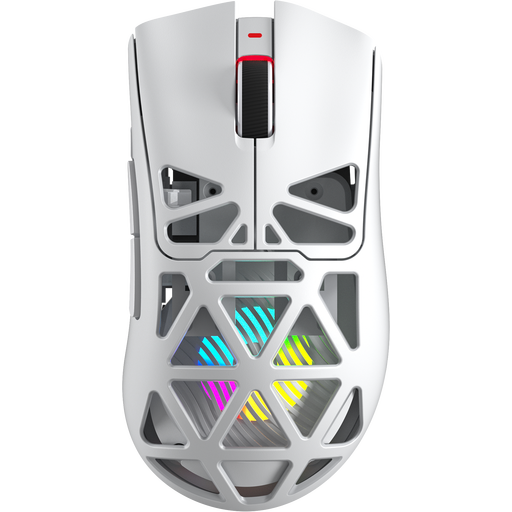 Image unavailable
AULA SC620 wireless gaming mouse, white
The product name lists several connection options; check which connections your laptop supports.
Bluetooth 5.0, 2.4G or USB-C, with a PixArt PAW3311 sensor and 12,000 DPI.
The product name lists seven programmable buttons, 8KHz and a weight of 67 g.
Joybuy
 Image unavailable
Dell Pro Compact Silent Mouse MS355
The product name describes a compact, quiet mouse, which may suit a small or shared workspace.
Before buying, check how this model connects and gets its power, and whether it’s compatible with your laptop.
Joybuy
Frequently asked questions
Will a vertical mouse automatically help with arm or wrist discomfort?
No, the available information doesn’t support that conclusion. Logitech says the Lift changes your hand position; Arboportaal also highlights repetitive movements, static strain and workspace set-up. Check the fit and vary your posture.
What should I check before connecting a wireless mouse to my laptop?
Check whether your laptop supports Bluetooth or has a USB port for the required receiver. For the wired Microsoft Ergonomic Mouse, Microsoft lists a USB port and Windows 10 or 11 as requirements.
Are mouse buttons described as quiet completely silent in a shared room?
No, a description of quiet buttons doesn’t mean the whole mouse is silent. Check the specific model and, if possible, listen to the scroll wheel too.
What return and warranty rights apply when shopping online in the Netherlands?
According to ACM ConsuWijzer, online purchases generally come with a statutory cooling-off period of up to 14 days after delivery. The seller must also put right a product that breaks sooner than you could reasonably expect under normal use. Don’t assume there is a standard two-year warranty period across the Netherlands.


