
Data analyst with limited ports
You want to enter weather data and work with charts without using a power socket or, with compatible Bluetooth hardware, a USB port for your mouse.


If your computer supports Bluetooth, a Bluetooth mouse is a practical choice that leaves both a power socket and a USB port free while you work. Logitech and HP describe models that use an AA battery, so you don’t need to recharge the mouse. For wide weather datasets, horizontal or four-way scrolling may matter more than extra sensor settings. A rechargeable mouse needs charging, and the right shape depends on your hand.
You want to enter weather data and work with charts without using a power socket or, with compatible Bluetooth hardware, a USB port for your mouse.
You often move through timelines or wide spreadsheets, so horizontal or four-way scrolling may be useful.
You use a mouse for extended periods and want to consider its fit and your working posture. An ergonomic product description doesn’t guarantee that you’ll avoid discomfort.
First check that Bluetooth works on your computer, then choose based on how you navigate and the type of battery.
| What to consider | What to look for | Who should give this extra thought? |
|---|---|---|
| Connection and available ports | Check that your computer supports Bluetooth and whether a receiver is required. | I don’t want to use up a USB port for my mouse while plotting data. Around 26% of consumers give top priority to keeping ports free. |
| Wide tables and timelines | Check that horizontal or four-way scrolling works as expected in your spreadsheet or charting software. | I want to move smoothly from left to right through extensive weather datasets. Around 26% of consumers put navigating wide datasets at the top of their list. |
| Fit for extended use | Consider the dimensions and whether it suits your preferred hand; try the shape yourself if possible. | I want a mouse that fits my hand when I use it for long periods. Fit comes first for around 21% of consumers. |
| Battery or charging | Check the battery type, whether a charging cable is included and whether you can use the mouse while it charges. | I don’t want to be caught out by an unexpected charging break. Around 16% of consumers prefer to manage their batteries or charging themselves. |
| Switching between computers | Check the number of Bluetooth channels separately from connections via a USB receiver. | I work with several computers and want to switch between them without having to pair the mouse again each time. Around 11% of consumers say switching between devices is their top priority. |
A wireless mouse may also connect via a USB receiver. To use one without a receiver, you need a compatible Bluetooth model and a computer with Bluetooth.
Check the connection options for each model and make sure you select Bluetooth on your computer.
A high sensor setting alone doesn’t tell you whether you’ll find it comfortable to navigate extensive weather data. The software you use and how you scroll matter too.
Start by considering how you navigate, then check horizontal scrolling and adjustability separately.
No mouse shape suits everyone. Hand size, preferred hand and working posture all matter; Arboportaal points out that prolonged screen work can cause health problems.
Consider the fit of the mouse alongside your workstation. If you already have symptoms, seek appropriate professional advice.
A mouse with an AA battery will eventually need a replacement; a rechargeable model needs access to a charging cable and power source.
Choose the power option that suits your charging routine. Milieu Centraal recommends disposing of used batteries separately at a collection point.
The M240 offers straightforward Bluetooth connectivity, while the MX Master 3S Bluetooth Edition has more advanced controls and adjustable sensitivity.
The HP 480 Comfort Bluetooth Mouse combines a connection without a USB receiver with four-way scrolling for wide spreadsheets.
The Ozaa+ is designed for use with multiple devices and wide documents, with Bluetooth channels and an optional 2.4 GHz receiver connection.
The MW 8C ERGO is an option if you’re looking for a larger, right-handed shape and a choice between Bluetooth and a receiver.
These Joybuy products offer Bluetooth connectivity, so you can use them with a compatible computer without a USB receiver. Some models also list horizontal scrolling features. Check which functions and power options suit your needs for each mouse.
 No image available
The Bluetooth option may suit you if you don’t want to use a USB receiver with a compatible computer.
The title mentions an AA battery. The description lists connections to up to three devices, adjustable DPI levels and compatibility with Windows, macOS and Android.
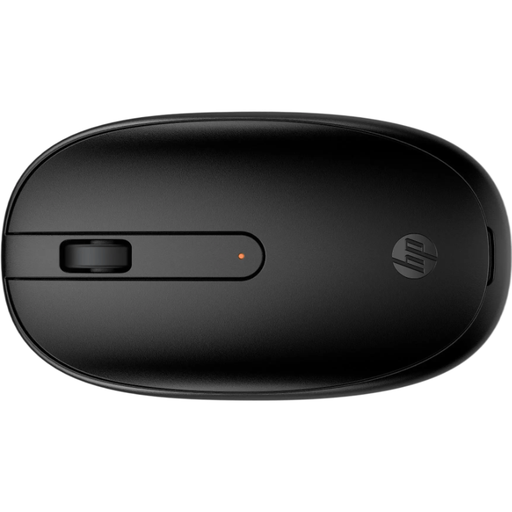 No image available
The Bluetooth connection described provides a way to connect without a USB receiver on a compatible computer.
The product description lists a 1600 DPI optical sensor, three buttons and a shape designed for left- or right-handed use.
 No image available
Bluetooth is an option if your computer supports it and you want to avoid using a USB receiver.
The title states 18,000 DPI. The description lists six programmable buttons and a symmetrical shape; the manual explains how to fit an AA or AAA battery.
 No image available
The horizontal thumb control may be useful if you often navigate wide tables or timelines.
The description lists Bluetooth, MagSpeed scrolling and pairing with up to three devices. The built-in rechargeable battery needs charging from time to time.
 No image available
The side-scroll wheel may come in handy when you’re navigating wide documents using Bluetooth.
The product description lists a side-scroll wheel, connections to up to three devices via Bluetooth and the USB receiver, 3200 DPI and a right-handed shape. The rechargeable battery needs charging from time to time.
No, not necessarily: a Bluetooth mouse with an AA battery, such as the Logitech M240 or HP 480, doesn’t need a power socket for charging during normal use. A rechargeable model does need to be charged; Trust says you can use the Ozaa+ while it charges.
First check that your computer and mouse support Bluetooth, then pair the mouse through your computer’s Bluetooth settings. The Bluetooth connection on the models mentioned doesn’t require a USB receiver.
Take a discarded mouse to a small electrical appliance recycling point. If possible, remove any used battery that can be taken out and dispose of it separately at a battery collection point; this disposal advice applies to the Netherlands.
In the Netherlands, you’re entitled to a product that works properly, and the seller is your point of contact for a solution. According to the Dutch government, there’s no fixed statutory guarantee period; what you can expect depends, among other things, on the product, its price and the information provided at the time of sale.
According to Arboportaal, employers have obligations to provide safe screen work, breaks from screen tasks and a suitable workstation for employees. These rules don’t require a particular mouse model and don’t necessarily apply to every private user.