What should you look for when choosing?
First decide whether quiet operation, precise navigation, customisable commands or a suitable connection matters most to you. Then check the specific controls on the model you’re considering.
| What to consider |
What should you check? |
Who is this most important for? |
| Click noise |
Check the claim for the exact model and consider the main buttons, side buttons and scroll wheel separately. |
If someone is sleeping next to me, I mainly want quieter clicks and to know how noisy the wheel is too. Around 33% of consumers say quiet operation is their top buying priority. |
| Zooming and placing |
Check how the wheel works and whether you can use the right mouse button comfortably. |
When laying track, I want to be able to zoom and navigate with control. Around 27% of consumers put navigation precision first. |
| Programmable buttons |
Check the button positions, the software required and whether your game accepts the commands you want to assign. |
If I repeat commands often, I want them close to hand, provided my game supports them. Around 20% of consumers give shortcuts top priority. |
| Fit and connection |
Check the size and handedness, the available connection and whether any required receiver is included. |
At a shared desk, I want a mouse that suits my hand and computer, without an awkward cable or a missing receiver. Around 20% of consumers put fit and connection first. |
Joybuy mice for this use case
This Joybuy selection includes mice suited to quieter operation, programmable buttons or both. Check that each model’s noise level, game controls and connection suit your needs.
 No image available
NAXSIR Wireless Vertical Ergonomic Mouse, 6 Buttons
The product name mentions quiet buttons and a wireless mouse. Test the click and scroll noise yourself before using it beside someone who’s asleep.
The title specifies six buttons and adjustable DPI. The description mentions a 2.4G connection with a USB receiver.
View at Joybuy
 No image available
Logitech G502 HERO Wired Gaming Mouse
This wired gaming mouse may suit you if you want frequently used commands close to hand. Check that your game supports the assignments you want.
The description mentions eleven programmable buttons and macros. The title specifies a right-handed design.
View at Joybuy
 No image available
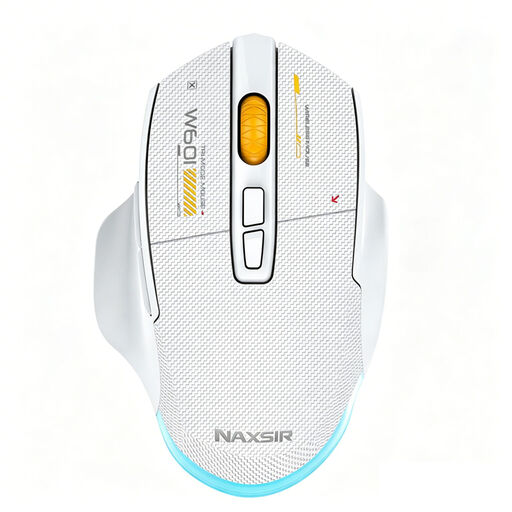
NAXSIR 3-in-1 Gaming Mouse, 7 Programmable Macro Keys
According to the product description, this model combines programmable buttons with quiet micro switches. Check the wheel noise and whether your game supports the commands you want.
The title mentions wired, 2.4G wireless and Bluetooth connections. The description specifies seven programmable buttons.
View at Joybuy
 No image available
HP 285 Silent Wireless Mouse
The product name includes ‘Silent’, and the description mentions noise reduction on the left and right buttons. That doesn’t automatically tell you anything about the scroll wheel.
The description mentions a 2.4 GHz receiver and an optical sensor.
View at Joybuy
 No image available
HOFOTEK M311 2.4G+BT Silent Office Mouse
The product description mentions quiet clicks and connection to up to three devices. Check that the click noise and controls suit the way you plan to use it.
The title specifies 2.4G and Bluetooth. The description mentions an AA battery and USB receiver included in the box.
View at Joybuy
Frequently asked questions
Do I need a very high DPI for virtual railway building?
A high maximum DPI setting doesn’t, by itself, determine how comfortable a mouse is to use. According to N3V Games’ Trainz Simulator, Trainz Surveyor 2.0 also uses the right mouse button for navigation and the wheel for zooming, so check the controls in your own game.
How do I connect a wireless mouse if my computer doesn’t have usable Bluetooth?
Check whether the exact model supports a suitable USB receiver and whether one is included. Logitech, for example, says the MX Anywhere 3S works with Logi Bolt, but the receiver isn’t supplied.
How should I maintain my mouse during long building sessions?
Keep the wheel and sensor clean in line with your model’s instructions, and check the power supply in good time if you have a wireless mouse. Logitech says the MX Anywhere 3S charges via USB-C; Razer specifies one or two AA batteries for the Pro Click Mini.
What if the mouse doesn’t feel comfortable in my hand or breaks quickly?
For a typical online consumer purchase, ACM ConsuWijzer says you generally have a statutory 14-day cooling-off period from delivery. Check the exceptions and handle the product carefully while trying it out. If the mouse develops a fault sooner than you could reasonably expect during normal use, the seller is responsible under the statutory guarantee.
What Dutch product regulations apply to a wireless mouse?
The Dutch Authority for Digital Infrastructure states that businesses must comply with the applicable European requirements for radio equipment and that products placed on the market must carry the required CE marking. A product listing alone doesn’t prove that a specific variant on offer meets these requirements.


