
Creator of wide spending charts
You switch between charts and a spreadsheet with lots of columns, and want to navigate horizontally and vertically with ease. Trust describes the Ozaa+ as having a dedicated side-scroll wheel.


If you use two screens with one computer, choose your mouse based mainly on how you navigate wide tables and which shape feels comfortable in your hand; you don't need a feature for switching between computers. A dedicated side-scroll wheel can be useful for wide spending charts, while a vertical mouse or trackball may suit different posture and control preferences. Check the connection type and any software requirements for the specific model you choose.
You switch between charts and a spreadsheet with lots of columns, and want to navigate horizontally and vertically with ease. Trust describes the Ozaa+ as having a dedicated side-scroll wheel.
During longer sessions, you consider how the mouse fits your hand, your hand position and ways to vary your working posture, not just the number of extra buttons. R-Go Tools lists several sizes and versions for left- and right-handed users; Arboportaal describes repetitive actions when working with display screens.
You want to use one mouse with separate computers. That's different from using two screens with one computer; Logitech Flow is designed for supported mice and multiple computers.
For household spending charts across two screens, four different factors might be your top priority: wide tables, a comfortable fit, straightforward operation or switching between computers. Using two screens with one computer doesn't, in itself, call for a multi-device feature.
| What to consider | What to look for | Who is this most important for? |
|---|---|---|
| Navigating wide tables | Check whether the mouse has a dedicated side-scroll wheel and whether this feature is available on the specific model. | If I often work through wide spending tables, I want to navigate horizontally without having to use the on-screen scroll bar all the time. Around 40% of consumers put wide tables first. |
| Comfortable fit for longer use | Compare the shape, hand size and left- or right-handed design; a vertical mouse won't automatically prevent discomfort. | During longer spreadsheet sessions, I want a shape that suits my hand and preferences, not just more buttons. Around 30% of consumers put a comfortable fit first. |
| Easy connection and use | Check which connections your computer supports and whether you need a USB port for a receiver. | If I only create charts occasionally, I mainly want a connection that works with my computer and don't need extra spreadsheet features. Around 20% of consumers prioritise straightforward operation. |
| Switching between computers | Choose a multi-device feature only if you really want to control separate computers; check system compatibility for software features. | When I want to use one mouse with different computers, I look at the switching feature and compatibility, not the number of monitors. Around 10% of consumers put switching between computers first. |
Windows lets you arrange the screens connected to one computer. Features such as Logitech Flow are designed to switch between separate computers using a supported mouse.
First decide whether you're using one computer with multiple screens or want to control multiple computers.
Kensington describes the Orbit's scroll ring as a way to navigate pages. Trust specifically lists a side-scroll wheel for the Ozaa+, so the features aren't the same.
For wide tables, check how the specific mouse scrolls horizontally.
Choosing the right size and design for your preferred hand still matters. A vertical shape isn't a proven treatment and doesn't replace varying your working posture.
Compare the fit and vary your tasks. If discomfort persists, seek appropriate professional advice.
According to the Dutch Government, the Netherlands has no fixed statutory warranty period that applies to all products. If a product is faulty, contact the seller.
If an additional warranty is offered, read what it adds to your existing rights.
The MX Master range is worth comparing if you want customisable pointer controls and features for using multiple computers. A feature for multiple computers isn't the same as support for two screens on one computer.
The Ozaa+ and Bayo+ are worth considering for different needs: horizontal scrolling through tables, or a vertical shape with multiple connections.
The Orbit trackballs are an alternative to compare if you're looking for a stationary, ambidextrous pointing device.
The HE Break versions are worth considering if size, hand preference and a break indicator matter to you.
The compact MW 9100 is worth comparing if connection and charging are important factors in your choice.
This selection includes mice for horizontal navigation through wide tables, vertical designs and general mouse use. Check which features and connections suit your computer and the way you work for each model.
 Image unavailable
The description mentions horizontal scrolling for spreadsheets; check that the right-handed shape suits you.
Eight programmable buttons. Bluetooth or a USB-C receiver.
 Image unavailable
An option to compare if you're looking for a vertical shape; check that it suits the way you hold your hand.
Bluetooth and 2.4 GHz. Three DPI levels: 800, 1200 and 1600.
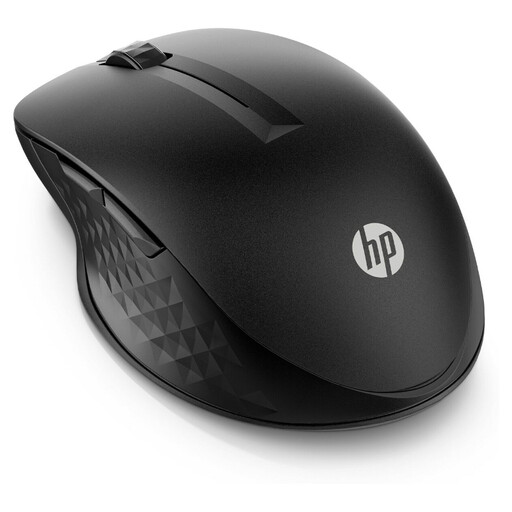 Image unavailable
An option for general mouse use; the description says it's suitable for both left- and right-handed users.
Four programmable buttons and adjustable scroll speed. Connect via a USB-A receiver or Bluetooth.
 Image unavailable
The description mentions a dedicated side-scroll wheel for wide tables; this version is right-handed and generously sized.
RF wireless and Bluetooth. Sensor up to 3200 DPI.
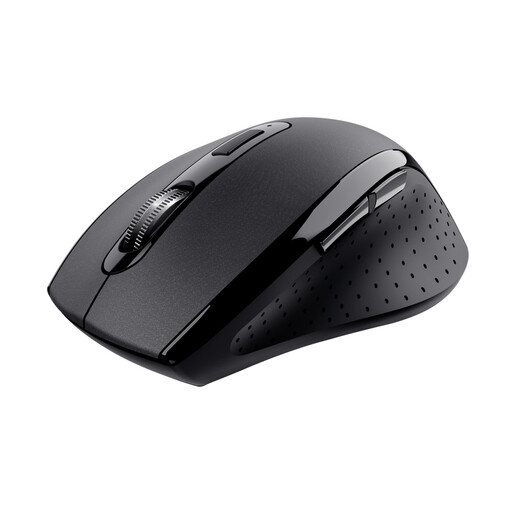 Image unavailable
An option for everyday mouse use at home or in the office; the title specifies a right-handed design.
2.4GHz receiver. Adjustable DPI setting and six buttons.
No, not just because you have two monitors. Arrange the screens in Windows display settings and check that the pointer moves smoothly between them. Multi-device or Flow features are designed for switching between separate computers or devices.
For the wireless Kensington Orbit, the manufacturer recommends gently removing dirt from the ball with a finger or dry cloth. Follow the relevant maintenance instructions for other versions.
According to the Dutch Government, distance purchases often come with a 14-day cooling-off period, subject to statutory exceptions. You also have the right to a product that meets legal requirements in the Netherlands; there is no fixed statutory warranty period for all products, and the seller is your point of contact if a product is faulty.
Radio equipment placed on the EU market must meet the applicable requirements of Directive 2014/53/EU. EUR-Lex explains, among other things, that distributors must check radio equipment bears the CE marking before making it available. The marking alone doesn't tell you whether a mouse will be comfortable to use with your spreadsheets.
No, using two screens doesn't automatically mean you need a vertical mouse. Compare the mouse shape with your hand preference and working posture; Arboportaal's information on display screen work describes physical strain, but doesn't prescribe a particular type of mouse for home users.