What should you look for when choosing?
First, work out whether you use one computer or two separate computers. Then consider whether you need to scroll horizontally through wide tables and which grip suits you.
| What to consider |
What to look for |
Who is this important for? |
| Navigating wide tables |
Check whether you need to scroll horizontally in your usual window layout and whether the model has a side-scroll wheel or tilt function. |
If I put wide timetables side by side and often need to scroll horizontally, I want to be able to do that easily. Around 33% of consumers prioritise ease of navigation. |
| Hand comfort when comparing repeatedly |
Consider your hand size and whether you need a left- or right-handed model; try the grip if possible and vary your screen-based work. |
When I compare routes for a long time, I want a grip that suits my hand and the chance to vary my posture. Around 27% of consumers prioritise hand comfort. |
| Switching between computers |
First establish whether you have two computers, then check the supported connections and how to switch between devices. |
If my timetables are on two separate computers, I want to know whether one mouse can control both and how to switch between them. Around 20% of consumers prioritise switching between computers. |
| Simplicity and portability |
Check the dimensions, handedness, charging or battery requirements, and connections of the specific model. |
If I compare timetables in different workspaces, I want a mouse that’s easy to carry and simple to use with my set-up. Around 20% of consumers prioritise simplicity and portability. |
Mice at Joybuy
These mice include options for horizontal scrolling, use with multiple devices and a vertical grip. Compare their features with your screen set-up, handedness and how you plan to use the mouse.
 No image available
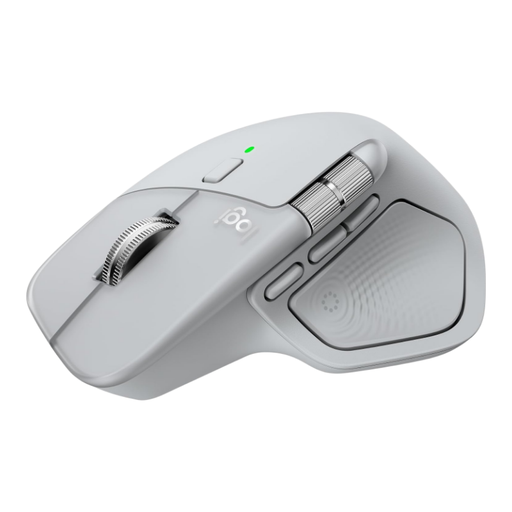
Logitech MX Master 4 Light Grey
Could suit you if you want to scroll horizontally through wide tables or use one mouse with multiple devices. Check the exact controls and connections, and whether a right-handed model suits you.
View at Joybuy
 No image available
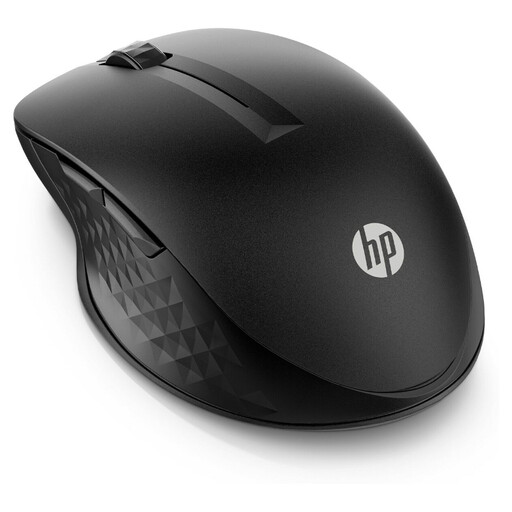
HP 430 Multi-Device Wireless Mouse
An option if you’re looking for a mouse that works with multiple devices. Check which connections and switching controls this version offers and whether they suit your computers.
View at Joybuy
 No image available
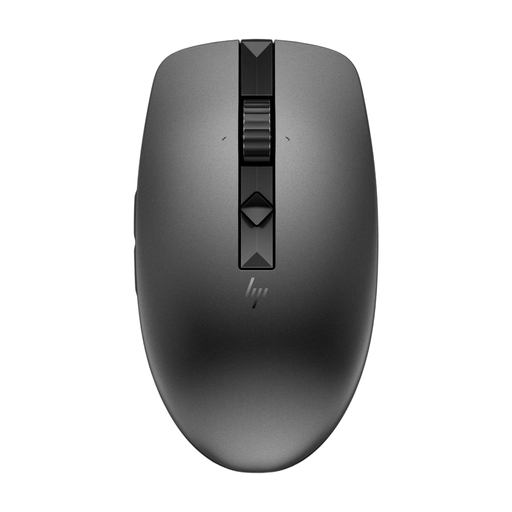
HP 635 Multi-Device Wireless Mouse
Could suit you if you’re looking for a wireless mouse that works with multiple devices. Check the connections and controls on this version; if you plan to take the mouse with you, also check whether its size suits you.
View at Joybuy
 No image available
Trust Ozaa+ wireless mouse, RF and Bluetooth, 3200 DPI, right-handed
The Ozaa+’s side-scroll wheel may be useful for wide timetables; Trust also lists connections for multiple devices. This is a larger, right-handed version, so check that its size and controls suit you.
View at Joybuy
 No image available
Logitech Lift Vertical Ergonomic Mouse Graphite
A vertical mouse to consider if you’re looking for a different grip for prolonged use. Logitech positions the Lift for small to medium-sized hands and also offers a left-handed version; check that the size and version suit you. Its design doesn’t guarantee relief from discomfort.
View at Joybuy
Frequently asked questions
Do I need a special mouse to move between two screens?
Not if both monitors are connected to the same computer. Microsoft Support explains how to arrange your screens in Windows and test whether the pointer moves across where you expect it to. If you use two computers, check separately how a mouse switches between devices.
When is a horizontal scroll wheel useful for timetables?
Mainly when a table or timeline is wider than the visible window. Trust lists a side-scroll wheel on the Ozaa+; if your timetables fit fully on screen, the feature may be less useful.
What should I look for if I compare timetables for a long time?
Look for a grip that suits your hand size and handedness, and vary your posture and tasks. Arboportaal recommends changing your working posture and taking regular short breaks when working at a screen, among other things; choosing a mouse doesn’t replace the need to vary your routine.
How do I use one mouse with two separate computers?
Choose a model whose connections work with both computers and check how to switch between them. A multi-device feature is different from moving the pointer between two monitors connected to one computer.
What are my rights when buying a mouse online in the Netherlands?
For distance purchases, you generally have a 14-day cooling-off period, according to the Dutch government. You’re also entitled to a product that meets the required standards; contact the seller if a product doesn’t meet the terms of the agreement. According to the Dutch government, there is no fixed statutory guarantee period in the Netherlands. Check the terms of the specific purchase.


