
Minute-taker with limited room to move a mouse
If you edit reports at a crowded desk and want to control the cursor without moving the mouse back and forth, you could consider a stationary trackball.


If you have barely any room to move a mouse, consider a stationary trackball. If you have space beside your keyboard, a compact conventional mouse could suit you if you prefer familiar controls. The scroll controls may be worth considering when working on long reports, but also check the fit, click noise and whether the connection works with your computer. Neither type is automatically more comfortable for every hand.
If you edit reports at a crowded desk and want to control the cursor without moving the mouse back and forth, you could consider a stationary trackball.
If you often navigate between passages of text, consider the scroll controls and whether they work comfortably without placing the mouse far from the keyboard.
If you want to avoid disturbing others with clicking, consider quiet buttons and check that the connection is compatible with the computer you use.
| Factor to consider | What should you check? | Who is this important for? |
|---|---|---|
| Room to move | Measure the clear space beside your keyboard and consider how much room your hand needs to move the mouse. | At a crowded desk, I want to control the cursor without constantly moving the mouse; around 28% of consumers say limited room to move is their main reason for buying. |
| Document navigation | Try the scroll controls to see whether they work for both small adjustments and longer passages of text. | If I often navigate through lengthy reports, I want controls that suit the way I scroll; around 22% of consumers prioritise document navigation. |
| Click noise | Check whether the specific version has quiet main buttons and, if possible, try how the clicks feel. | When working in a shared space, I want to avoid disturbing others with clicks; around 17% of consumers prioritise quiet clicking above all else. |
| Hand position | Consider the grip, how easily you can reach the buttons and where the mouse sits in relation to the keyboard. | When editing minutes for a long time, I want a shape that suits my hand and allows me to work in a suitable position; around 22% of consumers choose a mouse mainly for hand comfort. |
| Computer connection | Check for Bluetooth support, a suitable USB port and whether the version you choose includes any receiver you need. | If I want to connect a mouse to my computer or switch between devices, the connection method needs to be suitable; around 11% of consumers make connectivity their main priority. |
You still need to move a compact conventional mouse around. A stationary trackball stays in place while you control the cursor.
Check both the space for the device and the room your hand needs to move it.
Logitech states that the standard MX Anywhere 3S does not include a Logi Bolt receiver.
Check whether Bluetooth or a suitable USB connection works with your computer, and see what is included with the exact version.
If you want to use the Logi Bolt connection, bear in mind that the receiver is sold separately.
A compact shape or different controls alone cannot tell you whether a mouse will suit your hand. A manufacturer's claim does not guarantee a comfortable experience for you.
Try the shape and controls where possible. Arboportaal advises keeping your elbows close to your body when using a mouse.
Logitech offers compact mice such as the Pebble Mouse 2 M350s and MX Anywhere 3S, as well as stationary models such as the ERGO M575S.
The Orbit Trackball with Scrollring, model K72337EU, is a symmetrical, wired trackball.
Trust describes the Ozaa Compact as a small wireless mouse with quiet buttons and multi-device connectivity.
The HP 400 Quiet Wireless Mouse is a wireless option for anyone looking for quiet clicks and scrolling functions.
The Joybuy options below are conventional wired or wireless mice. Bear in mind the room needed to move them, and check for each model that the connection works with your computer.
 No image available
A wireless option if you want a choice of connections. The product name lists Bluetooth, 2.4G and USB-C; check which connections your computer supports.
 No image available
A wired mouse for a fixed computer setup with a suitable USB Type-A port. The product name lists a 1200 DPI optical sensor and three buttons.
 No image available
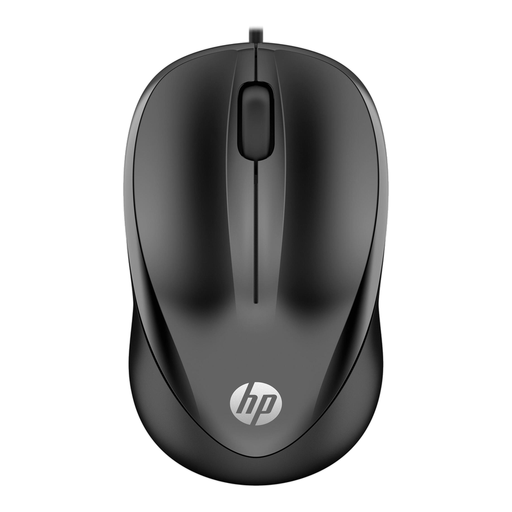
A wired option if you want to use a scroll wheel while editing. The product name lists USB and 1200 DPI; check that the connection works with your computer.
 No image available
A wireless option for a shared workspace: the product name lists quiet operation and a 2.4 GHz connection. This connection uses the included USB receiver.
 No image available
If you want wireless connection options, the product name lists Bluetooth and 2.4G. The 2.4 GHz connection uses a USB receiver; Bluetooth is the alternative connection method.
No. A trackball stays in place while you control the cursor, so it can be a good fit if you have no room to move a mouse. If you do have space, a compact conventional mouse can offer familiar controls. Try both shapes to see which suits your hand and preferred position.
Check whether your computer supports Bluetooth or has the right USB port for the receiver you choose. Logitech states that the compatible Logi Bolt receiver is not included with the standard MX Anywhere 3S. Position the mouse so you can keep your elbow close to your body, and break up prolonged periods of mouse use.
For many consumer purchases made online from a trader, you have a 14-day cooling-off period. The Dutch government states that the seller must provide information about this period. Distinguish this statutory right from any separate returns policy or manufacturer's warranty.
Arboportaal's guidance does not specify a required mouse model, but it does cover workplace requirements. For employees who work at a screen for more than two hours a day, Arboportaal states that the screen and keyboard must not be attached to each other. This requirement concerns the workplace setup, not a mandatory trackball or compact mouse.