What should you look for when choosing?
Start with what you do most often, such as navigating horizontally across wide tables or simply pointing and selecting. Then consider the click noise, connection and shape in relation to your room and laptop.
| Factor |
What to look for |
Who is this important for? |
| Wide tables |
Check whether the mouse supports horizontal scrolling and whether its controls work with your software. |
If I regularly work through wide tide tables, I want to be able to navigate from left to right too. Around 33% of consumers prioritise controls for working with wide tables. |
| Noise and connection |
Check whether your laptop has Bluetooth or a suitable USB port for a receiver, if needed. |
In a shared room, I want to disturb others as little as possible and choose a connection my laptop supports. Around 27% of consumers prioritise keeping things quiet in a shared room. |
| Hand position |
Consider the shape, your dominant hand and whether the controls feel comfortable. A different shape doesn’t guarantee relief from discomfort. |
For longer sessions, I want a shape that suits my grip and hand position. Around 20% of consumers put hand comfort first. |
| Simplicity and maintenance |
Weigh up a suitable USB connection and cable against wireless use and replacing a battery. |
At a permanent workspace, I want to get started easily without unnecessary settings or battery changes. Around 20% of consumers prioritise a simple connection and easy maintenance. |
Joybuy mice for studying
The Joybuy products below may suit you if you’re looking for quiet controls, wireless use or a vertical hand position. Check the connection, battery requirements and whether the mouse is suitable for your dominant hand before choosing a model.
 No image available
HP 285 Silent Wireless Mouse
An option if you want quiet controls in a shared room. The wireless receiver needs a USB-A port, and you’ll also need to account for the AA battery.
View at Joybuy
 No image available
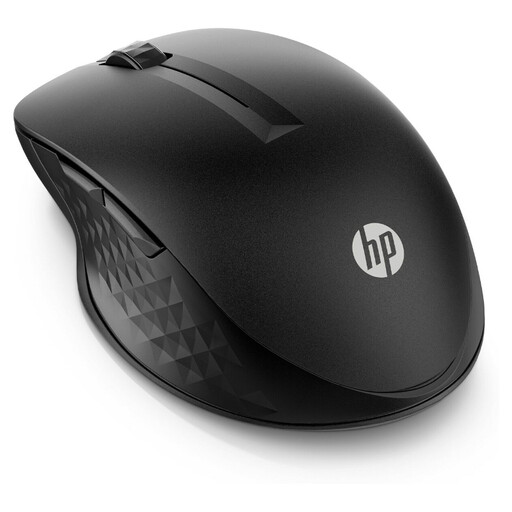
HP 430 Multi-Device Wireless Mouse
Suitable if you want to switch between devices and customise the scroll controls to suit the task. Check whether Bluetooth or a USB-A receiver suits the way you use it; the mouse uses an AA battery.
View at Joybuy
 No image available
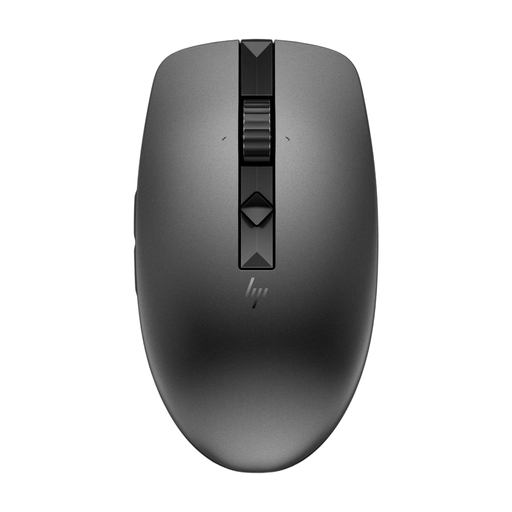
HP 635 Multi-Device Wireless Mouse
An option if you want quiet controls and adjustable scrolling. Check whether Bluetooth or a USB receiver works with your device; the mouse uses a replaceable AA battery.
View at Joybuy
 No image available
Trust Bayo II Vertical, Wired, Black
Suitable if you want to try a vertical hand position at a permanent workspace. This wired model is designed for right-handed use, so check that the shape suits your hand.
View at Joybuy
 No image available
Logitech Lift Vertical Ergonomic Mouse Graphite
A vertical option with quiet clicks for anyone looking to try a different hand position. This model is designed for right-handed use and small to medium-sized hands; check that the shape and size suit you.
View at Joybuy
Frequently asked questions
Do I need a high DPI setting to draw tide charts accurately?
Not based on DPI alone. Check whether you can set the cursor speed to a comfortable level and whether your software offers the controls you need. Trust lists 1000 or 1600 DPI settings for the Verto; Kensington lists four DPI settings for the Orbit Wireless Trackball. This doesn’t prove that they’ll help you create better charts.
How do I connect a mouse to my laptop?
Connect the Logitech M100 to a suitable USB port; according to Logitech, the Logitech M240 Silent pairs via Bluetooth without a USB receiver. Check which connections your laptop supports before buying.
What can I do during long sessions in front of a screen?
Vary your activities and posture, and take short breaks. Arboportaal recommends this for screen work; employers’ legal obligations don’t automatically apply to private study in a student room.
What are my rights if a mouse I bought online doesn’t work properly?
In the Netherlands, a product must meet what you could reasonably expect from it; if it’s faulty, you should contact the seller, according to the Dutch government. For many online purchases, you have 14 days to change your mind, although exceptions may apply. There is no fixed statutory guarantee period for all products in the Netherlands.
Where can I dispose of a worn-out mouse and used batteries?
As a private consumer, you can return an old device to the retailer free of charge when buying a similar new one; the Dutch government also lists collection points and your local council’s recycling centre. Take removable used batteries to a separate collection point, such as a shop that sells batteries.


