What should you look for when choosing?
Start with the biggest everyday frustration, then check the hand preference, connection and controls for your computer and workspace.
| Buying concern |
What should you check? |
Who is this important for? |
| Clicking noise |
Check whether quiet buttons are explicitly listed for the exact model. Manufacturer claims about noise reduction don’t guarantee how quiet the mouse will sound in your space. |
When I work next to someone, I want repeated clicking to be as unobtrusive as possible. Around 29% of consumers put clicking noise first. |
| Fit in your hand |
Compare the shape with your hand and check which hand size the model is designed for. Don’t assume an ergonomic shape will prevent or relieve discomfort. |
During long writing sessions, I want a grip that feels comfortable in my hand. Around 23% of consumers make fit their top priority. |
| Document navigation |
Check what type of scroll wheel and extra buttons the model has, and whether you need those features. A high DPI rating alone doesn’t tell you how comfortable it is to navigate documents. |
When I often switch between chapters and sources, I want to scroll smoothly and reach the relevant buttons easily. Around 18% of consumers prioritise navigation. |
| Connecting and packing away |
Check whether the mouse uses Bluetooth or a USB receiver, whether your computer supports it and whether you have a suitable port available. |
When I regularly clear my workspace or switch between devices, I want to know which connection suits the way I use it. Around 18% of consumers prioritise connectivity and portability. |
| Left-handed design |
For vertical mice, look for a specifically left-handed version. Swapping the buttons alone won’t make a right-handed shape suitable for your left hand. |
As a left-handed mouse user, I want a shape that’s genuinely designed for my hand. Around 12% of consumers put a left-handed fit first. |
Mice on Joybuy
This selection includes mice for quieter work, connecting to multiple devices, document navigation and different hand preferences. Check which features suit your needs for each model.
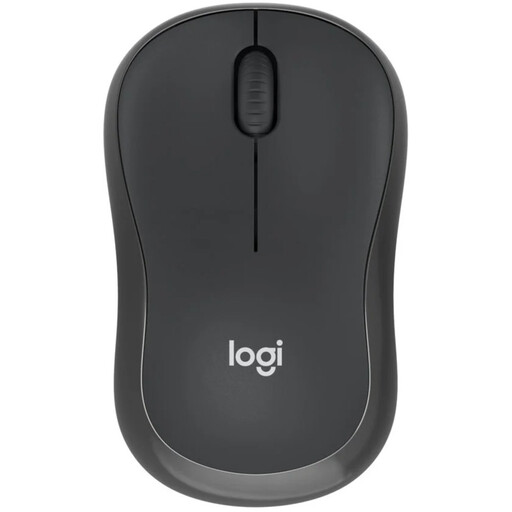 Image unavailable
Logitech M240 Silent Wireless Black
A compact option if quiet clicks and a tidy workspace are important to you.
Bluetooth connection; your computer must support Bluetooth.
View on Joybuy
 Image unavailable
HOFOTEK M311 2.4G+BT Silent, Black-Orange, 1xAA Battery
An option to compare if quiet clicks and a choice of connection types are important to you.
The product name specifies 2.4G+BT and a 1xAA Battery; check which connection works with your computer.
View on Joybuy
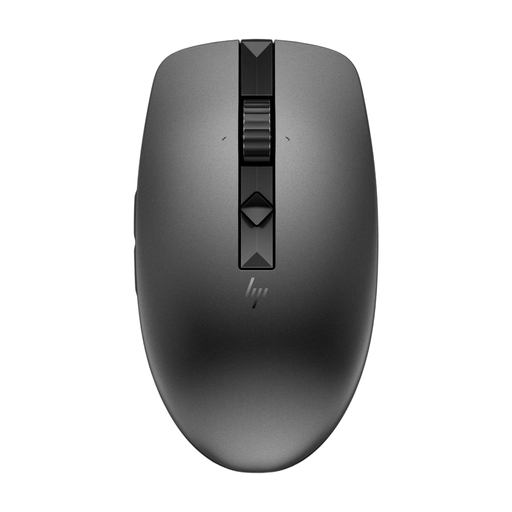 Image unavailable
HP 635 Multi-Device Wireless Mouse
Worth a look if you’re after features for switching between devices and navigating long documents.
The product information mentions adjustable scrolling speed. Check whether the controls suit the way you work with documents.
View on Joybuy
 Image unavailable
Logitech Signature M650 L Left White 910-006240
This version is described as being for left-handed users with larger hands; compare its fit with your own hand.
The product information specifies Bluetooth Low Energy or a Logi Bolt receiver. Check which connection you want to use.
View on Joybuy
 Image unavailable
Logitech Lift Vertical Ergonomic Mouse Graphite
A vertical option if you want to consciously try a different grip during long work sessions.
The stated fit is designed for small to medium-sized right hands. Check whether this version is right for you.
View on Joybuy
Frequently asked questions
Am I legally required to buy an ergonomic mouse for long thesis-writing sessions?
According to the information cited, Dutch rules on screen work don’t specify a particular mouse model. Arboportaal’s guidance is aimed at employers and their employees; those employer obligations don’t automatically apply to every PhD student. However, Arboportaal recommends varying your screen-based work and setting up your workspace appropriately.
How can I connect a mouse without using a USB port?
Choose a Bluetooth model if your computer supports Bluetooth. Logitech describes the M240 Silent as working via Bluetooth without a dongle; according to Trust, the Bayo II uses a 2.4GHz USB receiver.
What can I do if my new mouse turns out to be faulty?
If you buy as a consumer in the Netherlands, you’re entitled to a product that works as it should, and you can contact the seller to discuss a solution. According to the Dutch government, the Netherlands has no fixed statutory warranty period; an additional manufacturer’s warranty doesn’t replace your right to a product that works as it should.
Can a vertical mouse prevent discomfort during long writing sessions?
A vertical shape alone doesn’t prove that discomfort will be prevented or relieved. Arboportaal describes repetitive movements and static load during screen work, and recommends varying your activities and setting up your workspace appropriately. Choose a mouse based on fit and how you’ll use it; if discomfort persists, seek appropriate professional advice.


