Which mouse is right for you?

Working through large spreadsheets

If you spend a lot of time reviewing survey data, it can help to move accurately between rows while also covering larger distances quickly. Microsoft Support describes using keys and scroll bars as alternative ways to move around a worksheet.

Student sharing a room

If you often work while a housemate is in the same room, quiet clicks and a suitable connection may be important. Logitech describes the M240 Silent as a Bluetooth mouse that connects without a dongle.

Student with limited desk space

If you have little room to move a mouse or work for long sessions, the controls and your hand position can make a difference. Arboportaal and TNO highlight mouse use as something to consider when working at a screen.

What should you look for when choosing?

What to consider What to look for Who might value this most?
Navigating long spreadsheets Look at how the scroll wheel works and whether you can scroll both accurately and quickly. Excel also offers keys and scroll bars. If you often review large worksheets, you’ll want to move smoothly between rows and cover larger distances; around 33% of consumers put navigation first.
Quiet clicks Check whether the buttons on the specific model are quiet and whether its shape feels comfortable for the way you work. If you work quietly alongside a housemate, less clicking noise may matter a lot to you. Around 25% of consumers give quiet operation their top priority.
Hand comfort Check the fit, your preferred hand and whether you find the shape comfortable to use. An ergonomic shape is no guarantee against discomfort. For long work sessions, you’ll want a hand position that suits you; around 25% of consumers put hand comfort first.
Connection and desk space Check Bluetooth support, available USB ports, and whether the mouse uses a receiver or cable. Also consider how much room your hand needs. If you have little room to move or your laptop has limited connection options, check that everything is compatible in advance. For around 17% of consumers, connection and desk space are the top priority.

Common purchasing mistakes

  • Choosing a quiet mouse without checking the connection

    According to Logitech, the Logitech M240 Silent uses Bluetooth and doesn’t need a dongle, while the CHERRY MW 4500 uses a USB receiver. A model with the wrong connection may not work with your laptop or available ports.

    Before buying, check the connection on the exact model and make sure your laptop supports it.

  • Assuming an ergonomic shape will prevent discomfort

    An angled or vertical shape is no proof that a mouse will prevent discomfort. Arboportaal and TNO highlight prolonged screen work and mouse use as things to consider.

    Check the fit and controls for your own hand, and vary your tasks and posture.

  • Assuming similar model names refer to the same version

    According to Logitech, the M650 is available in versions for different hand sizes and hand preferences. The product numbers 24126 and 24059 are both used for the Trust Puck; without further evidence, you shouldn’t assume they’re identical.

    Compare the full model number and check the hand orientation and connection of the product you want to buy.

Brands to consider

Logitech

The M650 and M240 Silent we looked at meet different needs: scrolling with a choice of hand sizes, or quiet Bluetooth operation.

  • Logitech says the M650 has a SmartWheel and is available in versions for different hands. The manufacturer says the M240 Silent connects via Bluetooth without a dongle.
  • According to Logitech, the M240 Silent uses a battery and requires Bluetooth. For the M650, check which version suits your hand.

Trust

The Puck we looked at is a slim, quiet wireless mouse with a rechargeable battery and a choice of Bluetooth or a USB receiver.

  • Trust lists the Puck as 27 mm high.
  • Check the full product number: the Joybuy listing refers to the Puck 24126, while the Trust product information we consulted is for the Puck 24059. Don’t assume they’re the same version without further evidence.

CHERRY

The MW 4500 we looked at has an angled shape; CHERRY also lists a separate left-handed MW 4500 LEFT.

  • According to CHERRY, the MW 4500 has a 45° shape and a nano USB receiver.
  • The left-handed version is a different model. Whether the shape feels comfortable depends on your hand and personal preference.

Kensington

The Orbit with Scroll Ring K72337EU we looked at is a trackball that you operate with your fingers, without moving the mouse across the desk.

  • Kensington lists this version as having a scroll ring, ambidextrous controls and a wired USB connection.
  • Kensington says this version is not currently supported on Windows computers with an ARM processor. Bear in mind, too, that using and cleaning a trackball is different from using a conventional mouse.

Mouse options at Joybuy

This selection includes mice for quiet operation, different connection types and use during long data sessions. It includes a vertical mouse and a left-handed version of the Logitech Signature M650.
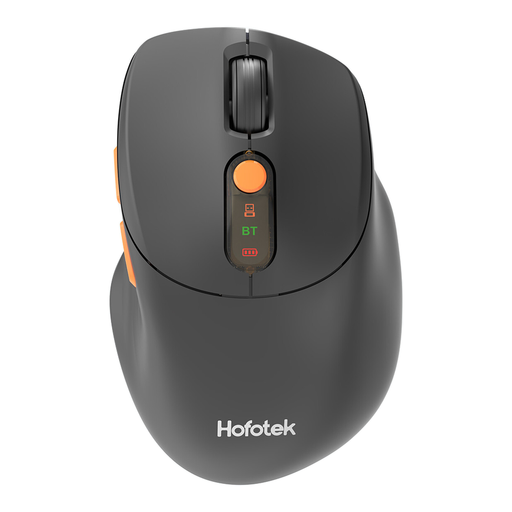
HOFOTEK M311 2.4G+BT Silent Office Mouse

HOFOTEK M311 2.4G+BT Silent Office Mouse

An option if you’re looking for quiet operation and want a choice of 2.4G or Bluetooth. The product name lists adjustable DPI and one AA battery.

View at Joybuy

Dell Pro Compact Silent Mouse MS355

Dell Pro Compact Silent Mouse MS355

A compact option for anyone looking for quiet operation. Before buying, check which connection this specific version uses.

View at Joybuy
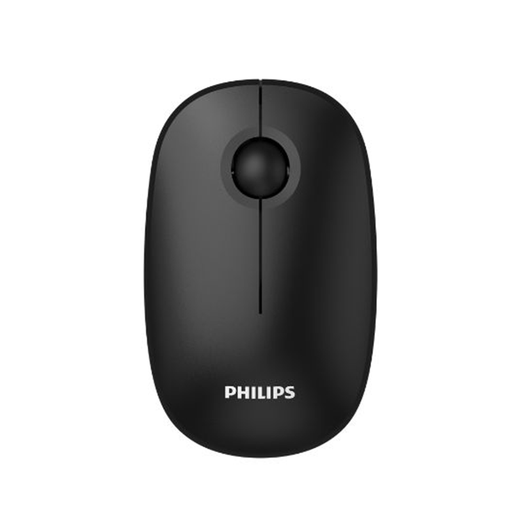
Philips 3000 Series Wireless Mouse SPK7378B/00

Philips 3000 Series Wireless Mouse SPK7378B/00

An option if you’re looking for quiet clicks and a USB receiver. The product name lists a 2.4GHz connection and 1600 DPI.

View at Joybuy
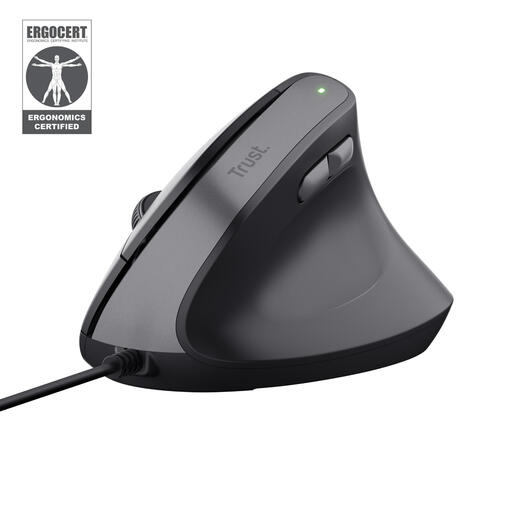
Trust Bayo II vertical mouse, wired, black

Trust Bayo II Vertical, Wired, Black

A vertical mouse for anyone who wants to try a different hand position. This version has a wired USB connection and is designed for right-handed users.

View at Joybuy
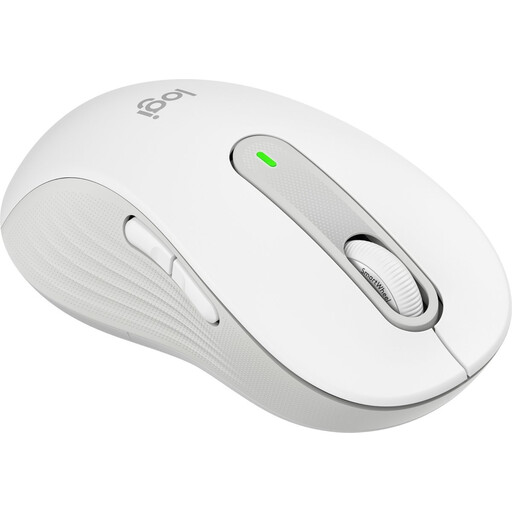
Logitech Signature M650 L Left, White, 910-006240

Logitech Signature M650 L Left, White, 910-006240

An option for left-handed users who want to switch between precise and fast scrolling while they work. This version is designed for left-handed users with larger hands.

View at Joybuy

Frequently asked questions

Do I need a special scroll wheel for large survey files?

No. Excel also supports navigation using keys and scroll bars, as Microsoft Support explains. A mouse wheel with precise and fast scrolling modes can be useful if scrolling is your main challenge.

How do I clean a mouse?

Follow the instructions for your model. Logitech recommends using a soft, lint-free cloth lightly dampened with water for its devices, and advises against bleach and strong solvents, among other things. A trackball may also need its ball and socket cleaned.

Does a two-year manufacturer’s warranty cover the full statutory guarantee in the Netherlands?

No. According to the Dutch government, there is no fixed period for the statutory guarantee in the Netherlands: it depends on what you can reasonably expect from the product. Depending on the circumstances, if a product is faulty you may be entitled to a free repair, replacement or refund.

Where can I dispose of a used mouse battery or an old mouse?

According to the Dutch government, used batteries must not go in general waste and can be returned to shops that sell batteries, among other places. An old electrical mouse can be taken to a collection point; when you buy a similar new device, the old-for-new scheme also applies to private purchases.

Do the Dutch rules on working at a screen automatically apply to my study space?

Don’t assume that they do. The requirements for screen work described by Arboportaal are aimed at employers. Varying your activities and having a suitable workspace are still important when you spend long periods working at a screen.
