If you often work with wide survey spreadsheets, start by looking at the scrolling controls. If a quiet working environment is your priority, check which buttons are specifically described as silent. Hand shape and connectivity also matter for extended use. The sound claims for the models mentioned have not been independently compared.
Who is this choice relevant to?
People working with wide survey spreadsheets
When cleaning up data, you often switch between rows and columns and want to see whether horizontal scrolling would suit the way you work. Trust describes the Ozaa+ as having a side scroll wheel; Microsoft Support explains how to navigate and scroll through a worksheet.
People using a quiet study space
You want repeated clicks to be less audible, so look for specific claims about silent buttons. Don’t treat sound claims from different brands as directly comparable measurements. Logitech and HP describe silent click controls on the models mentioned.
People who spend long hours at a screen
You want to choose a shape that suits your hand, and are weighing up a vertical mouse or trackball against a standard mouse. Logitech describes the Lift as suitable for small to medium-sized hands, while Kensington describes a symmetrical trackball. Arboportaal highlights repetitive actions and static strain when working at a screen.
What should you look for when choosing?
First, consider how you navigate wide spreadsheets and how much noise you want to minimise. Then factor in hand shape and connectivity. The features mentioned are described by Trust, Logitech, HP and Microsoft Support; they do not constitute a comparative ranking of noise levels.
| What to consider |
What to look for |
Who is this important for? |
| Navigating data |
Try horizontal scrolling in your spreadsheet. Trust lists a side scroll wheel on the Ozaa+; Microsoft Support also explains how to scroll through a worksheet. |
If I often switch between rows and columns that are far apart, I want controls that suit the way I work. Around 36% of consumers put data navigation first. |
| Quieter clicking |
Check whether the claim applies only to the buttons, and compare sound measurements only when the same method has been used. Logitech compares the MX Master 3S with the MX Master 3. |
When checking data repeatedly in a quiet space, I want less distracting clicks without treating claims from different brands as equivalent. Around 29% of consumers prioritise quiet clicks. |
| A comfortable hand position |
Check your hand size and whether the mouse is designed for left- or right-handed use. Logitech describes the Lift as suitable for small to medium-sized hands; Kensington describes a symmetrical trackball. |
When working for long periods, I want a shape and handed version that suit me, without expecting a mouse to prevent discomfort. Around 21% of consumers give hand position the greatest weight. |
| Connectivity and use |
Check the connectivity of the exact version and whether you want to switch between devices. HP specifies an available USB-A port for the 280 Silent; Trust describes several connectivity options for the Ozaa+. |
If I use one computer, I want compatible connectivity without unnecessary device-switching features. Around 14% of consumers prioritise straightforward connectivity and controls. |
Things to watch out for when buying
-
Assuming a noise-reduction percentage applies against all quiet mice
Logitech compares the MX Master 3S with the MX Master 3: its stated 90% reduction in click noise applies to left and right clicks, measured at 1 metre. It is not a comparison with other brands.
Compare sound measurements only when the same method has been used, and remember to consider the sound of the scroll wheel too.
-
Ordering a mouse with a receiver without checking the connection
HP lists an available USB-A port as a system requirement for the 280 Silent.
Check your computer’s ports and make sure the connection on the exact version is compatible.
If you don’t have a spare USB-A port, you may need a suitable adapter.
-
Assuming an ergonomic shape guarantees relief from discomfort
A mouse shape is only one part of your workstation. Arboportaal describes repetitive actions and static strain when working at a screen.
Check the handed version and size, and take breaks from extended screen work. Don’t consider a mouse a solution or treatment for discomfort.
Brands to consider
Logitech
The MX Master 3S is designed for extensive scrolling, while the Lift has a vertical shape.
- Logitech describes both models as having quiet clicks, and offers the Lift in versions for small to medium-sized hands.
- The claim of 90% less click noise for the MX Master 3S applies only compared with the MX Master 3, for left and right clicks measured at 1 metre. For the Lift, check the hand size and handed version.
Trust
Trust says the Ozaa+ combines silent buttons, two scroll wheels and connectivity for multiple devices.
- The side scroll wheel may be useful for wide spreadsheets.
- Trust describes the Ozaa+ as large. Check that its size suits your hand; no comparable sound measurement against other brands is stated.
HP
The HP 280 Silent is a straightforward wireless mouse for anyone who prioritises quiet clicks.
- HP specifies three buttons, a standard scroll wheel and an AA battery for this model.
- The receiver requires an available USB-A port; no side scroll wheel is listed.
Kensington
The Orbit Wireless Trackball has a scroll ring and a symmetrical shape, offering a different way to control the cursor.
- An option to consider if you want to try a trackball or need a mouse that suits both left- and right-handed use.
- The specification consulted does not confirm that the buttons click quietly. Claims about reducing strain are not proven personal health benefits.
BakkerElkhuizen
According to the manufacturer, the FastForward Pro combines a vertical shape, silent click controls and a tilting wheel for horizontal and vertical scrolling.
- This combination may suit wide spreadsheets and anyone who prefers a vertical mouse.
- The stated benefits for speed and comfort are manufacturer claims; personal fit and noise levels compared with other models have not been established.
Joybuy product picks
These mice are designed for quiet workspaces and data navigation, and include vertical shapes. Compare the scrolling controls, connectivity and shape of each model.
 No image available
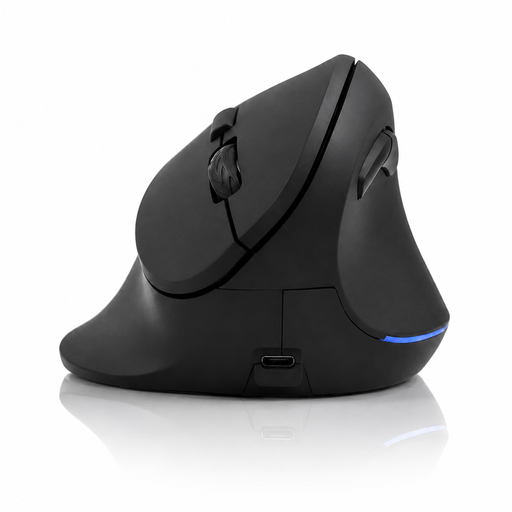
Vertical wireless mouse with 6 buttons, 2.4 GHz
The stated four-way scrolling may be useful for wide spreadsheets; check whether it suits the way you use your spreadsheet.
The product name lists six buttons, 2.4 GHz wireless connectivity, USB-C charging and 800–1600 DPI.
View on Joybuy
 No image available
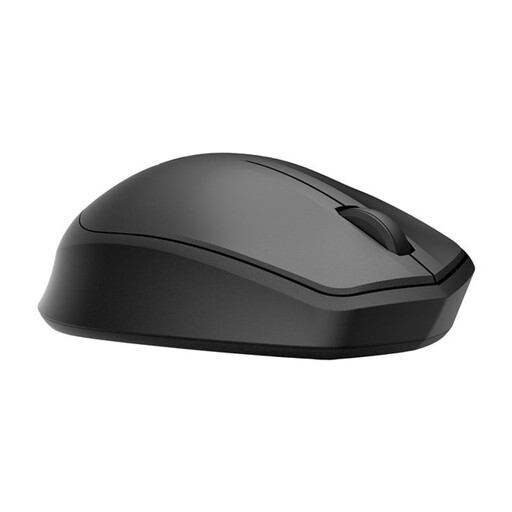
HP 285 Silent Wireless Mouse
A wireless mouse to consider if click noise is a factor; check that the receiver is compatible with your computer’s ports.
The product information lists a 2.4 GHz receiver and one AA battery.
View on Joybuy
 No image available
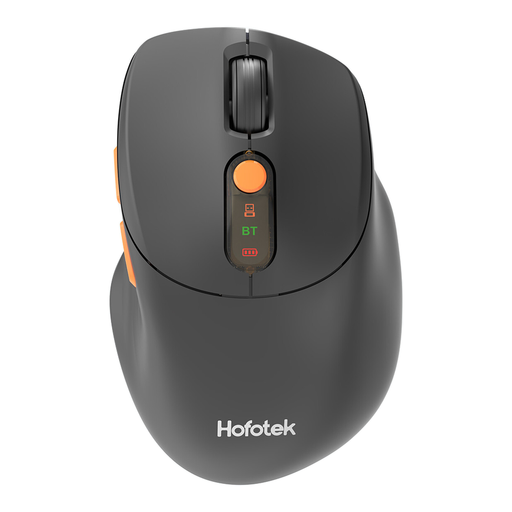
HOFOTEK M311 2.4G+BT Silent Office Mouse
The product name lists silent operation and 2.4G+BT connectivity; check that one of these connection options suits your computer.
The name also lists an AA battery.
View on Joybuy
 No image available
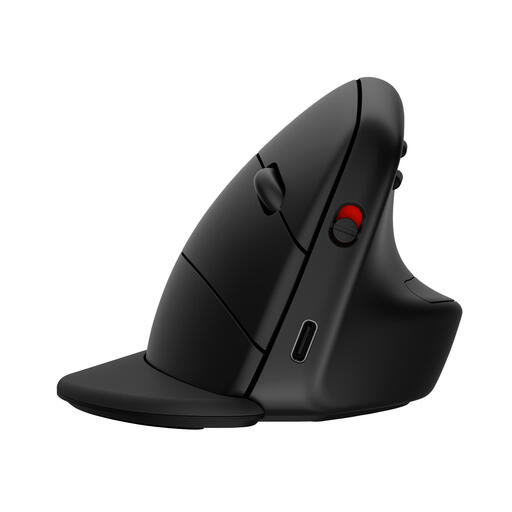
HP 925 Ergonomic Vertical Mouse
A vertical mouse to consider if hand position is your priority.
The listed shape is for right-handed use; check that it suits you.
View on Joybuy
 No image available
DELL Pro Compact Silent Mouse MS355
A compact mouse to consider if desk space or quiet operation matters to you.
The product information lists RF and Bluetooth connectivity; check which option suits your computer.
View on Joybuy
Frequently asked questions
Do I need a side scroll wheel for wide spreadsheets?
No, not necessarily: Excel also offers scroll bars and keyboard navigation. A side scroll wheel is worth considering if you often switch between columns that are far apart. Try the controls in the programme you use.
How do you connect a silent mouse if your laptop doesn’t have a USB-A port?
Check the connection for the exact model before buying. HP says the 280 Silent needs an available USB-A port for its receiver; Trust also describes Bluetooth connectivity for the Ozaa+.
What are the ongoing costs after purchase?
Power requirements vary by model: according to HP, the 280 Silent uses one AA battery, while Trust says the Ozaa+ has a rechargeable battery. How often you need to replace or recharge the battery depends on how you use the mouse.
What cooling-off period and warranty apply to online purchases in the Netherlands?
ACM ConsuWijzer states that online product purchases generally come with a statutory cooling-off period of up to 14 days after delivery. Separately, statutory warranty applies if a product used normally does not meet the reasonable expectations you may have had; it is not automatically limited to a stated manufacturer’s warranty period.
Do Dutch workplace health and safety rules require me to buy a vertical mouse?
Arboportaal’s guidance does not require a vertical mouse. It does outline employers’ obligations to provide a safe and healthy screen-work setup; this is not a uniform mouse requirement for every buyer.


