Choose a mouse based on your main task: navigating spreadsheets precisely, finding a comfortable grip, or working quietly and switching between workstations. Then check that the design suits your hand, works with your office computer and provides the controls you need without requiring unauthorised software. A mouse is no substitute for a well-set-up workstation or taking regular breaks from screen work.
Which mouse is right for you?
If you clean up large survey spreadsheets
You switch between making precise selections and navigating long or wide spreadsheets. So, look at how the mouse scrolls and whether it has extra controls, and check that they work with your spreadsheet software. Logitech and Trust describe models with different scrolling options.
If you spend long periods working at a screen
You need a shape that suits your hand and workstation. Also check your workstation setup and take regular breaks from screen work; Arboportaal emphasises the importance of varying your tasks. A mouse is not a treatment for aches and pains.
If you share a workstation with colleagues
Consider click noise, a connection that works with your office computer and a cleaning routine you can stick to. A strongly left- or right-handed shape will not necessarily suit everyone using the same mouse.
What should you look for when choosing?
| What to consider |
What to look for |
Who is this more important for? |
| Spreadsheet navigation |
Test precise, fast scrolling in your spreadsheet; check for horizontal scrolling and button customisation if you need it. |
If I often switch between details and long or wide spreadsheets, I want to navigate smoothly without making inaccurate selections. Around 40% of consumers give spreadsheet navigation top priority. |
| Fit and grip |
Check your hand size and which hand you use; if possible, try an unusual grip at your own workstation. |
For extended use, I want a shape that suits my hand and the hand I use, without assuming it offers a health benefit. For around 30% of consumers, fit comes first. |
| Click noise |
Check whether the version you choose has quiet buttons, and consider scroll noise and how the clicks feel too. |
If colleagues work nearby, I want to reduce unnecessary clicking noise without assuming the mouse is completely silent. A quieter environment for colleagues is the top priority for around 20% of consumers. |
| Connecting and switching |
Check Bluetooth, available USB ports, your IT policy and whether the mouse has a dedicated device switch if you want to move between computers. |
When I work at different workstations, I want to know whether connecting is straightforward and whether the mouse really switches between computers. For around 10% of consumers, connecting or switching is the top priority. |
Common buying mistakes
-
Assuming two connection methods mean automatic switching
Bluetooth and a USB receiver are not the same as a feature for switching between paired computers. Logitech does not list Easy-Switch for the M650 for Business.
Check the exact model for explicit device-switching support, and make sure the connection you want to use is allowed at each workstation.
Without a suitable switching feature, reconnecting can take extra time.
-
Choosing a strongly shaped mouse as a one-size-fits-all option
The Logitech Lift is available in left- and right-handed versions and is designed for small to medium-sized hands. The Kensington Orbit is symmetrical, but uses a different way of controlling the cursor.
Find out which hands your users work with and what they prefer; consider separate mice if one shape does not suit everyone.
-
Confusing a high dpi rating with faster data clean-up
Dpi describes a sensor setting, not how accurately or quickly you scroll through a spreadsheet or select data.
Assess how the mouse handles selection and scrolling in the software you actually use, and check that button customisation is allowed.
Brands worth considering
Logitech
The Signature M650 series, Lift and MX Master 3S offer different scrolling controls and grip styles for office work.
- The M650 series is available in different sizes, including a left-handed L version. The Lift is also available in a left-handed version for small to medium-sized hands.
- Logitech describes the MX Master 3S as having quiet clicks; its sound comparison with the MX Master 3 applies under the stated testing conditions.
- Check each version to make sure it includes the receiver and features you need, and that any configuration software can be used on your office computer.
Trust
The Ozaa+ is worth considering if you want a side scroll wheel and the option to switch between devices.
- Trust lists the Ozaa+ as having quiet buttons, two scroll wheels, up to 3200 dpi and a rechargeable battery.
- These specifications are provided by the manufacturer. Its large size and right-handed shape will not necessarily suit every user at a shared workstation.
Kensington
The Orbit trackball with scroll ring, model K72337EU, offers a stationary, symmetrical way to control the cursor.
- Kensington lists two programmable buttons and a 150 cm USB cable.
- The wired connection and different way of controlling the cursor are worth considering at a shared workstation; allow time to get used to it.
Joybuy mice for office work
This Joybuy selection includes mice for spreadsheet navigation, shared workstations and switching between devices. For each model, check that the controls, shape and connection suit your workstation.
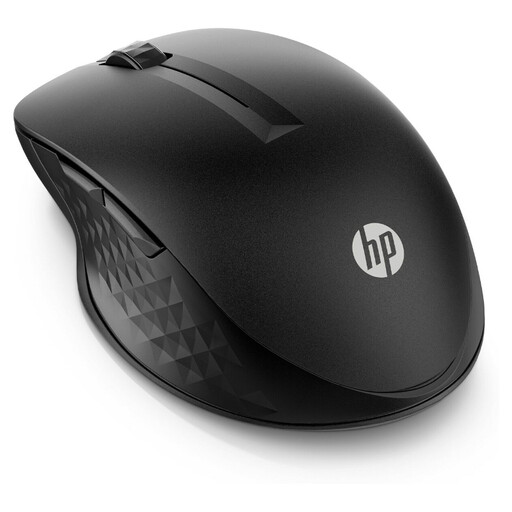 No image available
HP 430 Multi-Device Wireless Mouse
An option to consider if you switch between devices at different workstations and want adjustable scrolling.
Wireless mouse; the product name indicates support for multiple devices.
View at Joybuy
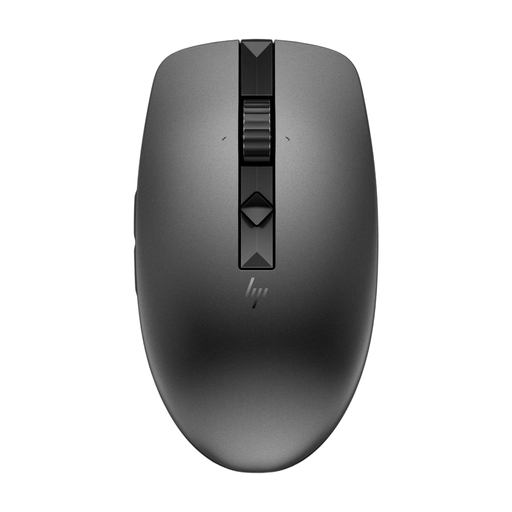 No image available
HP 635 Multi-Device Wireless Mouse
A good fit if you want quiet clicks and the ability to switch between devices at a shared workstation.
Wireless mouse; the product name indicates support for multiple devices.
View at Joybuy
 No image available
Trust Yvi+ Wireless Mouse Multi-Device
A compact option if quiet buttons and connecting to multiple devices are important to you.
Its compact shape may be less suitable if you want plenty of palm support.
View at Joybuy
 No image available
Trust Ozaa+ Optical Office Mouse, 3200 DPI
Worth considering if you need to navigate wide spreadsheets and want quiet buttons.
Right-handed version; the product name lists 3200 DPI. At a shared workstation, its shape may not suit colleagues who use their other hand.
View at Joybuy
 No image available
Logitech Lift Vertical Ergonomic Mouse, Graphite
A vertical mouse to consider if you want a different grip from that of a standard mouse.
This version is right-handed and designed for small to medium-sized hands, so it will not necessarily suit everyone at a shared workstation.
View at Joybuy
Frequently asked questions
Will a programmable button work straight away in your spreadsheet?
Not necessarily. Check whether the feature you want works in your software and whether configuration software is allowed on your office computer. Logitech lists Logi Options+ for customisation on Windows and macOS. Logitech does not list Easy-Switch for the M650 for Business.
How do you keep a shared mouse clean?
Follow the cleaning instructions for the exact model and agree on who will clean the shared workstation. Logitech describes cleaning tests for specific education products; this information does not automatically apply to every mouse or cleaning product.
What costs and warranty rights should you check?
Check whether the mouse uses a replaceable battery or a rechargeable one, and whether any receiver you need is included. If you buy as a consumer in the Netherlands, the seller must provide a solution for a faulty product, according to the Dutch government. If you are buying in a company’s name, ask about the relevant contract and warranty terms.
Does Dutch law require an ergonomic mouse in the office?
The government guidance consulted does not specify a particular type of mouse. Arboportaal states that screen work should be alternated at regular intervals with other work or a break. The requirement for a separate screen or keyboard when working at a screen for more than two hours concerns workstation setup, not a mandatory type of mouse.


