
Worker with all USB ports in use
You’re checking survey data while other devices are using the available USB ports. A compatible Bluetooth connection can make a receiver unnecessary; Logitech, for example, describes the M240 as working this way.


If your computer supports Bluetooth, start with a mouse that connects without a USB receiver, leaving a port free. Then choose one to suit your work: a scroll wheel that works well with long or wide tables, and a shape that feels comfortable. A mouse with both Bluetooth and a receiver offers an alternative, but using it in receiver mode will still take up a USB port.
You’re checking survey data while other devices are using the available USB ports. A compatible Bluetooth connection can make a receiver unnecessary; Logitech, for example, describes the M240 as working this way.
You often navigate long or wide data tables, so you want to compare scroll controls, buttons and software compatibility. Logitech and HP describe models with different scrolling features.
You’re looking for a shape that suits your hand and working posture. A vertical mouse or trackball may be an alternative to try, but it is not a proven solution for discomfort.
First, check which connections your computer supports. Then compare the controls for working with tables and how the mouse fits your hand. Finally, check how it’s powered and charged.
| What to consider | What should you look for? | Who is this more important for? |
|---|---|---|
| Keeping a USB port free | Check Bluetooth support on your computer and the exact mouse version. A cable or USB receiver will take up a port. | When I’m cleaning up survey data while all my USB ports are in use, I want to know if I can work without a receiver. Around 36% of consumers prioritise keeping a USB port free. |
| Navigating tables | Compare the available scrolling controls, for example for fast or horizontal scrolling. Also check whether any button customisation works with your operating system. | When working with long or wide tables, I want to navigate smoothly without losing control. Around 29% of consumers prioritise controls for navigating tables. |
| Comfort during extended use | Consider your hand size and which hand you use; bear in mind that a vertical mouse or trackball works differently and may take time to get used to. | When I use a mouse for long periods, I want a shape that suits my hand and posture. Around 21% of consumers prioritise fit. |
| Power and interruptions | Check whether the mouse uses a replaceable battery or rechargeable power, and whether you can keep working while it charges. | If I don’t want to interrupt my work to change a battery or recharge, the type of power source matters. Around 14% of consumers prioritise power and maintenance. |
Some mice offer both Bluetooth and a USB receiver. The connection you use determines whether a port is occupied.
Check that both your computer and the exact mouse version support Bluetooth, and decide which connection mode you actually want to use.
For example, the Logitech M650 comes in versions for different hand sizes and hand preferences. With other product ranges, too, the version can determine which connection options are available.
Before buying, compare the full model name, hand preference and connection options of the specific version.
A mouse’s shape alone doesn’t show that it will reduce discomfort. Fit and working posture are still personal considerations.
Assess the controls and fit for yourself, and break up your screen time; a mouse is no substitute for paying attention to your workstation.
The M240 is a Bluetooth option that doesn’t need a receiver; the Signature M650 range offers different shapes and scrolling controls.
According to HP, the HP 700 version combines Bluetooth with programmable controls and horizontal scrolling.
The Fyda we looked at combines Bluetooth with a USB receiver; the Bayo+ has a vertical design.
The Expert Mouse Wireless is a Bluetooth trackball with a scroll ring, for anyone wanting to try a stationary pointing device.
The EM11 NL is a vertical mouse with two Bluetooth channels and a USB mode.
These Joybuy picks are Bluetooth mice for cleaning up survey data when few USB ports are free. If a version offers several connection options, check which mode you’ll use and whether its scrolling controls suit your work.
 Image unavailable
Worth considering for navigating wide survey tables while keeping a USB port free when using Bluetooth.
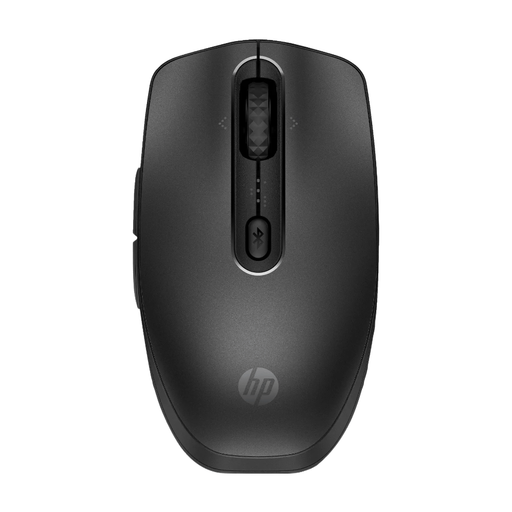 Image unavailable
Worth considering if you want to use Bluetooth and navigate wide tables; check whether this version’s features work with your software.
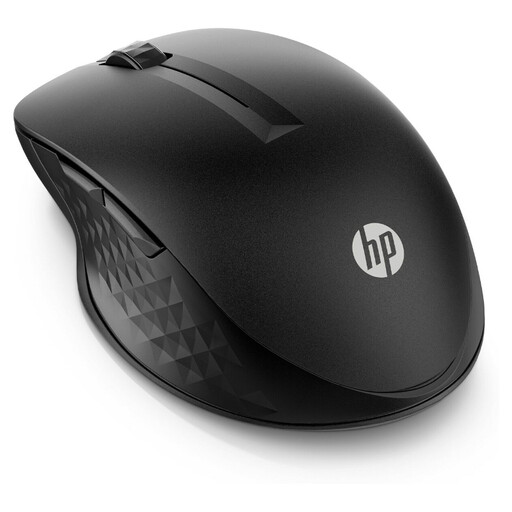 Image unavailable
An option to consider if you want to use Bluetooth and tailor the scrolling controls to your documents. Check which features are available on your system.
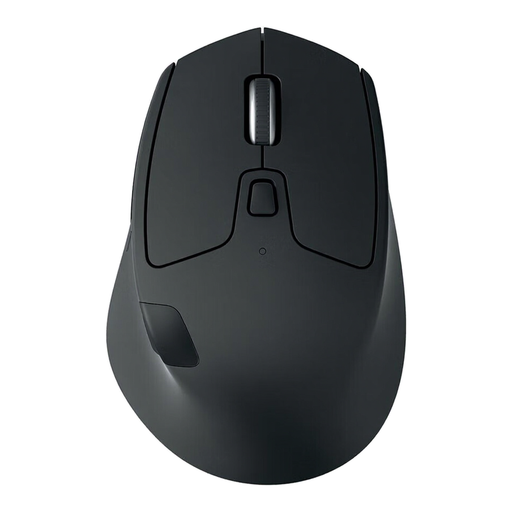 Image unavailable
Worth considering if you work through long documents and switch between computers; check which connection mode you’ll use to keep a USB port free.
 Image unavailable
A vertical design to consider if you want to try a different hand position. Fit is personal; the shape doesn’t prove that it reduces discomfort.
No. Check that both the exact mouse version and your computer support a compatible Bluetooth connection. A model that only works with a USB receiver won’t keep a port free.
Check which buttons and scrolling features the specific model has, and whether the accompanying software supports your operating system. Kensington, for example, notes limitations for its customisation software on ChromeOS.
An ergonomic product label doesn’t prove that it can. Fit and working posture are personal considerations; Arboportaal also highlights the importance of alternating screen work with other tasks or taking a break.
No. According to the Dutch government, there is no fixed statutory warranty period in the Netherlands. If a product is faulty, contact the seller; what you can expect depends, among other things, on the product and the sales information.
Applicable European requirements apply to radio equipment; the Dutch Authority for Digital Infrastructure explains the CE marking for equipment that meets those requirements. The European Commission clarifies that a CE marking is not independent approval by the EU. Check the conformity information for the exact version.