
Student in a shared room
If a flatmate might be working or resting, a model with quiet buttons can help reduce clicking noise. Logitech and Trust describe quiet versions of specific models.


Start with a mouse that connects to your laptop and feels comfortable to use in the space available. Choose quiet buttons if you don’t want to disturb others; Bluetooth leaves a USB port free, while a mouse with a receiver needs a suitable spare port. For longer sessions, your hand position and taking breaks also matter, not just cursor speed.
If a flatmate might be working or resting, a model with quiet buttons can help reduce clicking noise. Logitech and Trust describe quiet versions of specific models.
If you don’t want to use a USB port, look for a mouse that connects via Bluetooth. Logitech and HP describe Bluetooth models; check that your laptop supports Bluetooth.
For longer sessions, hand position, desk space and taking breaks all play a part. Trust and Kensington offer models with a different shape or way of operating; Arboportaal also recommends changing your posture regularly.
First check the connection and the space available; then compare clicking noise, hand position and whether you’ll need batteries.
| What to consider | Check | Who this matters to |
|---|---|---|
| Clicking noise | Check whether quiet main buttons are specified for the exact version. | In a shared room, I want to disturb others as little as possible while studying; around 36% of consumers say clicking noise is their top priority. |
| Connection and portability | Check whether your laptop has Bluetooth, whether there’s a suitable USB port free and which accessories are included. | If I take my mouse between workspaces, I want a connection that works with my laptop; around 29% of consumers prioritise the connection. |
| Hand position and space | Consider which hand you use, your grip and how much room you have to move the mouse. | For longer study sessions, I want a hand position and controls that suit my workspace; around 21% of consumers focus mainly on posture and desk space. |
| Simplicity and running costs | Check how the mouse is powered and whether your chosen model needs batteries. | I don’t want features or ongoing battery costs I don’t need; around 14% of consumers prioritise ease of use and running costs. |
The standard Logitech M240 Silent connects via Bluetooth; the Trust Mydo uses a USB receiver. So the connection varies by model.
Check the exact version and make sure its connection is compatible with your laptop’s ports and Bluetooth capability.
A different hand position won’t automatically suit every hand or workspace. It’s still important to vary your tasks and posture.
Consider whether the shape suits your hand and workspace, and vary your tasks and posture during long sessions.
According to the Dutch government, there’s no fixed time limit for the statutory guarantee in the Netherlands; what you can expect from a product also depends on the product itself.
Check what extra cover an additional warranty offers, and contact the seller if there’s a fault.
Worth considering for quiet mice and models available in different sizes or for different handedness.
The Mydo and Verto are designed for different connections and hand positions.
The HP 240 Bluetooth Mouse in Pike Silver is an option if Bluetooth meets your needs.
The Orbit Trackball with Scroll Ring offers a stationary way to control your cursor.
The Pro MS3220 is a wired mouse for a fixed workspace.
This selection includes quiet wireless mice with Bluetooth or a USB receiver, as well as a wired vertical mouse. Check which connection suits your laptop for each model.
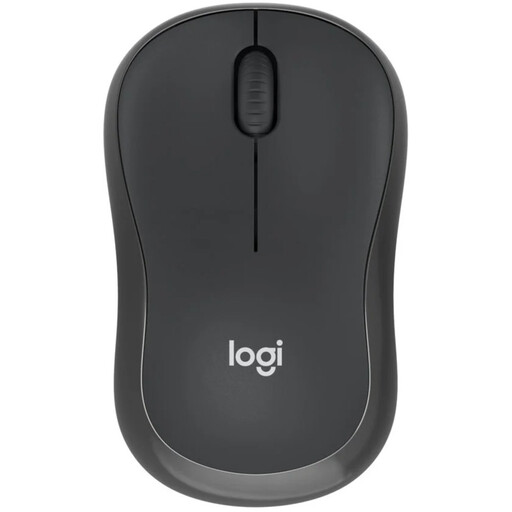 No image available
An option if quiet clicks and wireless use matter in a shared room.
The product description specifies one AA battery for power.
 No image available
The title specifies quiet operation and Bluetooth and 2.4G connections; check which connection you want to use.
The product description specifies one AA battery. You’ll need a suitable port for the USB receiver.
 No image available
A compact model with ‘Silent’ in its name, for anyone looking for a mouse for a small workspace.
 No image available
An option if you want quiet clicks and a USB receiver; check that your laptop has a suitable port.
The product name specifies 1600 DPI and a USB receiver.
 No image available
A wired vertical design to consider if you’d like to try a different hand position.
According to the product description, this model is designed for right-handed users and has a fixed USB cable.
If your laptop supports Bluetooth, the standard Logitech M240 Silent can connect without a USB receiver. The Trust Mydo uses a USB receiver, so you’ll need a suitable spare port.
Set up your workspace so your shoulders, forearms and wrists stay relaxed, and alternate mouse use with other tasks or positions. This is in line with workplace advice from Arboportaal, but it doesn’t mean that one mouse shape will prevent discomfort.
The wired Kensington Orbit Trackball doesn’t need mouse batteries; the HP 240 uses one AA battery. Before checking out, also see which accessories are included and whether delivery charges apply.
For many distance purchases made by consumers from a business, there’s a 14-day cooling-off period; terms and exceptions still apply. You’re also entitled to a product that is fit for purpose. According to the Dutch government, there’s no fixed two-year statutory warranty period in the Netherlands: what you can expect from a product also depends on the product itself. Contact the seller if there’s a fault.
No. The obligations under the Working Conditions Decree described by Arboportaal apply to employers and employees; they don’t create a separate purchase requirement for students. However, advice on posture and taking breaks can still be useful.