
The quiet flashcard maker
You make flashcards alongside someone else and want to keep clicking noise down without overlooking whether the mouse connects to your device.


For studying with flashcards at a shared desk, a mouse with quiet buttons is a sensible starting point. But check that it connects to your study device, too. Then choose based on your hand and how long you work: a compact mouse is easier to put away, while a larger or vertical design takes up more space and needs to feel right for you. Manufacturers’ claims about quiet clicks are not independent sound measurements of the models.
You make flashcards alongside someone else and want to keep clicking noise down without overlooking whether the mouse connects to your device.
You work through study materials for longer periods and want to find out which mouse shape feels comfortable in your hand. Remember to break up your screen time, too.
You use more than one device for your flashcards and want to switch between them without having to pair the mouse again each time.
First, check that the mouse connects to your laptop or tablet. Then decide how much you value quiet buttons, comfort and easy storage.
| What to consider | What to look for | Who is this important for? |
|---|---|---|
| Noise at your desk | Check whether the version you’re considering has quiet buttons; if possible, try both clicking and scrolling. | If I make flashcards next to someone, I want repeated clicking to disturb them as little as possible. Around 33% of consumers put quiet operation first. |
| Hand comfort | Consider your hand size, which hand you use, your grip and the space available to move the mouse. | For longer study sessions, I want a shape that feels comfortable in my hand, even if it’s less compact. Around 27% of consumers put hand comfort first. |
| Connection and switching | Check for Bluetooth support or an available USB-A port, and whether the exact version can switch between devices. | If I switch between devices while studying, I don’t want to have to pair the mouse again each time. Around 20% of consumers put switching between devices first. |
| Storage and power | Compare the size, check how any USB receiver is stored and find out what type of battery is needed. | When I need to put my mouse away or take it with me after studying, I also want to consider the receiver and battery. Around 20% of consumers give storage, portability and power the highest priority. |
The Yvi+ Silent and Yvi+ Multi-Device differ in their connectivity options. So the name Yvi+ alone won’t tell you whether the mouse suits your device or setup.
Check the full model name and the listed Bluetooth or USB connection before you choose.
A description of quiet buttons doesn’t automatically tell you how noisy the scroll wheel or anything else is. Logitech describes SilentTouch for the M240 Silent and Pebble Mouse 2 M350s; this isn’t an independent comparison of all the sounds at your desk.
If possible, try the buttons and scroll wheel in a quiet setting.
The Logitech Lift has a distinctive shape and is available in left- and right-handed versions. There’s more to working at a screen for long periods than the shape of your mouse.
Check that the mouse suits your dominant hand and feels comfortable, and take breaks from prolonged screen work.
The models mentioned here differ in shape and connectivity: from the M240 Silent to the Pebble Mouse 2 M350s with its device switch, and the vertical Lift.
The Yvi+ Silent and Yvi+ Multi-Device are different versions for different connectivity needs.
The HP 280 Silent is a wireless mouse for a computer with an available USB-A port.
The 1680 Silent is a quiet mouse with a USB receiver; the M200 Silent is a different range.
This selection includes mice for a shared desk, including models described as quiet and versions that connect via USB or Bluetooth. Check each model to make sure its connection and shape suit your study devices and how you use it.
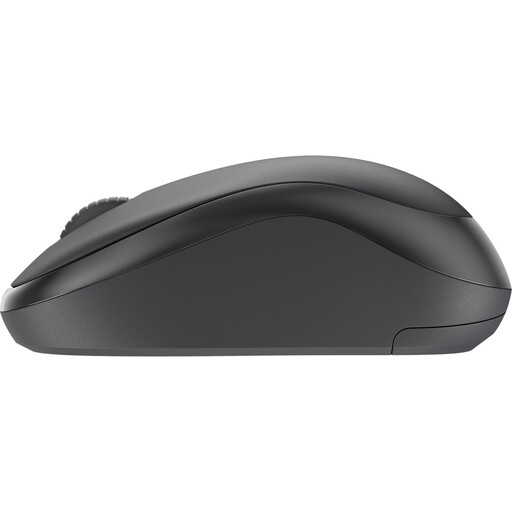 Image unavailable
Worth considering if you’re looking for a wireless mouse described as quiet; check that this version’s connection suits your device.
 Image unavailable
Worth considering if you’re looking for a mouse described as quiet that comes with a USB receiver; check the connection and compatibility with your device.
 Image unavailable
An option if you want to scroll easily through longer study documents. Check the connection and whether this mouse is suitable for a shared desk.
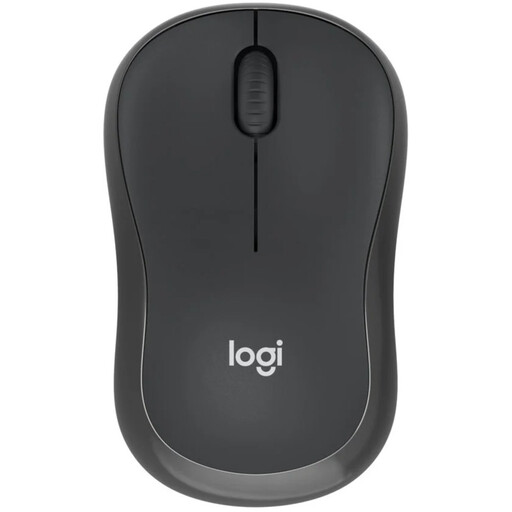 Image unavailable
Worth considering if you’re looking for a mouse without a dongle for a Bluetooth device; check the connection options of the version shown.
 Image unavailable
The product name includes Silent and 2.4G+BT. Check which connections this version offers and whether they work with your study devices.
No. Bluetooth can be handy if you want to keep a USB port free and your device supports Bluetooth. A mouse with a receiver is an alternative if you have a suitable spare port. If you use multiple devices, check whether the version you choose can switch between them.
Choose a shape that feels comfortable in your hand and arrange your workspace so your arm isn’t under constant strain. Take breaks from prolonged screen work. Specific Dutch workplace health and safety rules also apply to employees; they don’t automatically apply to every student at a shared desk.
Check the battery type and the seller’s terms before you buy. For online consumer purchases, ACM ConsuWijzer says you’ll generally have a statutory cooling-off period of up to 14 days after delivery, subject to exceptions. Your statutory guarantee depends on what you could reasonably expect from the product under normal use; a fixed manufacturer’s warranty period doesn’t replace this right.
According to the Dutch Authority for Digital Infrastructure, radio equipment placed on the EU market must meet the requirements of the Radio Equipment Directive. After a conformity assessment, the manufacturer applies the CE marking; a product description on its own doesn’t prove that a particular mouse meets all the requirements.