
Marking long documents
As you read a draft report, you switch between precise scrolling and quickly finding your way back through the document. Logitech says the Signature M650 has two scrolling modes.


When you’re working through long draft reports, the scroll wheel is an important factor to consider: Logitech says the Signature M650 offers both precise and fast scrolling. If quieter clicks are your priority, check which buttons are specifically described as silent, as well as how the mouse connects to your laptop. A vertical mouse is a different grip option, but its shape alone does not prove that it will prevent or relieve physical discomfort.
As you read a draft report, you switch between precise scrolling and quickly finding your way back through the document. Logitech says the Signature M650 has two scrolling modes.
You want to keep clicking noise to a minimum while reading and correcting work, and need a connection that suits your laptop. Logitech and Trust both describe models with silent buttons.
You use your mouse for long periods and want to choose one that suits your hand and preferred hand. Logitech describes different hand-specific versions, as well as a vertical design.
Choose this option: if you switch between reading carefully and scrolling quickly through pages in a long report. Logitech says the Signature M650 offers both scrolling modes.
Keep in mind: check the exact hand-specific version and whether its connection suits your laptop. Not everyone needs the extra scrolling function.
Choose this option: if quieter clicks matter to you or someone you live with. Logitech describes the M240 as having silent clicks; Trust says the Mydo has two silent main buttons.
Keep in mind: the M240 uses Bluetooth without a dongle, while the Mydo comes with a USB receiver. A manufacturer’s claim about silent buttons is not a measurement of noise levels in your room.
Choose this option: if you want to try a different grip. Logitech describes the Lift as a vertical mouse available in left- and right-handed versions.
Keep in mind: check that the hand-specific version and size suit you. Its shape does not prove that it will prevent or treat discomfort.
| What to consider | What to look for | Who is this important for? |
|---|---|---|
| Document navigation | Check whether you can scroll precisely and quickly when switching between paragraphs and larger sections of a report. Logitech says the Signature M650 has both modes. | When I’m marking a long report, I want to read carefully and quickly find my way back through it. Around 36% of consumers say document navigation is their top priority. |
| Quieter clicking | Check which buttons the manufacturer describes as silent. Trust’s description of the Mydo specifically refers to its two main buttons. | When I’m sharing a room, I want to make as little clicking noise as possible while correcting work. Around 29% of consumers prioritise quieter clicking. |
| Hand shape and size | Check the hand preference and size of the exact version. A vertical design is not a proven solution for discomfort. | When I use a mouse for long periods, I want to choose a grip and size that suit my hand. Around 21% of consumers prioritise hand fit. |
| Connection | Check whether your laptop supports Bluetooth or has a spare USB-A port if the model uses a receiver. HP lists that port as a requirement for the 280 Silent. | Before I choose a mouse, I want to know whether I can connect it to my laptop. Around 14% of consumers say laptop connectivity is their top priority. |
The Logitech Signature M650 and Lift come in different hand-specific versions. Comparing only the product family name could mean choosing a version that does not suit your hand preference.
Before buying, check the full model version, size and hand preference.
If the hand-specific version isn’t right for you, you may need to choose another model.
The Logitech M240 uses Bluetooth without a dongle; HP says the 280 Silent needs a spare USB-A port for its receiver.
Compare the connection type of the exact model with your laptop’s Bluetooth capabilities and available ports.
A receiver needs a suitable spare port.
HP says the 280 Silent uses an AA battery; Trust describes the Fyda as rechargeable via micro-USB. These are different ways of powering a mouse.
Check the battery type or charging cable for the exact model. Dispose of used batteries separately.
Allow for replacement batteries or time to charge a rechargeable mouse.
The models described offer different options for scrolling, quiet operation and hand shape. These features apply to individual models, not to the brand as a whole.
The Mydo is described as having silent main buttons and a USB receiver; the Fyda is a rechargeable model.
The HP 280 Silent is described as a wireless mouse with a USB-A receiver.
The ValuMouse and MY430 EQ are different wireless models, each with its own connection and operating features.
This selection of Joybuy products includes mice for quieter clicking, document navigation and different ways to connect to a laptop.
 No image available
An option for quieter clicking if your laptop has a USB port for the receiver. The product description lists silent left and right buttons and a 2.4 GHz dongle; a USB port is required for the wireless connection.
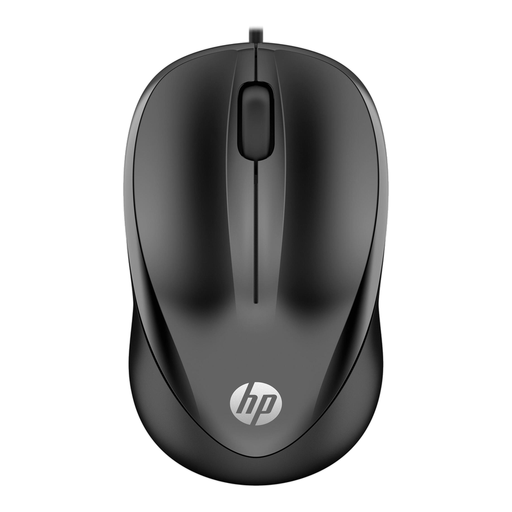 No image available
A wired option for anyone who wants a scroll wheel for marking work and doesn’t need a wireless connection. The product description lists 1200 DPI, three buttons and a 1.5-metre cable. This is a wired USB mouse.
 No image available
A wired option for navigating documents if a USB connection suits your laptop. The product description lists a scroll wheel, three buttons, 1200 DPI and a 1.8-metre cable. This is a wired USB Type-A mouse.
 No image available
An option if quiet clicks and the choice between Bluetooth and a 2.4 GHz connection matter to you. The product description lists adjustable DPI levels and one AA battery. Check that the connection type suits your laptop.
 No image available
A compact option if you want quiet operation and a choice between Bluetooth and RF. The product description lists scrolling and adjustable DPI up to 4020. Check which connection your laptop supports.
Check which connections your laptop supports and has available. Logitech describes the M240 as a Bluetooth mouse that doesn’t need a dongle; HP says the 280 Silent needs a spare USB-A port for its receiver.
That isn’t established by the product specifications: Logitech describes the Lift as a mouse with a vertical shape, not as a proven treatment or preventative measure. Arboportaal notes that prolonged screen work can lead to health complaints; a mouse’s shape is no substitute for appropriate advice if discomfort persists.
For online purchases in the Netherlands, you will usually have a 14-day cooling-off period, with some exceptions. This is separate from your statutory guarantee: according to the Dutch Government, the seller must provide a solution if a product is faulty. Check the terms that apply to your order.
Take an old electric mouse to a suitable collection point or recycling centre, or use the take-back scheme when buying a new, similar appliance. The Dutch Government says loose used batteries should not go in the bin; take them to a collection point.
Radio equipment is covered by an EU framework for placing products on the market. According to Your Europe, a CE mark is the manufacturer’s declaration that the product meets the relevant EU requirements; there is no central EU body that issues a separate certificate for this. It does not confirm that a specific individual product is compliant.