
Student sharing a room
If your flatmate is sitting nearby, quiet buttons may matter. Check how the mouse connects to your laptop too; Logitech, Trust and HP describe models with different connection options.


Start with a mouse that connects to your laptop: via Bluetooth, a compatible USB receiver or a cable. If you share a room, quiet buttons may be important; for longer sessions, consider the shape and your posture too. Check that the exact product has the required CE marking and, for a wireless mouse, meets the applicable radio equipment requirements.
If your flatmate is sitting nearby, quiet buttons may matter. Check how the mouse connects to your laptop too; Logitech, Trust and HP describe models with different connection options.
You want to switch between travel-planning pages without having to give up a port. Logitech describes the M240 Silent as a Bluetooth mouse, while HP specifies a free USB-A port for the 285 Silent.
The shape and which hand you use may matter if you spend longer in front of a screen. Arboportaal advises alternating screen work with other tasks and changing your posture regularly.
First, check which connection is compatible with your laptop. Then weigh up click noise, which hand you use and mouse maintenance in relation to your workspace and how long you use it.
| What to consider | What to look for | Who might this matter to? |
|---|---|---|
| Quiet clicks | Check that the quiet-button claim applies to the exact model; it doesn’t mean every sound will disappear. | If I share a room, I want to click without disturbing my flatmate; around 31% of consumers put quiet operation first. |
| Connection | Check for Bluetooth support or the free USB port required for the receiver or cable. | I want a connection that works with my laptop straight away and doesn’t require an incompatible port; around 31% of consumers give connection the highest priority. |
| Size and which hand you use | Compare the shape and check whether the mouse suits your left or right hand. | For longer sessions, I consider how the mouse feels in my hand and how much desk space I have; around 23% of consumers put hand comfort first. |
| Requirements and maintenance | Check whether you need a receiver or battery, and what the manufacturer says about the design. | I want a straightforward mouse without unexpected extras; around 15% of consumers care most about ease of use and maintenance. |
A mouse with a receiver needs a compatible free port. HP specifically says the 285 Silent requires a free USB-A port.
Check your laptop’s ports and the connection type of the exact mouse variant before ordering.
If there isn’t a compatible free port, you may need an adapter.
Trust describes the Yvi+ Silent and Yvi+ Multi-Device as having different connection options.
Compare the full model or product number and check which connection the version supports.
Manufacturers’ claims about quiet buttons apply to specific models and don’t guarantee that a mouse will be silent in every room. A product description of its shape doesn’t, on its own, prove that it will be comfortable for every hand.
Choose a mouse to suit your room and how you use your hand. During screen work, regularly change your posture and activity, as Arboportaal advises.
The Dutch Government states that there is no fixed statutory warranty period in the Netherlands; a manufacturer’s warranty is separate from your statutory right to a product that is fit for purpose.
Keep your proof of purchase and contact the seller if the product is faulty.
The M240 Silent uses Bluetooth, the M330 Silent Plus comes with a USB receiver, and the M100 has a wired USB connection.
The Yvi+ Silent is a compact wireless model; the Yvi+ Multi-Device is a separate model with several connection options.
The 285 Silent uses a USB receiver; HP says the 400 Quiet offers both Bluetooth and a 2.4GHz dongle.
Dell lists the Pro Compact Silent Mouse MS355 as a product range for compact workspaces.
These product options cover Bluetooth, a USB receiver and a wired USB connection for laptop use. The Dutch Authority for Digital Infrastructure states that electrical and electronic equipment sold in the Netherlands must have the correct CE marking; wireless mice must also meet the applicable radio equipment requirements. Check this for the exact product.
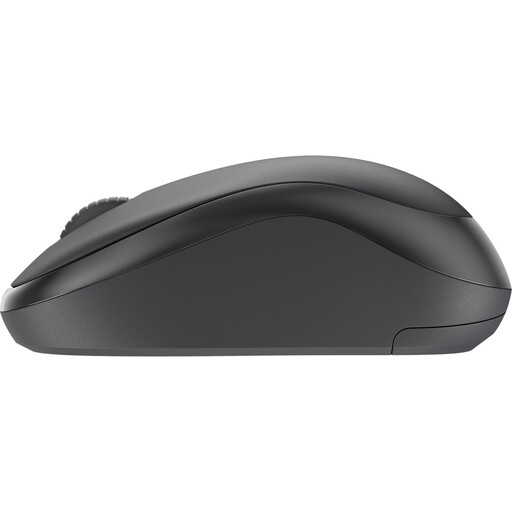 Image unavailable
A good fit for a laptop with Bluetooth if you don’t want to use a USB port for a receiver.
Logitech describes the M240 Silent as a Bluetooth mouse with quiet clicks; check that your laptop supports Bluetooth.
 Image unavailable
The title lists Bluetooth, 2.4 GHz and USB-C; check which connection is compatible with your laptop.
The title gives a weight of 56 g and a 400 mAh battery. The product information warns you to keep the magnetic charging base away from pacemakers and other medical implants.
 Image unavailable
An option if you want to work wirelessly and have a compatible free USB-A port.
HP lists a 2.4GHz receiver and an AA battery; check that the required port is available before buying.
 Image unavailable
A good fit for a fixed workspace with a free USB Type-A port.
The product information lists a 1.8 m cable, 1200 DPI and a scroll wheel.
 Image unavailable
May suit you if you want to scroll through long pages and use a USB receiver; this model doesn’t work via Bluetooth.
The product information lists a Unifying receiver and fast scrolling. Check that the connection is compatible with your laptop.
No. According to Logitech, the M240 Silent doesn’t need a dongle; it connects via Bluetooth. Check that your laptop supports Bluetooth.
Plug the receiver that comes with it into a compatible free port and follow the instructions for the exact mouse. HP specifically says the 285 Silent requires a free USB-A port.
As well as considering the mouse shape, pay attention to your posture and regularly change your position and activity. Arboportaal gives this as guidance for screen work; it doesn’t prove that a particular mouse model prevents discomfort.
Report a fault to the seller: in the Netherlands, you’re entitled to a product that is fit for purpose. The Dutch Government states that there is no fixed statutory warranty period. For online purchases from a business, a 14-day cooling-off period applies in many cases; check what applies to your purchase.
The Dutch Authority for Digital Infrastructure says that electrical and electronic equipment must have the correct CE marking; wireless equipment must also meet the applicable radio equipment requirements. Check the marking on the exact product.