
Analysts with limited room for a mouse
You analyse borrowing records with your keyboard and paperwork taking up space, and want to minimise the room needed to move your mouse.


If you have hardly any room to move a mouse, a stationary trackball could be a good fit. If you prefer the familiar movement of a regular mouse, choose a compact model and leave space to move it. A vertical mouse is another option if you want to consider its shape and the position of your hand during long sessions, but it also needs room to move. Logitech and Kensington describe different scrolling and trackball controls for their various models. Arboportaal also emphasises the setup and duration of screen-based work, not just the type of mouse.
You analyse borrowing records with your keyboard and paperwork taking up space, and want to minimise the room needed to move your mouse.
You click and select items during long work sessions and want to consider your hand position and workstation setup, without seeing a mouse as a solution to discomfort.
You often scroll through long tables and want to compare scrolling controls and pointer speed with a simpler compact mouse.
Choose this if: there is hardly any room to move a regular mouse.
Bear in mind: it uses a different control method. The Logitech ERGO M575S is operated with your thumb, while the Kensington Orbit Wireless is controlled with your fingers.
Choose this if: you want to keep the familiar mouse movement and still have room to move it.
Bear in mind: compact does not mean stationary; the mouse still needs room to move across the desk.
Choose this if: its shape and fit suit the position of your hand during long analysis sessions.
Bear in mind: a vertical mouse still needs room to move, and its shape does not guarantee the same result for everyone.
First decide whether you want to move the mouse itself. Then compare the fit, controls and connection. When working with lengthy borrowing records, scrolling controls and pointer speed may also be important.
| What to consider | What should you check? | Who is this important for? |
|---|---|---|
| Room to move | Measure the clear space next to your keyboard and check whether you can move a regular mouse there. | If there is hardly any room next to my keyboard, I want to control the pointer without moving the mouse itself. Around 31% of consumers put room to move first. |
| Hand position | Check that the shape and controls suit your hand preference and workstation. | During long analysis sessions, I want to consider the shape and fit without assuming that a mouse will prevent discomfort. Around 25% of consumers put hand position first. |
| Long records | Compare the scroll wheel or scroll ring, and check whether you can adjust the pointer speed. | If I often navigate long borrowing tables, I want to know which scrolling controls suit my work. Around 19% of consumers give navigating records their top priority. |
| Click noise | Check that the silent-click feature applies to the exact version you are choosing. | In a shared space, I want to consider click noise without compromising on fit or controls. Around 13% of consumers put click noise at the top of their list. |
| Connection | Check Bluetooth support, available USB ports and what is included with the version you have chosen. | If I do not have a spare USB port, I want to know in advance whether the mouse works via Bluetooth or needs a receiver. Around 12% of consumers put the connection and required accessories first. |
A compact regular mouse still needs room to move across the desk; a trackball stays in one place.
Work out how much space you have next to your keyboard, then choose between regular and stationary controls.
Workload is also affected by how long you spend on screen-based tasks and what those tasks involve. A product name or manufacturer claim cannot guarantee the same result for everyone.
Consider the fit alongside your workstation setup and whether you can vary your tasks.
Logitech states that a compatible Logi Bolt receiver is not included with the Pebble Mouse 2 M350s.
Check whether your computer supports Bluetooth, whether you have a USB port available and what comes with the version you have chosen.
If you need a Logi Bolt receiver for the Pebble Mouse 2 M350s, you will need to arrange one separately; Logitech states that it is not included.
The range includes compact regular mice and the stationary ERGO M575S trackball, so you can compare each model’s controls, scrolling and space requirements.
The Orbit Wireless is a stationary trackball alternative with a scroll ring.
The wireless Bayo II is a vertical mouse to consider when comparing shape and hand position.
The MW 2200 is a compact laptop mouse supplied with a nano USB receiver.
This selection includes regular mice for those with room to move the mouse and vertical mice for those who also want to consider the shape. It does not include a stationary trackball.
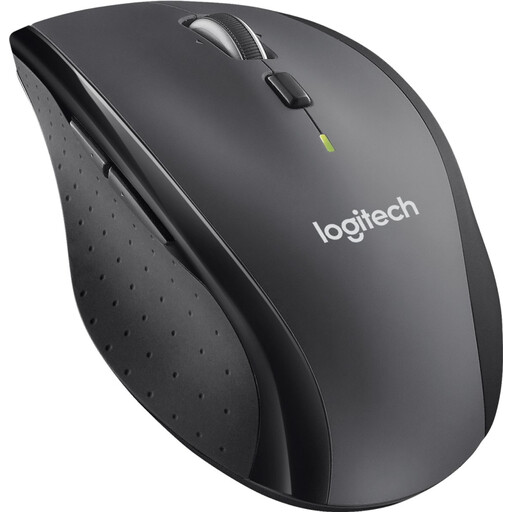 Image unavailable
Could suit you if you navigate lengthy records and can use a USB receiver; you will still need room to move the mouse.
Wireless mouse.
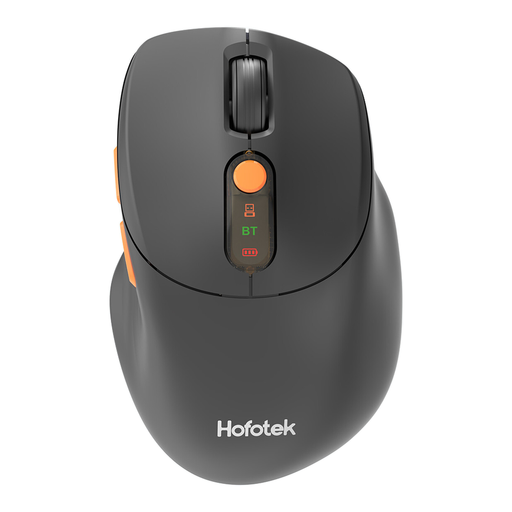 Image unavailable
Could suit you if you are looking for a compact regular mouse and want to consider click noise; leave room to move the mouse.
The product name lists 2.4G+BT, Silent and adjustable DPI. Check that the connection and settings you want are compatible with your computer.
 Image unavailable
Could suit you if you are looking for a compact regular mouse and want to adjust the pointer speed; the mouse still needs room to move across the desk.
Compact mouse; the product name includes Silent. Check which connection and DPI settings come with this version.
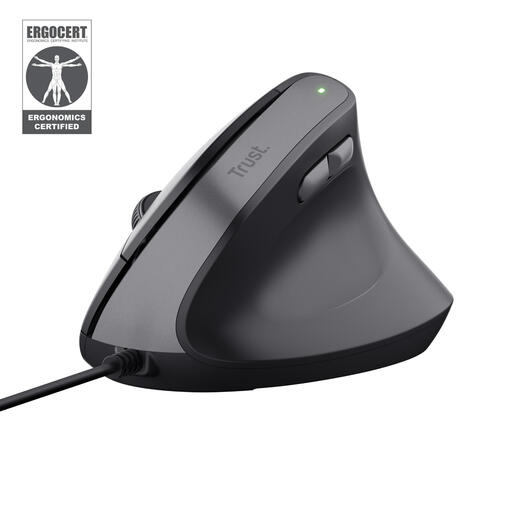 Image unavailable
Could suit you if you want to consider a vertical shape for longer work sessions; this model is wired and needs room to move across the desk.
The product name describes a vertical, wired mouse.
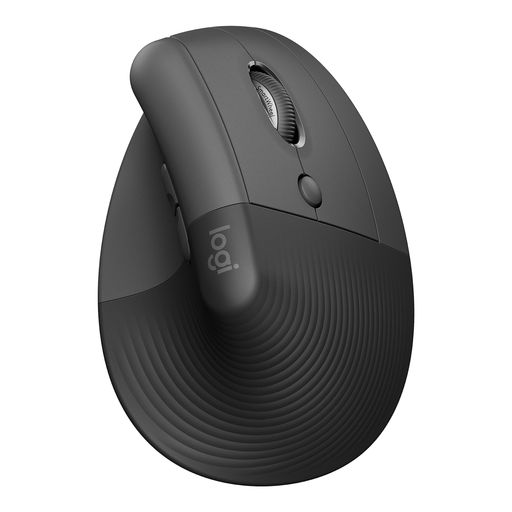 Image unavailable
Could suit you if you want to compare a vertical mouse for hand position and navigating lengthy records; you will still need room to move it.
The product name describes a vertical mouse. Check that it fits your hand and setup.
Kensington describes the Orbit Wireless as plug-and-play for Mac and PC. Kensington also lists additional settings for customising the buttons and pointer speed. Check that the connection and operating system are compatible with your computer, too.
Think beyond the shape of the mouse: Arboportaal advises limiting intensive use of screens, keyboards and/or mice to a maximum of six hours a day. Also consider your workstation setup and whether you can vary your tasks. This is workplace guidance, not evidence of an effect from a specific model.
That depends on the model and your computer. Logitech states that the Pebble Mouse 2 M350s can connect via Bluetooth Low Energy and that a compatible Logi Bolt receiver is not included. Check what is in the box before ordering.
According to the Dutch government, many distance purchases come with a 14-day cooling-off period, although there are exceptions. You are also entitled to a product that is fit for purpose; if there is a problem, contact the seller for a solution. The applicable terms depend on the specific purchase.
Arboportaal outlines employers’ obligations relating to screen-based work, but does not prescribe a specific type of mouse. Whether those employer duties apply to your situation depends, among other things, on whether you do this work as an employee.