Mouse options for a small desk
This selection includes a stationary trackball and conventional mice for anyone with some room to move a mouse. Compare how they’re controlled and check that the connection on each version works with your laptop.
 No image available
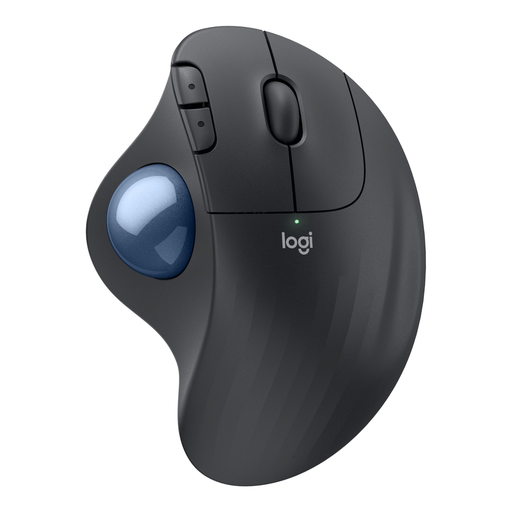
Logitech ERGO M575S, Graphite
A stationary trackball for anyone who wants to control the cursor without moving the mouse across the desk.
The product information lists a wireless connection and thumb control. Check that this way of operating it suits your preferences.
View at Joybuy
 No image available
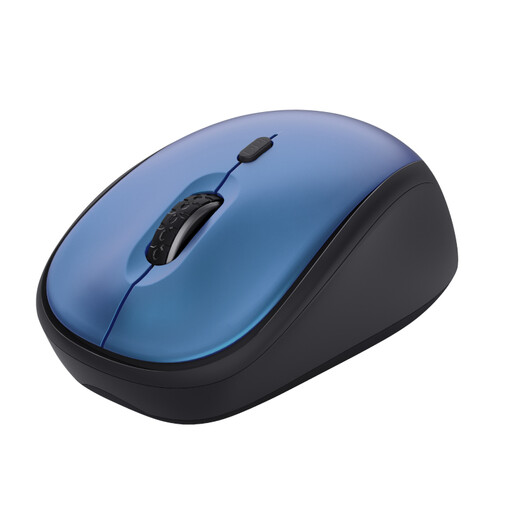
Trust Yvi+, Silent Buttons, Blue
A compact, conventional mouse for anyone with room to move it who values quiet buttons.
The product name lists 1600 DPI. The specified USB micro receiver requires a suitable free USB port.
View at Joybuy
 No image available
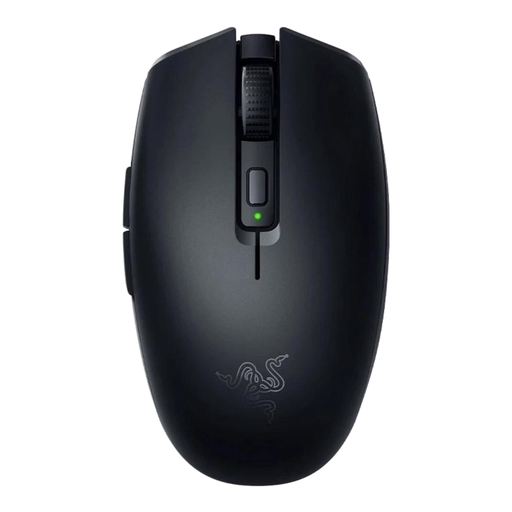
Razer Orochi V2 Wireless Gaming Mouse, Black
A conventional wireless mouse to compare if you have room to move it; if you have hardly any room, a stationary trackball offers a different way to control the cursor.
The product name lists 18.000 DPI.
View at Joybuy
 No image available
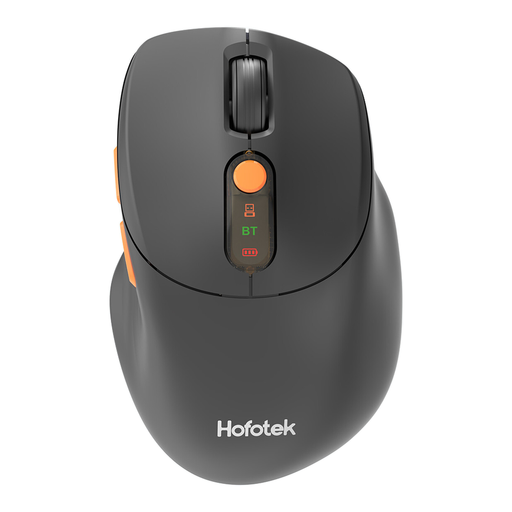
HOFOTEK M311 2.4G+BT Silent Office Mouse
A conventional office mouse for anyone with room to move it who values quiet clicking.
The product name lists 2.4G+BT. Check that the connection and required ports are suitable for your laptop.
View at Joybuy
 No image available
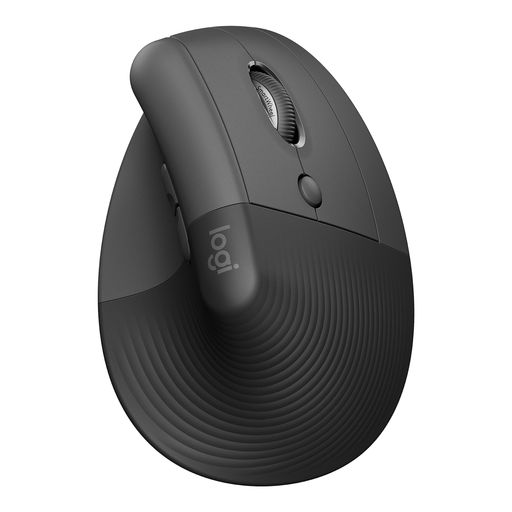
Logitech Lift Vertical Ergonomic Mouse, Graphite
A vertical mouse to compare if its shape and the way it fits your hand matter more to you than choosing the smallest possible model.
As a conventional mouse, this model needs room to move. Decide for yourself whether its shape suits your hand.
View at Joybuy
Frequently asked questions
Is a small mouse always the most practical choice beside your cover letter?
No. If you have hardly any room to move a mouse, a stationary trackball may be better suited to the space available. If you do have room to move it, compare compact mice and check whether the shape suits your hand too.
Do you always need a free USB port for a compact wireless mouse?
No, it depends on the version. Logitech lists Bluetooth Low Energy for the Pebble Mouse 2 M350s and says that a compatible Logi Bolt receiver is not included. Trust describes the Yvi+ Silent as a version with a receiver and the separate Yvi+ Multi-Device as a model with Bluetooth, so check the full model name.
What can you do if you spend a long time working on your letter and CV?
Vary your working position and tasks, and take short breaks. This is Arboportaal’s advice for screen work; also look for a way of using a mouse that suits your hand. An ergonomic product claim doesn’t mean that a mouse will prevent discomfort.
How long is the warranty on a mouse in the Netherlands?
According to the Dutch government, the Netherlands has no fixed statutory warranty period. If a product is faulty, the retailer is your point of contact for a solution; a manufacturer’s warranty is in addition to your statutory rights.
Do the rules on screen work apply if you’re writing one cover letter at home?
The obligations described by Arboportaal are aimed at employers and their employees. They don’t require you to use a particular mouse just because you’re writing one personal letter. The practical advice about varying your activities can still be useful at home.


