Start by checking how much space you have to move the mouse, then make sure you can connect it to your laptop or tablet. A compact, quiet mouse may suit a shared study space, while scroll controls could matter more if you often work through long documents. For longer sessions, consider how the mouse fits your hand and your posture; the flattest mouse isn’t necessarily the most comfortable.
Who is a compact study mouse suitable for?
Student with limited desk space
You keep handwritten notes beside your laptop and need a mouse you can use in the space left over. A compact model takes up less desk space, but also check that you have enough room to move it and that it fits your hand.
Student in a quiet study space
You work close to other people and would prefer quieter clicks, while still needing to connect to your laptop or tablet. Check that quiet operation and the connection options apply to the exact version you’re choosing.
Student with long digital reading sessions
You often scroll through documents and notes, so you’re weighing up scroll controls against hand comfort and posture. Logitech describes two scroll modes for the MX Anywhere 3S. For longer sessions at a screen, Arboportaal also recommends changing your posture and taking microbreaks.
What should you look for in a mouse for a small desk?
Measure the space available beside your notes, then think about the controls you use most while studying.
| What to consider |
What to check before buying |
Who is this important for? |
| Room to move and size |
Measure the available space and check the dimensions and fit. Logitech lists the Pebble Mouse 2 M350s as measuring 106,7 × 58,7 × 26,62 mm; this is a model specification, not a requirement for every user. |
If you keep your notes close to your laptop, you’ll want to know how much space the mouse takes up and how much room you’ll have left to move it. Around 29% of consumers prioritise room to move and size. |
| Click noise |
Check that quiet buttons are included on the exact model version; don’t rely on the product family name alone. |
If you study in a shared space, quieter clicks may be more comfortable for you and those around you. Around 22% of consumers prioritise quiet operation. |
| Scrolling through digital notes |
Check which scroll controls are included and whether any button customisation you want works with your operating system. |
If you often scroll through long documents, the way a mouse scrolls may matter more than extra features you won’t use. Around 21% of consumers prioritise navigating through notes. |
| Hand fit during longer sessions |
Check the hand orientation and shape, and consider the mouse alongside your posture and the space you have to move it. |
During long study sessions, you’ll want a shape that fits your hand, not just a small casing. Around 21% of consumers prioritise comfort during use. |
| Connecting to your devices |
Check Bluetooth support, available USB ports and whether a receiver is included if you need one. |
If your laptop or tablet needs a particular connection, check in advance which connection options the version you’ve chosen offers. Around 7% of consumers prioritise compatibility with their existing devices. |
Pitfalls to avoid when buying a compact mouse
-
Assuming the flattest mouse is automatically the most comfortable
Compact size and hand fit are two different things to consider. A model may take up very little space, but that doesn’t necessarily mean it will feel comfortable during a longer study session.
Check both the space you have to move the mouse and how it fits your hand. For longer sessions, pay attention to your posture too.
-
Assuming a receiver is always included
Logitech states that the Logi Bolt receiver is not included with the Pebble Mouse 2 M350s or the MX Anywhere 3S.
Check what’s in the box and the connections available on your device. If you need a separate receiver, you may have to buy one as an extra.
-
Treating similarly named models as identical
Trust describes the Yvi+ Multi-Device version as having Bluetooth and a 2.4 GHz connection; another version may offer different connectivity.
Check the full model name and connection details in the product description before ordering.
Brands to consider for specific mouse models
Logitech
The models mentioned range from the slim Pebble Mouse 2 M350s to the MX Anywhere 3S, with its different scroll modes, and the vertical Lift.
- Logitech lists quiet clicks and device switching for the Pebble Mouse 2 M350s, and describes the MX Anywhere 3S as offering precise, fast scrolling.
- The Logi Bolt receiver isn’t included with the Pebble or MX Anywhere 3S. Check which hand orientation you need for the Lift.
Trust
According to Trust, the Yvi+ Multi-Device version is compact and has quiet buttons, Bluetooth and a 2.4 GHz connection.
- This specific version offers several connection options.
- Check the full product description: versions with similar names may only come with a USB receiver.
Rapoo
Rapoo describes the M200 Silent as a mouse with quiet operation and Bluetooth or 2.4 GHz connectivity.
- The manufacturer says it can connect to multiple devices.
- Check that the shape and controls suit your hand and study space; connection options alone don’t tell you how well it will fit.
CHERRY
CHERRY offers the wired GENTIX SILENT and the separate GENTIX BT, which has Bluetooth and a multi-device function.
- According to CHERRY, the GENTIX SILENT has a 1.8-metre USB-A cable and quiet switches.
- The GENTIX SILENT and GENTIX BT are different models, so quiet operation and Bluetooth aren’t features of one combined model. CHERRY lists Windows compatibility for the GENTIX SILENT.
Joybuy mice for a small study space
These Joybuy products are worth considering if you’re looking for a compact mouse for studying. Check that each model offers the connection options, controls and hand fit you need.
 No image available
HOFOTEK M308 2.4G Silent Office Mouse
Quiet, compact controls may be a good fit if your study notes leave little room beside your laptop.
The product name lists a 2.4 GHz connection and adjustable DPI. According to the product information, this model uses a USB receiver, so check that your device has a compatible port.
View at Joybuy
 No image available
HOFOTEK M311 2.4G+BT Silent Office Mouse
This model may be worth considering if you’re looking for a compact mouse with quiet controls for a small study space.
The product name lists 2.4G+BT, adjustable DPI and an AA battery. Check that your preferred connection works with your device.
View at Joybuy
 No image available
DELL Pro Compact Silent Mouse MS355
Its compact design and quiet operation suit anyone looking for a small mouse for a shared study space.
The product name describes the model as compact and quiet. Check the full product description to find out which connections are compatible with your device.
View at Joybuy
 No image available
Trust Yvi+ Multi-Device Silent Mouse
Its compact shape and quiet buttons may suit studying in a shared space.
The product name lists multi-device operation and quiet buttons. Check the product description for the connection options available on this specific version.
View at Joybuy
 No image available
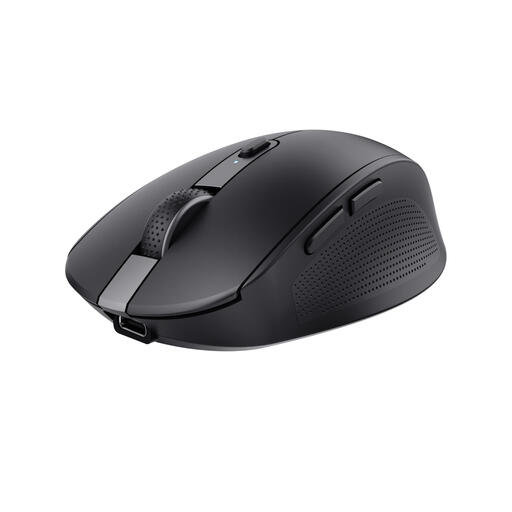
Trust Ozaa Right-Hand Wireless Mouse, RF + Bluetooth, 3200 DPI
This model may suit you if you’re looking for a right-handed mouse and quiet operation matters while you study.
The product name lists RF and Bluetooth connectivity, with a resolution of 3200 DPI. Check that the right-handed shape suits you.
View at Joybuy
Frequently asked questions about mice for studying
Do you need a USB receiver for a Bluetooth mouse?
Not if the mouse and your device can pair directly over a supported Bluetooth connection. Logitech lists Bluetooth Low Energy for the Pebble Mouse 2 M350s; the Logi Bolt receiver isn’t included with this model.
How can you set up your study space for long sessions at a screen?
Change your posture, look away from the screen regularly and take microbreaks. Arboportaal recommends these measures for screen-based work; an ergonomically designed mouse is no substitute for them.
Can you return a mouse bought online if you don’t like its shape?
For online purchases by consumers in the Netherlands, there is generally a statutory 14-day cooling-off period after delivery, subject to exceptions and conditions. ACM ConsuWijzer explains these rules; check the seller’s returns information too. The cooling-off period is separate from your rights if a product is faulty.
Is the statutory guarantee in the Netherlands always exactly two years?
No. According to the Netherlands Authority for Consumers and Markets, there is no fixed time limit for the statutory guarantee: a product must meet the expectations you’re entitled to have of it under normal use. The seller is responsible for providing an appropriate solution if the product is faulty.
What should you check for the product safety of a wireless mouse?
Check the product’s identity and the applicable marking. The Dutch Authority for Digital Infrastructure explains that the CE marking indicates equipment meets the applicable European requirements. According to Ondernemersplein, most other obligations under the Cyber Resilience Act apply from 11 December 2027, so they are not general new requirements for buying a product as of 29 October 2026.


