Choose based on the amount of space beside your keyboard: a standard compact mouse needs room to move across the desk, while you can operate a thumb trackball without moving it. If you often work with long spreadsheets, consider the scroll controls too; Logitech describes the MX Anywhere 3S as offering both ratchet and fast scrolling. Also check that the connection and shape suit your computer and hand.
Which mouse is right for you?
If you work at a cluttered desk
If you keep track of expenses among other items, a stationary trackball or a compact mouse that you can put away after use may suit your limited space. Logitech describes the ERGO M575S as a trackball that lets you move the cursor without moving the body of the mouse.
If you scroll through long spreadsheets
If you regularly work through long lists of expenses, the scroll controls may be worth considering. Logitech says the MX Anywhere 3S has both ratchet and fast scrolling modes.
If you update your household budget occasionally
A basic mouse may be all you need for entering figures or clicking on charts now and again. HP describes the HP 240 as a Bluetooth mouse with a shape suitable for both left- and right-handed users.
What should you look for when choosing?
| What to consider |
What to look for |
Who should pay particular attention? |
| Room to move |
Measure the clear space beside your keyboard and decide whether you want to move the mouse around or keep it in one place. |
If I have little room to move a mouse, I want to know whether a stationary trackball would suit my workspace better. Around 33% of consumers prioritise room to move when making this choice. |
| Navigating spreadsheets |
Consider how long your spreadsheets are and check which scroll modes the exact model offers. |
If I regularly work through long lists, I want to navigate quickly without losing control over precise scrolling. Around 27% of consumers place particular emphasis on navigating spreadsheets. |
| Connectivity and power |
Check Bluetooth support, the USB ports available and whether a receiver and battery are included with the version you’re considering. |
If I want to keep a USB port free or switch between devices, the connection needs to work with my computer. Around 20% of consumers prioritise connectivity and power above all else. |
| Shape and controls |
Check that the shape suits your hand and, if possible, try out the grip and controls. |
If I spend a long time working on my household budget, I want a shape and controls that feel comfortable in my hand. Around 20% of consumers base their choice mainly on the shape and comfort of use. |
Buying pitfalls to avoid
-
Assuming compact means it needs little room to move
You still need to move a standard compact mouse around. A trackball stays in place while you move the cursor, but it still takes up desk space.
Measure the clear space and decide whether you’d prefer to move the mouse or operate it in one place. Don’t base your choice on the word ‘compact’ alone.
-
Assuming a wireless mouse always comes with a receiver
Logitech says a Logi Bolt receiver is not included with the Pebble Mouse 2 M350s or MX Anywhere 3S.
First check whether your computer supports Bluetooth, then check what’s included with the exact version you’re buying.
-
Assuming quiet or so-called ergonomic controls will prevent discomfort
Quiet clicks tell you about the noise, not how the mouse will feel in your hand. Logitech’s claims about comfort or muscle strain for the ERGO M575S don’t guarantee a particular experience.
Assess the shape and controls separately from the click noise. Arboportaal also recommends changing your posture and taking microbreaks when working at a screen.
-
Mistaking a retailer’s warranty wording for the full picture under Dutch law
The Dutch government says there is no fixed statutory warranty period in the Netherlands. A retailer’s or manufacturer’s warranty is separate from your statutory rights.
For information about your statutory rights in the Netherlands, consult the Dutch government’s guidance and consider any additional warranty separately.
Brands worth comparing
Logitech
Logitech offers several mouse shapes and scroll controls for this kind of use, including compact standard mice and a thumb trackball.
- According to Logitech, the MX Anywhere 3S has both ratchet and fast scrolling modes.
- The ERGO M575S lets you move the cursor with the trackball without moving the body of the mouse.
- The compatible Logi Bolt receiver is not included with the MX Anywhere 3S or Pebble Mouse 2 M350s.
Trust
The Yvi+ multi-device version is a compact mouse with quiet buttons and several connection options.
- Trust lists Bluetooth and a 2.4GHz receiver for the multi-device version.
- Check the full product name: Trust also uses Yvi+ for versions with different stated connection options.
HP
The HP 240 Bluetooth Mouse is a straightforward option if you want a shape suitable for either hand and a connection that doesn’t need a dongle.
- HP describes the shape as suitable for both left- and right-handed users.
- Your computer needs to support Bluetooth; HP lists three buttons and a standard scroll wheel for this model.
Dell
According to Dell, the Dell Pro Premium Compact Mouse MS7421W combines Bluetooth and 2.4GHz connectivity.
- Dell lists seven buttons and a rechargeable battery for the MS7421W.
- According to the specifications, Dell Peripheral Manager is only available for Windows; check which customisation features work on your system.
Joybuy mice for a small desk
This selection of Joybuy products focuses on compact mice and a stationary trackball for tracking expenses and navigating spreadsheets at a small desk.
 No image available
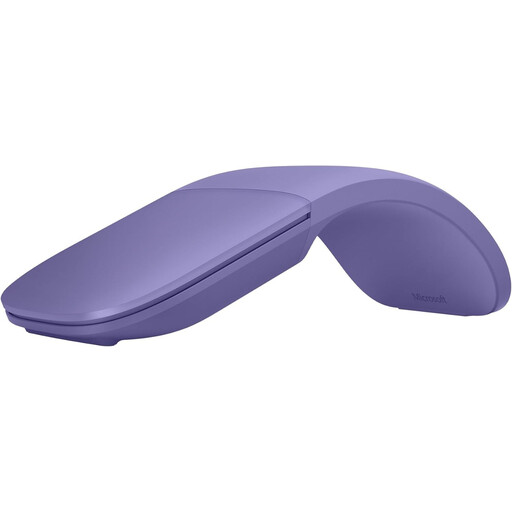
Microsoft Surface Arc Mouse Violet
An option if you want to flatten the mouse for storage after use and scroll both vertically and horizontally.
The product information lists Bluetooth compatibility with Windows 10/11.
View on Joybuy
 No image available
DELL Pro Compact Silent Mouse MS355
Suited to anyone looking for a compact mouse for a quiet workspace.
The product information mentions quiet operation and connectivity via RF or Bluetooth.
View on Joybuy
 No image available
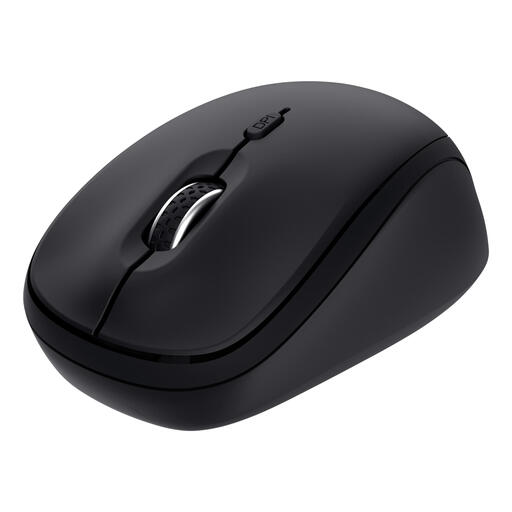
Trust Yvi+ Multi-Device, Black
A compact option if you want to switch between several devices and prefer quiet buttons.
The product information lists a USB receiver and Bluetooth connectivity.
View on Joybuy
 No image available
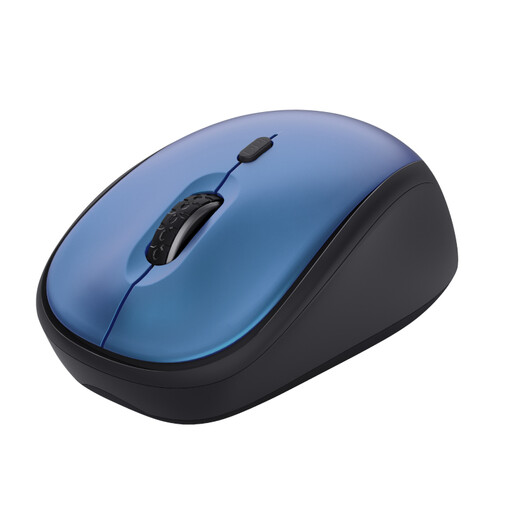
Trust Yvi+ Compact, 1600 DPI, Blue
A compact mouse with quiet buttons for anyone looking for straightforward controls.
The product name lists 1600 DPI. The product information mentions a USB micro receiver; check that your computer has a spare USB port.
View on Joybuy
 No image available
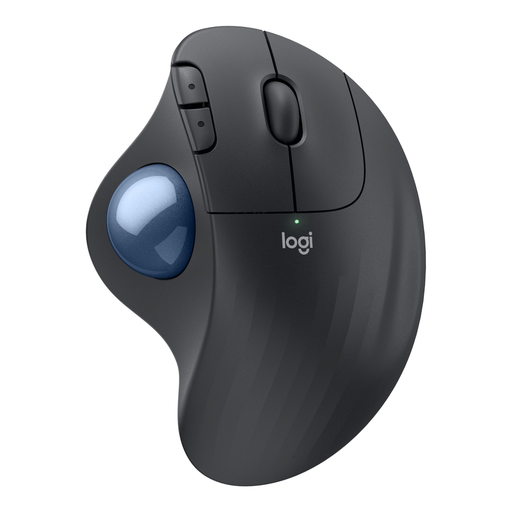
Logitech ERGO M575S Graphite
Suited to anyone with little room to move a mouse who wants to control the cursor with their thumb. Logitech describes this model as letting you move the cursor without moving the body of the mouse.
Using a trackball involves a different action from using a standard mouse.
View on Joybuy
Frequently asked questions
Do I need a special mouse or a horizontal scroll wheel for household budget charts?
Not necessarily. Microsoft also recommends using arrow keys and scroll bars to navigate a spreadsheet; choose extra wheel controls if you need them for your own spreadsheets. According to Logitech, the MX Anywhere 3S has ratchet and fast scrolling modes, but that doesn’t mean it has a separate horizontal scroll wheel.
What should I check before buying a Bluetooth mouse?
Check that your computer supports the required Bluetooth connection and whether the version you’ve chosen needs a receiver. The Pebble Mouse 2 M350s supports Bluetooth Low Energy; the compatible Logi Bolt receiver is not included. HP describes the HP 240 as using Bluetooth 5.1 without a dongle.
How can I use a mouse comfortably during longer budgeting sessions?
Choose a shape that suits your hand and the space available, and vary your posture. Arboportaal recommends taking regular microbreaks when working at a screen; this advice doesn’t prove that any particular mouse model prevents physical discomfort.
What are my rights if a mouse I bought online doesn’t suit me or develops a fault?
If you buy from a business at a distance, you’ll often have a 14-day cooling-off period. According to the Dutch government, statutory consumer protection also applies in the Netherlands, but there is no fixed statutory warranty period; if a product is faulty, contact the seller. Check any additional warranty separately from your statutory rights.
What should I do with a flat battery or a mouse I no longer need?
Take used batteries to a collection point. Milieu Centraal says small unwanted electrical appliances can also be taken to designated collection bins in shops.


