
Organising observations on a crowded desk
You keep photos or notes beside your computer and have little room to move a mouse. Logitech and Kensington describe trackballs that stay in place as you move the cursor.


If there’s barely any room to move a mouse beside your computer, start by considering a trackball. Logitech describes the ERGO M575S as staying in place while you move the cursor, while the Kensington Orbit is operated with your fingers using a scroll ring. If you prefer the familiar movement of a conventional mouse, compare compact models by grip, scrolling controls and the amount of space you have to move them. A vertical mouse may suit you if its shape works with your hand and posture, but it still moves across the desk and isn’t a guaranteed solution to discomfort.
You keep photos or notes beside your computer and have little room to move a mouse. Logitech and Kensington describe trackballs that stay in place as you move the cursor.
You often select observations and browse through lists. It’s worth comparing familiar cursor control with different scrolling options; Logitech describes the MX Anywhere 3S as having two scrolling modes.
You want to choose a mouse shape and hand position carefully, without assuming that one design will prevent discomfort. Arboportaal also highlights the importance of setting up your workstation for screen-based work.
When to consider it: If items on your desk leave little room to move a mouse. A trackball moves the cursor without you having to move the body of the mouse across the desk.
Trade-off: You control the pointer with your thumb or fingers, and you’ll also need to check that the device itself fits on your desk.
When to consider it: If you want to keep using a conventional mouse and still have room to move it.
Trade-off: A smaller mouse doesn’t remove the need for space to move it. Compare the grip and scrolling controls, too.
When to consider it: If you’re right-handed and want to try a different hand position.
Trade-off: You still need to move the mouse across the desk, and its shape is no guarantee against discomfort.
| Consideration | What to look for | Who this matters to |
|---|---|---|
| Room to move the mouse | Measure the space available for the mouse itself and consider how much room you have to move it. Compare this with a trackball that stays in place. | If my desk is covered with photos or notes, I want to control the cursor without having to clear space every time. Around 36% of consumers prioritise having room to move the mouse freely. |
| Selecting and scrolling | Consider how easy it is to make precise selections and browse long lists. Compare a scroll wheel, scroll ring or touch surface with the way you’ll use it. | When looking through lots of observations, I want to point accurately and browse lists comfortably. Around 29% of consumers prioritise pointing and scrolling. |
| Hand position | Compare the shape and fit for your hand; don’t assume an ergonomic design guarantees you won’t experience discomfort. | If I spend a long time at the computer, I want to choose a shape that suits my hand and posture. Around 21% of consumers consider a comfortable hand position their top priority. |
| Connectivity and power | Check that your computer has the required Bluetooth or USB connection, and find out what type of power the model you’re considering uses. | If I need a free USB port or don’t use Bluetooth, I want to know in advance how the mouse connects and gets its power. Around 14% of consumers prioritise connectivity and power. |
A compact conventional mouse still needs to move across the desk as you move the cursor; only the body of the mouse is smaller.
Consider both the space the mouse itself takes up and the clear area you need to point with it.
A different hand position doesn’t prove that discomfort will be prevented for every user. Your workstation set-up also plays a part.
Consider the fit and the space available to move the mouse, as well as your overall workstation and posture.
According to ACM ConsuWijzer, your statutory guarantee for a faulty product is separate from any manufacturer’s warranty.
Keep your proof of purchase and contact the seller if a product doesn’t meet reasonable expectations.
This comparison includes both trackballs and compact conventional mice from Logitech, including the ERGO M575S, MX Anywhere 3S and Pebble Mouse 2 M350s.
The Orbit K72337EU is a symmetrical, finger-operated trackball to consider if you’re looking for a stationary pointer and scroll ring.
The wireless Bayo II is a vertical mouse for right-handed use, with a 2.4GHz USB receiver.
The HP 240 is a Bluetooth mouse with a design that HP describes as suitable for either hand.
This selection includes a stationary trackball and conventional mice for comparing different shapes, scrolling controls and connections while sorting observations.
 Image unavailable
Worth considering if you have little room to move a mouse and want to use a thumb-operated trackball.
The product description lists a right-handed design and connectivity via Bluetooth or Logi Bolt.
 Image unavailable
Worth considering if you’re looking for a conventional mouse with a scroll surface for browsing lists.
According to the product description, the scroll surface supports vertical and horizontal navigation, and the mouse can be folded flat. You’ll still need room to move it as you move the cursor.
 Image unavailable
Worth considering if you want to compare a conventional mouse for connectivity and control while sorting observations.
The product name lists 2.4G+BT and quiet operation; the product description mentions adjustable DPI and one AA battery. You’ll still need room to move it.
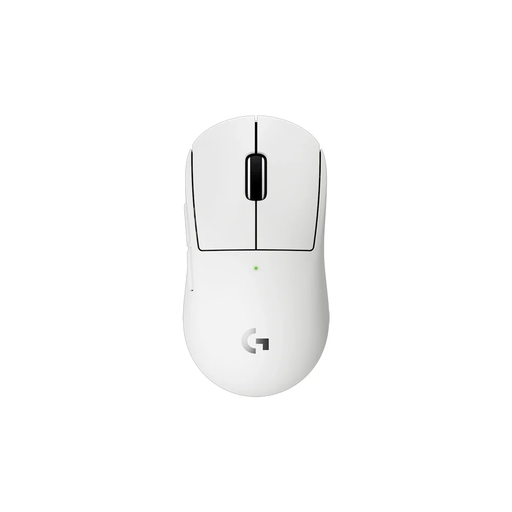 Image unavailable
Worth considering if you want to look at a conventional mouse with a scroll wheel and extra buttons for selecting.
The product description lists programmable thumb buttons and a scroll wheel. This mouse also needs room to move across the desk as you move the cursor.
 Image unavailable
Worth considering if you’re looking for a conventional mouse with scrolling and a compact design.
The product description lists adjustable DPI and connectivity via Bluetooth or RF. Bear in mind the room a conventional mouse needs to move.
No. A trackball reduces the space needed to move a mouse, but thumb and finger controls feel different. Try making small selections and scrolling in the software you use before choosing a type of control.
First, check which connections your computer supports. According to HP, the HP 240 uses Bluetooth 5.1; the Trust Bayo II uses a 2.4GHz USB receiver, and Kensington lists a wired USB connection for the Orbit. Also check which connection the specific version uses.
For its trackball, Logitech Support recommends pushing the ball out of its socket to clean it. Follow the care instructions for your specific model; the same method won’t necessarily apply to every brand.
According to ACM ConsuWijzer, for a standard online product purchase, the statutory cancellation period usually ends 14 days after delivery; check the applicable terms. For a faulty product, your statutory guarantee is separate from any manufacturer’s warranty, and you should contact the seller.
Arboportaal’s information on screen-based work covers responsibility for safe and healthy working conditions and workstation set-up, but doesn’t specify a required type of mouse. You can still take your hand position and workstation into account when making your choice.