
Designer with limited mouse space
Wants to lay out a calendar next to a keyboard and needs controls that require little room to move. Kensington describes the Orbit with scroll ring as a stationary trackball.


If you have limited space to move a mouse, start by looking at a stationary trackball, such as the Orbit with scroll ring described by Kensington. If you have room to move the mouse and want to position small elements precisely, compare compact mice and check whether you can adjust the cursor speed. For long periods of screen work, hand fit and workstation set-up matter too: according to Arboportaal, a vertical mouse is no substitute for a well-set-up workstation or regular changes of activity.
Wants to lay out a calendar next to a keyboard and needs controls that require little room to move. Kensington describes the Orbit with scroll ring as a stationary trackball.
Positions and moves small calendar elements, and wants to adjust cursor speed and scrolling to suit the task. Logitech and Kensington describe model-specific adjustment options.
Designs for long periods at a time and considers hand fit, workstation set-up and regular changes of activity, as well as the mouse. Arboportaal highlights the importance of paying attention to screen work.
Choose this when: there isn’t enough room to move a mouse back and forth.
Bear in mind: the body still needs a permanent spot, and using it feels different from using a standard mouse.
Choose this when: you have room to move the mouse and want familiar controls.
Bear in mind: compact doesn’t mean stationary. Check the grip and features of the specific version.
Choose this when: hand fit and a vertical grip are important to you, and you have enough room to move the mouse.
Bear in mind: the controls take some getting used to, and the shape alone doesn’t make a workstation suitable for prolonged use.
| Consideration | What should you check? | Who might prioritise this? |
|---|---|---|
| Space for the pointer and movement | Measure the clear space next to your keyboard; check that the mouse body and controls suit your workspace. | When my desk is full, I want to control the cursor without moving the mouse body back and forth. Around 36% of consumers mainly need controls that require little room to move. |
| Precision when positioning and scrolling | Check whether you can adjust the cursor speed, and try dragging, selecting and scrolling in the software you use. | When positioning or moving small calendar elements, I want to control cursor movement and scrolling precisely. Around 29% of consumers prioritise precise control. |
| Hand fit and prolonged use | Check that the version suits your preferred hand, try the grip, and consider your workstation set-up and how you vary your tasks. | When I work at a screen for longer periods, I want to know whether the grip suits my hand and my workstation is set up well. Around 21% of consumers make hand fit and prolonged use their top priority. |
| Connectivity and switching between devices | Check the connections on your devices and whether the version you choose supports Bluetooth, a USB receiver or both. | When I switch between devices, I want to be sure the mouse works with the connections available to me. Around 14% of consumers prioritise connectivity or switching between devices. |
A compact standard mouse still moves across the desk. A trackball stays in place, but still needs a permanent spot.
Measure the space for the mouse body as well as the room you need to move a standard mouse.
Fit varies from hand to hand; your workstation set-up and taking regular breaks from the same activity matter too.
Try the grip, check that the version suits your preferred hand, and assess your whole workstation.
Different versions can vary in their connections and controls. The wrong connection may mean the mouse isn’t compatible with your device’s ports or connectivity options.
Before buying, check the full model name, connections and what’s included in the box.
Orbit trackballs are worth considering if you want a pointer that doesn’t need to move across the desk.
The models described include the compact MX Anywhere 3S, the slim Pebble Mouse 2 M350s and the vertical Lift.
The Ozaa Compact may be a good fit if you want to choose between Bluetooth and a USB receiver.
The HP 435 Multi-Device is an option if connecting to two devices matters more to you than a trackball or vertical design.
Joybuy mouse picks for cursor control on a small desk. Check whether each model’s shape, features and connection suit the way you work.
 No image available
Worth comparing if you’re looking for a vertical shape. Check that the grip and controls suit your hand and workspace.
2,4 GHz wireless; USB-C charging; DPI settings from 800 to 1600.
 No image available
Compare this wireless office mouse if you’re looking for adjustable cursor speed or connectivity with different devices.
2,4 GHz and Bluetooth; adjustable DPI; 1×AA battery.
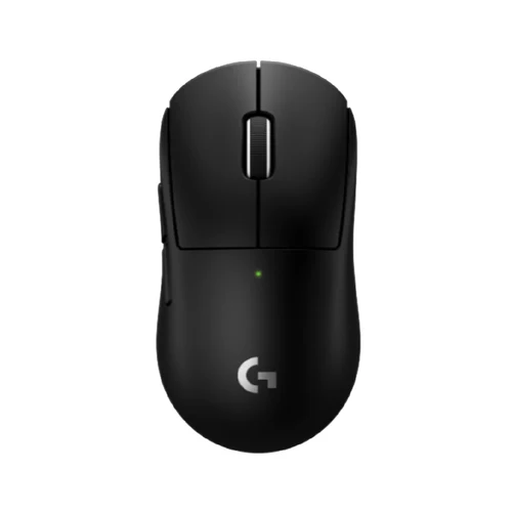 No image available
This wireless gaming mouse is only a suitable choice if its shape and controls also work for your calendar tasks. Check this before buying.
Colour: black.
 No image available
Compare the adjustable DPI and connectivity options with what you need for precise positioning and dragging.
Tri-mode: Bluetooth, 2,4 GHz and USB-C; 24.000 DPI; 63 g; with charging dock.
 No image available
Worth comparing if you’re considering a vertical shape. The shape alone doesn’t prove that the mouse will suit every hand or workstation.
No. Don’t choose based solely on the highest quoted value. Check whether you can set the cursor speed comfortably, and try positioning and dragging in the software you use. Manufacturers describe adjustment options, not a guaranteed improvement in your design results.
Check that your computer supports the connection used by the exact version, and that you have a suitable USB port free if you’re using a receiver. According to Trust, the Trust Ozaa Compact offers both Bluetooth and a 2,4GHz USB receiver.
The body needs a permanent spot, even though you don’t have to move it across the desk to control the cursor. Measure the available space and try the ball and scroll controls to see if they suit your calendar work.
No. A vertical shape is no substitute for a suitable workstation set-up or regular changes of activity. Arboportaal outlines things to consider when working at a screen; also try the grip to see if it suits your hand and preferred hand.
No. Arboportaal’s information covers employers’ responsibilities and the set-up of screen workstations, not a specific mouse model that private buyers must use.