Choose a mouse based on your main pain point: clicking noise next to colleagues, comfort during long working sessions, or extra controls for documents and multiple devices. Then check that its shape suits your hand and that your work computer allows the connection it uses. A quiet click or ergonomic shape is no guarantee of a pain-free workplace.
Who is this choice relevant to?
Website editor in a shared office
You edit and check your club website alongside colleagues, and mainly want to reduce audible mouse clicks without a complicated setup. Logitech describes the M240 Silent as a Bluetooth mouse that connects without a receiver.
Someone who works at a screen for long periods
You work on pages for extended periods and pay attention to how the mouse fits and to varying your tasks throughout the day. Arboportaal describes repeated hand movements and static strain as risks of screen work; Logitech says the Lift is suitable for small to medium-sized hands.
Club editor with a range of tasks
You switch between the website, wide documents or devices, and want to know whether a side scroll wheel or support for multiple connections would be useful for your work. Trust and Logitech describe models with extra controls for these tasks.
Which features should you prioritise?
Start with the biggest pain point in your shared workspace. Then decide whether fit, extra navigation or portability matters most, and check which connections your work computer allows.
| What to consider |
What to look for when buying |
Who is this important to? |
| Clicking noise in a shared space |
Check whether the exact model has quiet buttons and whether Bluetooth or the required receiver works with your computer. |
If I work alongside colleagues, I want quieter clicks without a difficult setup. Around 36% of consumers give a peaceful shared workspace top priority. |
| Fit for extended mouse use |
Consider your hand size, grip and whether the model is designed for left- or right-handed use; vary your screen-based tasks and working posture. |
During long sessions, I want a grip that suits my hand, but I don’t expect it to solve my working posture on its own. Around 29% of consumers put fit first. |
| Navigation and switching between devices |
Check whether you need to navigate wide documents horizontally, switch between devices and use the extra controls on your computer. |
When I edit wide documents as well as the website, I want to know whether extra navigation and device switching will really help. Around 21% of consumers prioritise these controls. |
| Portability and connection |
Check Bluetooth and operating system requirements, available USB ports and whether the shape feels comfortable in your hand. |
If I take my mouse between workspaces, I want it to be easy to pack away and connect. Around 14% of consumers give portability or connection top priority. |
What should you look out for when choosing?
-
“Quiet” doesn’t mean completely silent
A stated noise reduction doesn’t mean your colleagues won’t hear anything. For the MX Master 3S, Logitech compares the sound of left and right clicks with the MX Master 3, measured from one metre away. This is no guarantee of a silent workplace.
Compare the details for the exact model and bear in mind the space you work in. Don’t treat a manufacturer’s claim as an independent office test.
-
Don’t choose an ergonomic shape without checking the fit
Logitech says the Lift is designed for small to medium-sized hands. A vertical grip also feels different and is no substitute for varying your tasks or posture. Arboportaal recommends varying your activities during screen work.
Check your hand size, the model and the space available next to your keyboard. Don’t choose a mouse as a substitute for a suitable workspace or varying your tasks.
-
Don’t confuse the standard M240 Silent with the M240 for Business
Logitech describes the M240 Silent as a Bluetooth mouse without a receiver. The separate M240 for Business is described as coming with a Logi Bolt USB-A receiver, so the models and their box contents are not necessarily the same.
Check the full model name, which accessories are included and which connections are allowed on your work computer.
-
Don’t mistake the manufacturer’s warranty for your full statutory protection
According to ACM ConsuWijzer, statutory warranty for consumer purchases in the Netherlands does not have a fixed two-year term. What you can expect from a product depends in part on the product and how it is used. If you buy in a company’s name, check the applicable terms separately.
Keep your proof of purchase and contact the seller if a fault occurs during normal use. Also check whether the club is buying as a consumer or as a business.
Relevant brands to compare
Logitech
The models mentioned range from a simple Bluetooth mouse to a vertical grip and extra customisable controls. The features below are descriptions from the manufacturers of specific models, not an independent brand comparison.
- Logitech describes the M240 Silent as a simple Bluetooth mouse without a receiver; for the Lift, the brand says it is designed for small to medium-sized hands.
- The M240 doesn’t have the same extra controls as the MX Master 3S. A vertical shape won’t suit every hand, and comfort claims aren’t proof that it will prevent discomfort for everyone.
Trust
The Ozaa+ is worth considering if quiet buttons, horizontal scrolling and multiple connections are useful for your work.
- Trust lists a side scroll wheel, rubberised grip and connection via Bluetooth or a USB receiver for the Ozaa+.
- Check whether its large, right-handed design suits you and whether you can use a USB receiver with your work computer. Trust’s claims about comfort and productivity are manufacturer claims.
Microsoft
The Surface Arc Mouse is worth considering if you often take your mouse with you and want a shape that folds flat for storage.
- Microsoft describes the Surface Arc Mouse as having two click buttons, a touch surface for horizontal and vertical scrolling, and two AAA batteries.
- Microsoft states that the host device must support Bluetooth 4.0 or later. A compact design for travel doesn’t prove that the mouse will feel comfortable during long sessions.
Joybuy products for office website work
This Joybuy selection includes quiet mice for shared workspaces, a vertical option and models with extra controls or a compact design.
 No image available
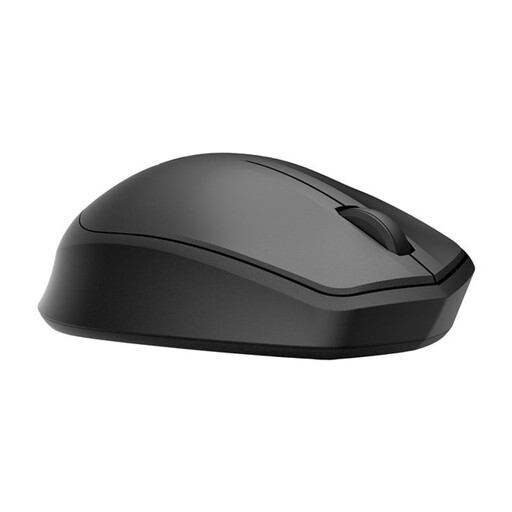
HP 285 Silent Wireless Mouse
Worth considering if quiet clicks and working wirelessly alongside colleagues matter to you.
The described connection uses a USB receiver, so you’ll need a free USB port.
View at Joybuy
 No image available
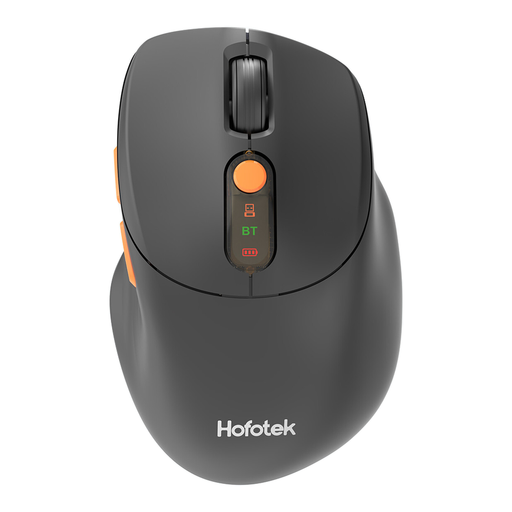
HOFOTEK M311 2.4G+BT Silent Office Mouse
Worth considering if you want to compare quiet controls and the option to switch between devices.
The product name includes 2.4G+BT. The described 2.4GHz connection uses a USB receiver.
View at Joybuy
 No image available
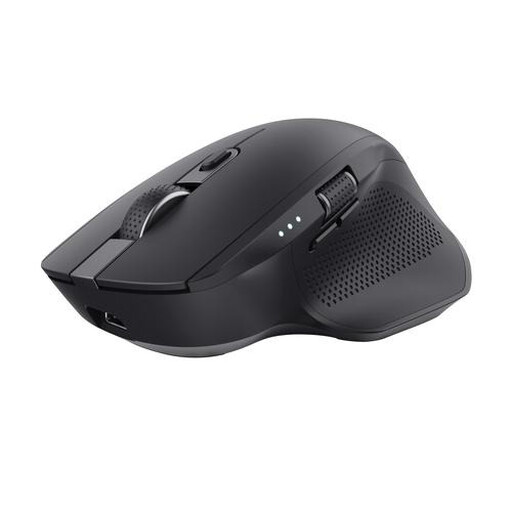
Trust Ozaa+ Optical Office Mouse, RF Wireless and Bluetooth, 3200 DPI, Right-Handed
An option for website work where you also need to navigate wide documents or switch between devices.
This model is designed for right-handed use. A USB receiver is required for the 2.4GHz connection.
View at Joybuy
 No image available
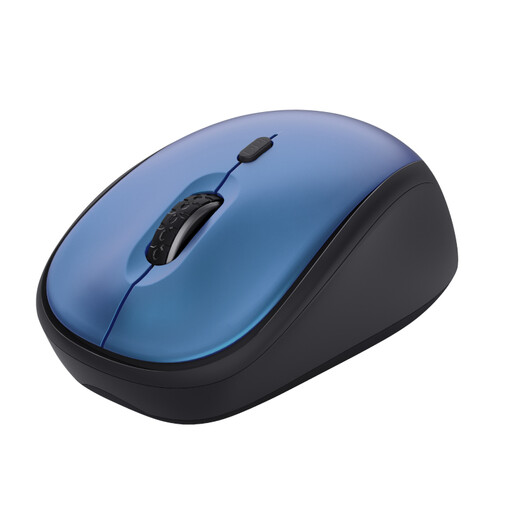
Trust Yvi+ Wireless Mouse, Silent Buttons, Compact, 1600 DPI, Blue
A compact option to compare if you’re looking for quiet buttons and a mouse you can take with you.
It connects via a USB receiver, so you’ll need an available USB port.
View at Joybuy
 No image available
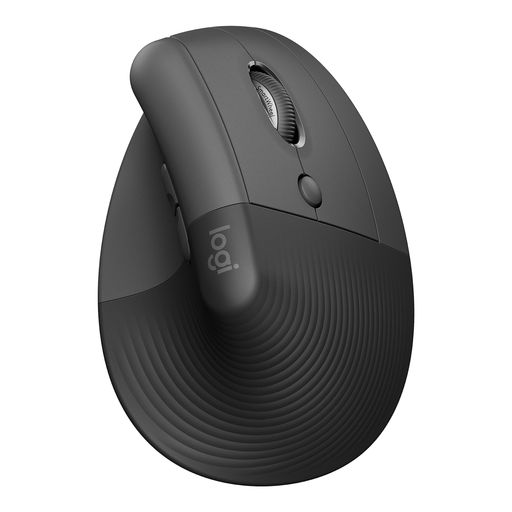
Logitech Lift Vertical Ergonomic Mouse, Graphite
A vertical option to consider if you want to try a different grip during long mouse sessions.
Logitech says the Lift is designed for small to medium-sized hands. Check that the grip suits your hand; varying your tasks is still important.
View at Joybuy
Frequently asked questions
Do you have to use a vertical mouse if you work on the club website for long periods?
No. Dutch regulations don’t require you to buy a particular mouse model. However, employees are covered by rules for safe screen work, including alternating it with other tasks or taking a break; Arboportaal also recommends varying your tasks and posture. Whether employment rules apply to your club depends on whether it has employees.
How can you connect a quiet mouse without a spare USB port?
According to Logitech, the M240 Silent can connect directly via Bluetooth without a dongle. Check that Bluetooth is available on your work computer and that pairing is allowed under your office policy; the separate M240 for Business is not necessarily the same model or bundle.
What should you do with a battery-powered mouse when its batteries run out?
Take used loose batteries to a collection point; the Dutch government says they must not go in the rubbish bin. As a private individual, you can take an old electric mouse to a recycling centre, among other options, or use a take-back scheme when buying a similar new device. According to the Dutch government, this scheme does not apply to businesses.
Does your Dutch statutory warranty automatically expire after two years?
No. According to ACM ConsuWijzer, statutory warranty for consumer purchases in the Netherlands does not have a fixed two-year term. For normal use, your entitlement depends in part on what you could reasonably expect from the product; the seller is your point of contact for a faulty product. If you buy in a company’s name, check the applicable terms separately.


