
Recipe indexer in a quiet workspace
You enter lots of ingredients, titles and tags while other people work nearby. Click noise and a comfortable grip are high priorities for you; Logitech, Trust and HP describe mice with quiet operation.


For lots of data entry around other people, quiet buttons and a comfortable fit matter. When you’re working through a long recipe index, precise, smooth scrolling matters too. Choose the connection only after checking whether the shared computer allows Bluetooth or has a spare USB port. A vertical mouse is a matter of fit and getting used to it, not a guarantee that you’ll avoid discomfort.
You enter lots of ingredients, titles and tags while other people work nearby. Click noise and a comfortable grip are high priorities for you; Logitech, Trust and HP describe mice with quiet operation.
You regularly look up recipes and browse long pages or wide tables. The scroll controls on Logitech and Trust models may therefore influence your choice.
You take your mouse with you or switch between computers. Available ports, permission to use Bluetooth and resetting the workspace are practical considerations; Arboportaal advises setting up a shared workspace again when you use it.
First decide whether your priorities are quiet clicking, browsing through lots of entries, working across different computers or trying a different hand position. Then check whether you can connect the mouse to the shared computer.
| What to consider | What should you check? | Who is this most important for? |
|---|---|---|
| Quiet clicking | Check whether the main buttons on the exact model are described as quiet; try the feel of the clicks if possible. | If I often enter recipes alongside other people, I want to click without making unnecessary noise. Around 29% of consumers put quiet clicking first. |
| Scrolling through the index | Check whether the wheel supports both precise and fast scrolling; a side scroll wheel is most useful for wide tables. | When I often search long lists, I want to navigate quickly without losing control of the details. Around 29% of consumers give navigation top priority. |
| Connecting to the computer | Check whether there’s a spare USB-A port, whether Bluetooth is available and whether pairing is allowed under the workspace policy. | If I switch between shared computers, I want to know that my mouse will work with the available connection. Around 21% of consumers make connectivity their main consideration. |
| Hand position | Check the size and whether the model is for left- or right-handed use; also consider whether moving between the mouse and keyboard feels comfortable. | During longer data-entry sessions, I want a shape that suits my hand, without assuming it will prevent discomfort. Around 21% of consumers put fit and hand position first. |
According to HP, the HP 280 Silent requires a spare USB-A port for its receiver. A Bluetooth mouse will only work if the computer allows pairing.
Before buying, check the ports on the shared computer and, if necessary, ask which wireless connections are permitted.
The Logitech Lift is designed for specific hand sizes and takes some getting used to. Arboportaal notes that repetitive movements and a static posture remain relevant when working at a screen; a different mouse shape is no substitute for setting up your workspace properly.
Consider the fit and desk set-up together, and don’t base your expectations about discomfort solely on a product description.
According to HP, the HP 280 Silent has a quoted battery life of up to 18 months. Trust describes the Ozaa+ as having a rechargeable battery; these are different features, not a comparison of lifespan measured under the same conditions.
Choose whether you’d rather replace a battery or recharge the mouse, and don’t compare quoted maximums as if they were measured under identical conditions.
Allow for the cost of replacing an AA battery or the time needed to recharge a rechargeable mouse.
The product ranges reviewed include quiet conventional mice, a vertical mouse and a model with more advanced controls.
The Ozaa+ is an option if you’re looking for quiet buttons, multi-device connectivity and horizontal scrolling in one mouse.
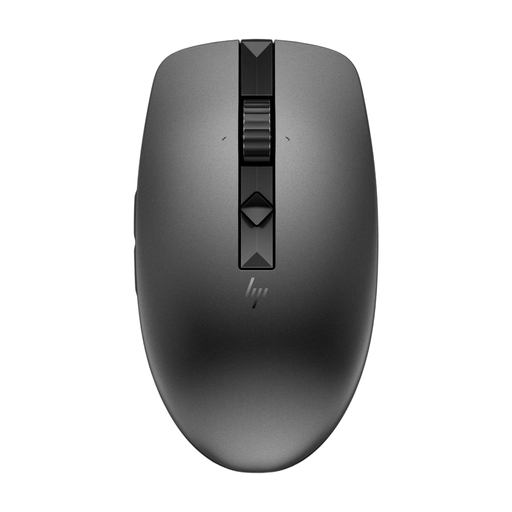
The HP 280 Silent is a straightforward wireless option if the computer has a spare USB-A port.
The MS7421W is a compact rechargeable mouse with Bluetooth and 2.4GHz connectivity.
These mice are suited to quiet data entry, scrolling through long or wide lists and working at a shared computer. For each model, check the connection, hand-specific design and whether any software is needed to customise it.
 No image available
An option if you’re looking for quiet buttons, fast, precise scrolling and connectivity to multiple devices.
The description lists eight programmable buttons and an Haptic Sense panel. Customisation requires Logi Options+; the described shape is for right-handed use.
 No image available
An option if you want to combine quiet buttons, adjustable scrolling and connectivity to multiple devices.
The description lists Bluetooth and a USB-A receiver, use with up to three devices, and an AA battery with a quoted battery life of up to 24 months.
 No image available
An option if you’re looking for quiet buttons, horizontal scrolling and connectivity to multiple devices.
This version is described as large and designed for right-handed use. The description lists an adjustable sensor of up to 3200 DPI, a rechargeable battery and use while charging.
 No image available
An option for left-handed users with larger hands who want quiet clicking and the choice of switching between precise and fast scrolling.
The description lists Bluetooth Low Energy or a Logi Bolt receiver, plus customisable side buttons. This M650 L version is specifically designed for left-handed users with larger hands.
 No image available
An option if you’d like to try a vertical hand position and the shape suits your hand.
This version is designed for small to medium-sized right hands. The description lists a 57-degree angle, quiet clicks, SmartWheel and connectivity via Bluetooth or a USB receiver.
First check which connections the computer has and what the administrator allows. Logitech describes the Signature M650 as using Bluetooth Low Energy or a Logi Bolt USB receiver; HP lists a spare USB-A port for the dongle with the 280 Silent.
Set up the shared workspace again when you sit down, and take regular breaks from screen work. Arboportaal highlights the strain caused by repetitive movements and static postures; a particular mouse doesn’t remove the need to consider these factors.
Check the power source before buying. HP lists one replaceable AA battery for the 280 Silent, while Trust describes the Ozaa+ as having a rechargeable battery that can be used while charging. Keep a separate receiver safe when you move between workspaces.
No. According to the Dutch government, the Netherlands has no fixed statutory warranty period: you’re entitled to a product that works properly for as long as you can reasonably expect it to. If a product is faulty, contact the seller; any manufacturer’s warranty is in addition to this.
According to the Dutch government, many online consumer purchases come with a 14-day cooling-off period. Check the applicable terms, and distinguish this right from any more generous voluntary returns policy offered by the seller.