What should you look for?
Start by checking that the mouse connects to the computer you use. Then compare the controls and shape to find what suits your workspace and the way you edit recipes.
| What to consider |
What to look for |
Who is this important for? |
| Quiet clicks |
Check which buttons on the specific version are quiet or muted; this doesn’t necessarily apply to the scroll wheel. |
When I’m editing recipes while colleagues are working nearby, I want to keep clicking noise to a minimum. Around 25% of consumers prioritise quiet clicks for the sake of others. |
| Connecting to different computers |
Check whether the computer has Bluetooth or a spare USB-A port, how many devices you want to connect and whether a receiver is included. |
When I switch between computers, I don’t want to have to search for a different connection option each time. Around 25% of consumers prioritise a connection that works with different computers. |
| Scrolling and selecting |
Compare the scroll controls and whether you can adjust the pointer speed; a higher dpi value alone doesn’t tell you whether the controls will suit you. |
When I’m working through a long collection of recipes, I want to scroll through text smoothly while still selecting items accurately. Around 19% of consumers prioritise navigation and selection. |
| Fit in your hand |
Consider your hand preference and hand size. If possible, try an unusual shape, and don’t assume ergonomic claims mean that discomfort will disappear. |
When I’m editing recipes for a long time, I want a shape that suits my hand and the way I use a mouse. Around 19% of consumers make hand fit their main consideration. |
| Limited room to move |
Compare a compact mouse with a stationary trackball, and check where the cable runs on a wired model. |
With little free space on my desk, I want to control the cursor without having to move the mouse very far. Around 12% of consumers cite limited room to move as their top priority. |
Joybuy products
These Joybuy products cover the choice between a vertical mouse and wireless models for use at a shared desk.
 No image available
Vertical wireless mouse with USB-C charging
Worth considering if you’re looking for a vertical shape and wireless connectivity options.
Bluetooth and 2.4 GHz; three dpi settings: 800, 1200 and 1600.
View at Joybuy
 No image available
Wireless vertical mouse with 6 buttons
An option if you’re looking for a vertical mouse with multiple buttons for the office or home.
2.4GHz connection; USB-C battery; 800–1600 dpi.
View at Joybuy
 No image available
HOFOTEK M311 Silent Office Mouse
An option if quiet clicks and wireless connections to multiple devices are important to you.
2.4 GHz and Bluetooth; multiple dpi settings; 1 AA battery.
View at Joybuy
 No image available
HP 925 Ergonomic Vertical Mouse
Worth considering if you’re specifically looking for a vertical mouse.
View at Joybuy
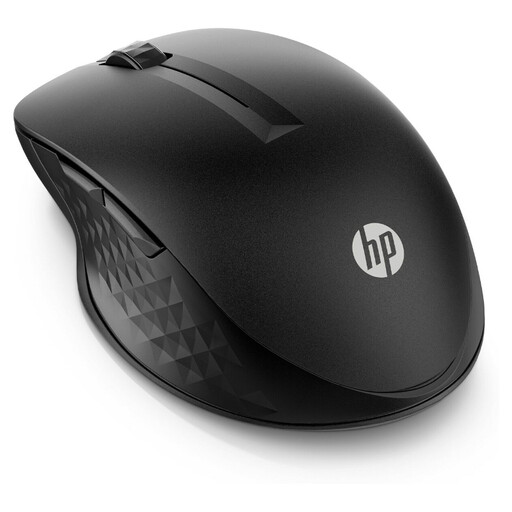 No image available
HP 430 Multi-Device Wireless Mouse
Worth considering if you’re looking for a wireless mouse for multiple devices.
View at Joybuy
Frequently asked questions
Do I need Bluetooth or a USB receiver?
It depends on the computer and the exact mouse version. HP says the HP 285 Silent uses a 2.4GHz dongle and needs a spare USB-A port. Logitech lists Bluetooth for the MX Anywhere 3S version described and says the compatible Logi Bolt receiver isn’t included.
How do I clean a mouse at a shared desk?
Follow the cleaning instructions for the specific model. Microsoft advises disconnecting its own mice or removing their batteries first, and not applying liquid directly to the device. Don’t assume the same advice applies to mice from other brands.
Do my legal rights end after a one-year manufacturer’s warranty?
No. There’s no fixed statutory warranty period in the Netherlands. According to the Dutch government, what you can expect from a product depends, among other things, on the product itself, its price and the sales information. If a product is faulty, contact the seller; ordinary wear and tear or damage you’ve caused isn’t automatically covered by free repairs.
What should I check about a wireless mouse’s compliance in the Netherlands?
Check the exact version and its product information. According to the Dutch Authority for Digital Infrastructure, manufacturers, importers and sellers of radio equipment must comply with the applicable European requirements; the manufacturer applies the CE marking following a conformity assessment. The Authority advises against using a device without the correct CE marking and recommends contacting the seller.


