
Club website admins who take turns
If you use the shared desk with your own laptop or different computers, a mouse with a suitable connection can make it easier to get started. Logitech and Trust describe models with Bluetooth and a USB receiver.


If you always use the same computer, a simple mouse with a suitable connection may be all you need. If you switch between your own laptop and a club computer, check for Bluetooth, a USB receiver and how you can switch between devices. Choose a size and handed version that suit you, too. A vertical mouse is no substitute for a properly set-up workstation or changing your posture and tasks.
If you use the shared desk with your own laptop or different computers, a mouse with a suitable connection can make it easier to get started. Logitech and Trust describe models with Bluetooth and a USB receiver.
If you regularly work on web pages, consider the size of your hand and whether you’re left- or right-handed, and adjust the desk to suit you each time. Arboportaal advises reassessing your workstation when you sit somewhere else.
If you work near other club members, quiet clicks and comfortable navigation may be important. Trust describes the Ozaa Compact as having silent buttons; always check these features for the specific version.
First decide whether you’ll be switching between computers, then consider fit, navigation and how loud the buttons are.
| What to consider | What should you check? | Who might this matter more to? |
|---|---|---|
| Connecting and switching | Check for Bluetooth, an available USB port, whether a receiver is included and how to switch between devices. | I want to use my own laptop and the club computer without having to search for the right connection every time I switch. Around 33% of consumers are most concerned about connecting and switching. |
| Fit | Check the size of your hand, whether the mouse is designed for left- or right-handed use, and whether you can operate it close to your body. | For longer website sessions, I want a size and grip that feel comfortable in my hand. Around 27% of consumers prioritise fit. |
| Navigation and scrolling | Consider how the scroll wheel works on long pages and whether you can customise any extra buttons on your computer. | When I’m building or checking pages, I want to move through the content quickly without choosing features I’ll hardly use. Around 20% of consumers prioritise page navigation. |
| Click noise | Check whether the specific version has silent buttons and, if possible, try how the clicks feel. | When I’m working alongside other club members, I don’t want clicking to be a distraction. Around 20% of consumers say quiet clicking is their main consideration. |
Models in the same series can differ in size, handedness and connection type. The series name alone won’t tell you whether a particular version is right for you and your computer.
Before choosing, check the full model name, size, handedness and connection.
A vertical shape offers a different grip; it doesn’t guarantee that you’ll avoid discomfort. The set-up of the shared desk and taking breaks or varying your tasks are important, too.
Choose a shape that feels comfortable and readjust your workstation when you move to a different spot.
These are different ways to connect a mouse. A computer may support one connection but not the other.
Check Bluetooth support, the available ports and the accessories included with the exact version.
The Signature M650 is a standard wireless mouse range with different versions for different hands; Lift is a separate vertical range.
The Ozaa Compact is worth considering if you’re looking for a compact mouse to use with different devices.
The HE Break range offers vertical mice in different sizes, handed versions and connection types.
This Joybuy selection includes wireless mice for switching between devices, as well as a vertical model. Compare the connection, handedness and listed features for each model.
 Image unavailable
Suited to anyone who wants to switch between devices and navigate long pages while working on a website.
The product name lists Bluetooth, haptic feedback and USB-C charging.
 Image unavailable
Worth considering if quiet clicking and switching between devices are important to you.
The product name lists 2.4G+BT, adjustable DPI and one AA battery.
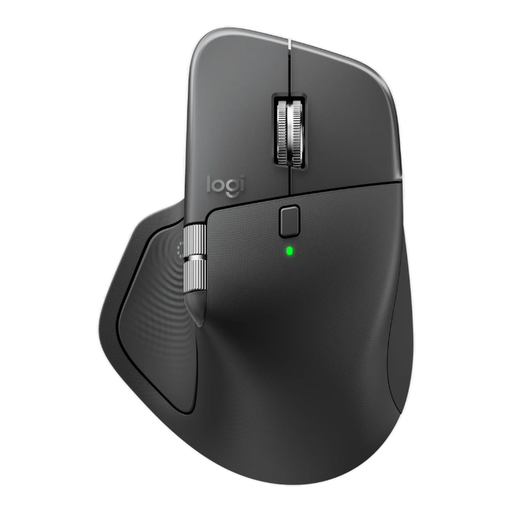 Image unavailable
Suited to anyone who wants to work quietly at a shared desk and regularly switch between devices.
The product name lists 8K DPI, a Logi Bolt receiver, Bluetooth and USB-C charging. The listed version is right-handed.
 Image unavailable
A vertical model to consider if you find that grip comfortable.
The listed version is right-handed.
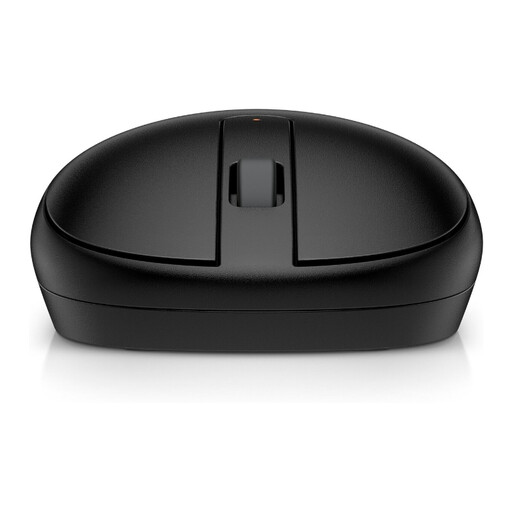 Image unavailable
Suited to anyone looking for a Bluetooth mouse for everyday use.
The product name describes a black Bluetooth mouse.
No, it depends on the computer and the connections available. The Logitech M650 and Trust Ozaa Compact mentioned above offer Bluetooth and a USB receiver; a wired mouse may also be suitable if you always use the same computer.
Readjust your workstation when you move to a different spot, keep the mouse close to your body, and vary your posture and tasks. Arboportaal advises reassessing your workstation in a new location; simply using a different mouse does not replace these steps.
It depends on the version. Joybuy describes the Logitech Signature M650 as running on one AA battery; Trust describes the Ozaa Compact as rechargeable and usable while charging. Check what’s included with the version you choose.
When a consumer buys online, they generally have 14 days from delivery to change their mind, according to ACM ConsuWijzer. If a product is faulty, the seller must resolve any issue covered by the statutory guarantee free of charge. Check who the buyer is: a purchase made on behalf of an association is not necessarily a consumer purchase.
No, don’t automatically apply rules for employees to every volunteer. Arboportaal distinguishes between volunteers according to their activities and the risks involved; rules on screen work and workstation set-up apply to employees. The status of an individual club worker depends on their working relationship.