
Editor at a shared desk
You select, rearrange and check text alongside other people, and want a mouse that feels comfortable to use without a prominent clicking sound.


Start by checking that the mouse works with your computer and feels comfortable in your hand. Quiet main buttons are a useful bonus when you work alongside other people. Logitech and Trust describe quiet-click features on specific models, while HP lists Bluetooth and a 2.4GHz receiver for the 400 Quiet. Choose the connection that works with your computer. A vertical mouse or trackball requires a different way of working, and Arboportaal also recommends varying your activities and taking micro-breaks when using a screen.
You select, rearrange and check text alongside other people, and want a mouse that feels comfortable to use without a prominent clicking sound.
You use different computers or ports and want to check in advance that Bluetooth, a receiver and the operating system will work with your setup.
You want to carefully consider the shape of the mouse, scrolling and your workstation setup. Arboportaal also recommends varying your activities and taking micro-breaks when using a screen.
Start with the connection and fit. Then decide whether quiet buttons, scrolling or reduced movement space matters most for your work.
| What to consider | What should you check? | Who is this important for? |
|---|---|---|
| Clicking noise | Check whether the main buttons are described as quiet, and try the scroll wheel too if possible. | If I select a lot of text alongside other people, I want the main buttons to click quietly. Around 28% of consumers give quiet main buttons top priority. |
| Computer connection | Check Bluetooth support, the USB ports available and whether a receiver is included with that version. | If I work on a shared computer, I want to know in advance which connection will work with it. Around 22% of consumers prioritise a compatible computer connection. |
| Hand comfort | Consider your hand size, whether you are left- or right-handed, and whether you can vary your working posture. | When editing for long periods, I want a shape that suits my hand, without assuming that a different mouse will prevent discomfort. Around 22% of consumers put hand comfort first. |
| Document navigation | Try the scroll wheel and check whether any customisation works with your computer. | When I navigate long handouts, I want scrolling that suits the documents I edit. Around 17% of consumers give document navigation top priority. |
| Room to move | Measure the free space on your desk and consider whether a device that stays in one place would suit you. | When space is limited at a shared desk, I don’t want to keep clearing room to move the mouse around. Around 11% of consumers put limited movement space first. |
Logitech and Trust describe quiet-click features on specific models. This does not automatically tell you how noisy every other action will be.
Check which buttons are described as quiet, and try scrolling too if possible.
The Logitech M240 Silent uses Bluetooth without a dongle. According to Logitech, the M240 for Business comes with a Logi Bolt USB-A receiver.
Before buying, compare the full model name, connection and what’s included in the box.
A different shape changes how you use the mouse, and won’t automatically suit every hand or workspace. A new mouse is no substitute for varying your activities when working at a screen.
Try using the mouse and adjust your workstation. Arboportaal also recommends changing your posture and taking micro-breaks.
ACM ConsuWijzer distinguishes between the statutory guarantee and an additional guarantee from the manufacturer or retailer.
Before choosing additional cover, check what it offers beyond your statutory rights.
Models worth considering include the Bluetooth-only M240 Silent and the more compact MX Anywhere 3S for Business.
Trust offers the conventional wireless Mydo and the wired vertical Verto.
The HP 400 Quiet combines quiet clicks with Bluetooth and a 2.4GHz receiver.
The Expert Mouse Optical Trackball is a stationary alternative if you have less room to move a mouse around.
Dell’s Dutch catalogue includes the compact Pro Compact Silent MS355, as well as wired models.
These Joybuy products offer options to compare for quiet working, different computer connections and document editing. Check the connection, controls and fit for each model.
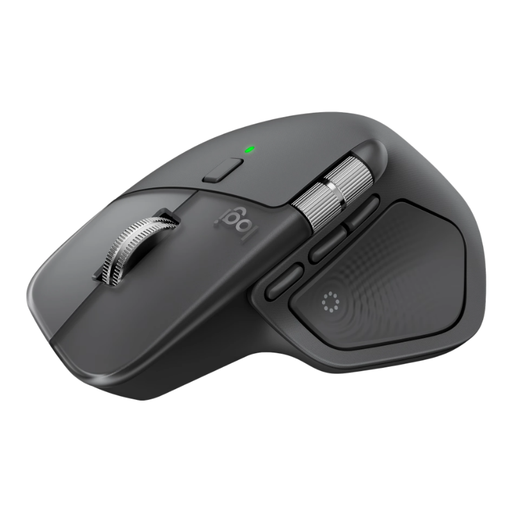 No image available
One option to consider for editing handouts. Check that the shape, controls and connection requirements suit your computer and workspace.
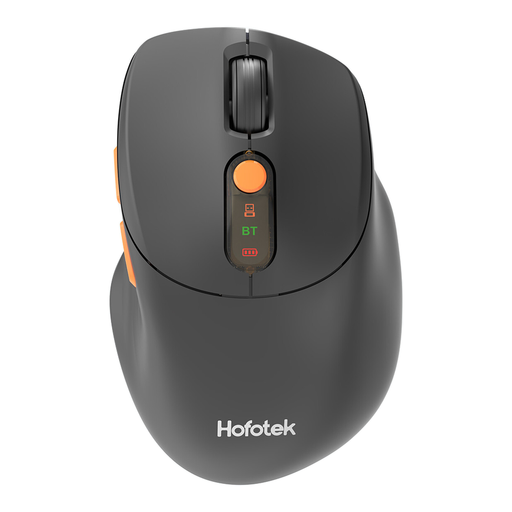 No image available
The product name describes a quiet mouse with a 2.4G+BT connection. Check which connection your computer supports and whether the shape feels comfortable in your hand.
 No image available
The product name describes this model as compact and quiet. Before buying, check which connection works with your computer and whether the size suits your hand.
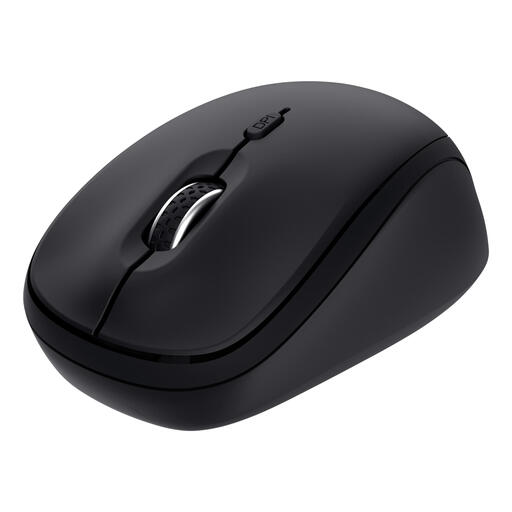 No image available
The product name describes a compact design, quiet buttons and use with multiple devices. Check which connection options this version supports.
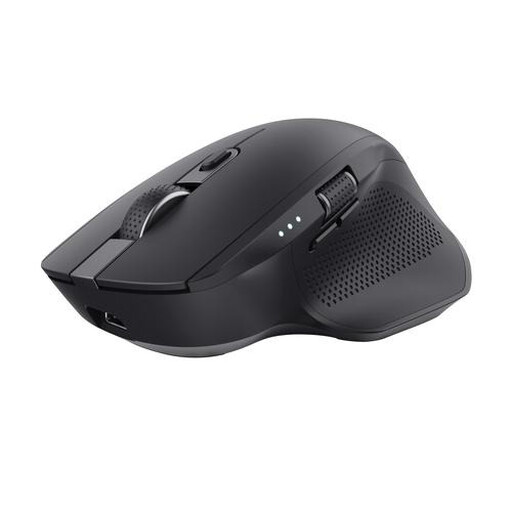 No image available
The product name lists RF wireless and Bluetooth connections, 3200 DPI and right-handed use. Check that the connection and shape suit your computer and hand.
Check which connection your computer supports or allows, and which ports are free. According to Logitech, the standard Logitech M240 Silent uses Bluetooth without a dongle. HP says the 400 Quiet offers Bluetooth and a 2.4GHz receiver. These features apply to these specific versions.
No. Arboportaal recommends varying your activities, changing your posture and taking micro-breaks when working at a screen. You should also choose a mouse shape that feels comfortable at your workstation.
Check the exact version to see whether the mouse uses batteries or a rechargeable battery, and what’s included. That way, you’ll know what you need before you start using it.
No. The end of a manufacturer’s warranty does not automatically end your statutory rights. ACM ConsuWijzer explains that the retailer may still be responsible for providing an appropriate free remedy if a product does not meet what you could reasonably expect under normal use. Each case depends on the circumstances.
As a private individual, you can hand in an old electrical appliance when buying a similar new one, subject to the terms of the old-for-new scheme, according to the Dutch government. Take used batteries to an appropriate collection point, not to general waste.