
Tester working alongside colleagues
You regularly test filters at a shared desk and want to click and scroll with as little distracting noise as possible. Logitech and Rapoo describe quiet-click options for specific models.


For a shared test computer that stays in one place, a wired mouse is a straightforward choice. If quiet clicks or switching between compatible devices matter more, a wireless mouse may suit you better. Then check that it fits your hand and that your work computer allows the connection. An ergonomic shape is no substitute for taking regular breaks from intensive screen work: Arboportaal recommends alternating screen work with other tasks or a break at regular intervals.
You regularly test filters at a shared desk and want to click and scroll with as little distracting noise as possible. Logitech and Rapoo describe quiet-click options for specific models.
You want a mouse that can stay with the work computer, without having to use a personal Bluetooth pairing each time. Check that the available USB port is compatible with your chosen mouse.
You spend long periods clicking and selecting, and want to consider hand fit, workstation setup and varying your tasks. TNO’s fact sheet on screen work, published via Arboportaal, identifies mouse use as a factor in the risk of shoulder, arm, wrist and hand complaints.
Start with the key practical question: do you mainly want quieter clicks, a shape that fits your hand, the ability to switch between devices, or a mouse that works straight away with one dedicated PC?
| What to consider | What to check before buying | Who does this matter most to? |
|---|---|---|
| Click noise | Check whether the exact version has quiet main buttons and how the scroll wheel works. | If I often click filter options while sitting beside colleagues, I want as little distracting click noise as possible. Around 33% of consumers put quiet operation first. |
| Hand fit | Check your hand size, whether you’re left- or right-handed, and the shape of the exact version. If possible, try an unusual shape first. | When selecting repeatedly, I want a shape that suits my hand, even if several colleagues use the mouse. Around 25% of consumers prioritise hand fit. |
| Device compatibility | Check Bluetooth support, available USB ports and your workplace policy on wireless connections. | If I want to use the mouse with different approved work computers, the connection needs to work with each one. Around 25% of consumers prioritise device compatibility. |
| Dedicated test PC | Check for a free USB port, the operating system and whether there’s enough room for the cable. | For a dedicated test computer, I want to be able to click and scroll straight away without setting up a wireless connection each time. Around 17% of consumers prioritise ease of use with a single PC. |
Logitech distinguishes between the M650, M650 L and M650 L Left. A version that suits one person’s hand size or preference won’t necessarily suit all your colleagues.
Before buying, check the full model name, hand size and whether the mouse is designed for left- or right-handed use.
Rapoo states that a replacement receiver isn’t available for the M200 Silent. If it’s lost, you may no longer be able to connect via USB.
Check whether Bluetooth is a suitable alternative on your work computer, and agree where the receiver will be kept.
The angle of the Trust Verto describes its shape; it doesn’t guarantee the same effect for every user. Workstation setup and varying your tasks also play a part.
Assess the fit separately and break up intensive screen work. If you start experiencing discomfort, ask your employer for suitable advice.
The Signature M650 series is worth considering if quiet clicks and scrolling through long lists of results are important to you. Logitech offers different versions to suit hand size and handedness.
The HP 128 Laser Wired Mouse is a wired option for a shared test computer that stays in one place.
The wired Verto is designed for anyone who specifically wants to try a vertical shape.
The M200 Silent is worth considering if quiet clicks and switching between devices are important to you.
This selection includes quiet wireless mice, Bluetooth and RF mice, and a wired vertical mouse. For each model, check that its connection and shape suit your workplace and the people using it.
 No image available
An option to consider if quiet clicks and switching between approved devices are important to you.
The product name lists 2.4G+BT, adjustable DPI and a 1xAA battery.
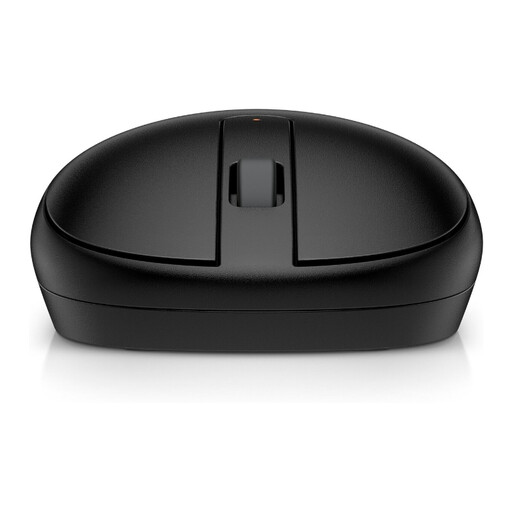 No image available
A Bluetooth option for a work computer that allows this connection.
The product name specifies Bluetooth and black; check that your computer supports Bluetooth.
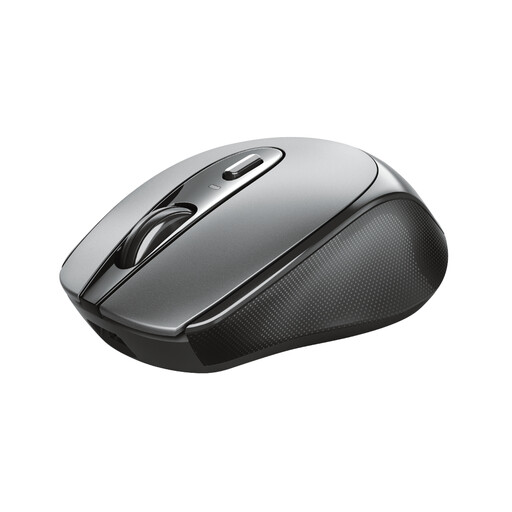 No image available
A wireless option for a computer that supports the required RF connection.
The product name specifies an optical mouse with an RF connection and 1600 DPI.
 No image available
An option to consider if quiet clicks and a USB receiver suit your workplace.
The product name specifies 2.4GHz, a USB receiver and 1600 DPI. This version is described as right-handed.
 No image available
A wired vertical option for anyone who specifically wants to try this hand position.
The product name specifies a wired vertical mouse. This version is described as right-handed and has a fixed USB cable.
No. Dutch government guidance doesn’t require a vertical or wireless mouse. Arboportaal does recommend alternating screen work with other tasks or a break at regular intervals. Think of the mouse as one part of your workstation setup, not a substitute for these measures.
Check that the computer and your workplace policy allow Bluetooth or the required USB receiver. Logitech lists Bluetooth Low Energy and Logi Bolt for the M650; Rapoo describes Bluetooth and a 2.4GHz receiver for the M200 Silent.
Follow the cleaning instructions for the exact model and cleaning product. HP describes the HP 128 as suitable for daily cleaning with disinfectant wipes, but the footnote in HP’s data sheet refers to other tested devices. So don’t assume that every wipe is suitable.
According to the Dutch government, you should contact the seller if a product is faulty. There’s no fixed legal guarantee period in the Netherlands: what you can expect from a product depends, among other things, on the product itself and normal use. A manufacturer’s guarantee is separate from your statutory rights.