Which features matter?
First decide whether fast, precise scrolling, quiet operation or switching between computers matters most. Then check that the size, handedness and connection suit the users and computers.
| What to consider |
What to check before buying |
Who is it important for? |
| Fast, precise scrolling |
Check whether the model offers both fast scrolling and line-by-line scrolling. Logitech describes both modes for the M650 and M720. |
If you scroll through long tables and then want to find one departure time precisely, scroll control matters; around 25% of consumers put this need first. |
| Quiet clicks |
Check that quiet buttons are explicitly listed for the version you’re choosing. Quiet clicks don’t automatically mean you can switch between computers. |
If you work close to colleagues and want to reduce audible clicks, quiet operation is a separate consideration; around 25% of consumers prioritise it. |
| Switching between computers |
Check the number of device channels, available USB ports and Bluetooth support. Switching devices is not the same as transferring files. |
If you want to use one mouse with, for example, your own laptop and a shared computer, compatible connections are important; around 19% of consumers prioritise switching. |
| Fit and hand position |
Check the size of your hand, your handedness and the shape of the version you’re choosing. Consider your workstation set-up too. |
If you share a mouse or want a different grip, the right size or handedness could be decisive; around 19% of consumers start with fit. |
| Easy connection and maintenance |
Compare wired USB with Bluetooth or a wireless receiver, and check which ports are available. Also check whether the mouse you’ve chosen uses batteries. |
If you want to get started easily on a shared computer and keep maintenance straightforward, the connection matters; around 12% of consumers prioritise this concern. |
Joybuy mice for this situation
This selection from Joybuy includes mice for fast, precise scrolling, shared use, different grips and quiet operation.
 No image available
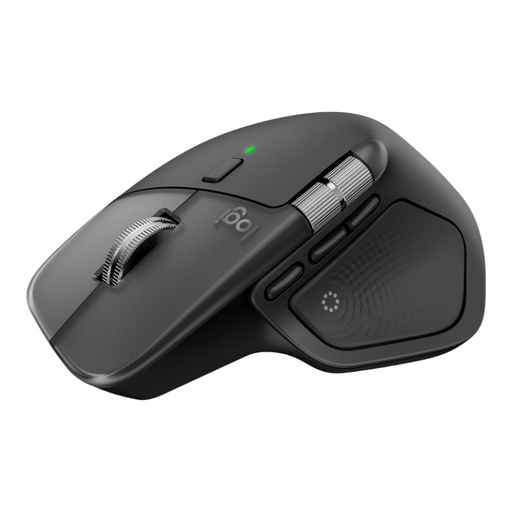
Logitech MX Master 4 for Mac, Space Black
An option to compare if you want to scroll quickly through long timetables and then go back to a specific time precisely; the product description also mentions quiet operation and switching between devices.
The product name lists Bluetooth, USB-C charging and compatibility with MacOS, iPadOS and Windows. According to the product information, this version is right-handed.
Joybuy
 No image available
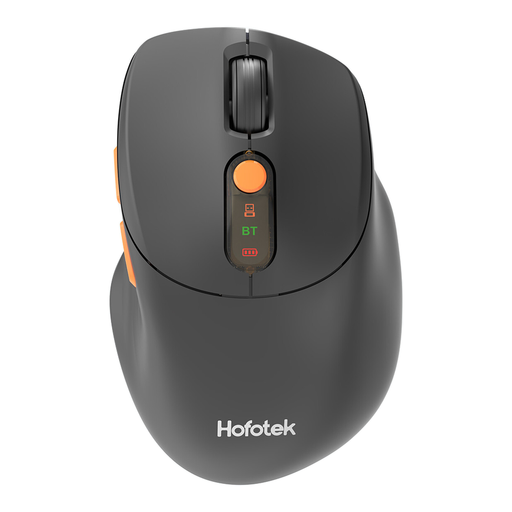
HOFOTEK M311 2.4G+BT Silent Office Mouse
An option to compare if you’re looking for quiet operation and use with multiple computers.
The product name lists 2.4G+BT, adjustable DPI settings, a black and orange version, and 1xAA battery.
Joybuy
 No image available
Dell Pro Compact Silent Mouse MS355
A compact mouse to compare if quiet operation matters to you at a shared desk.
Dell describes the MS355 as compact and quiet; check that its connection and shape suit the shared computers and their users.
Joybuy
 No image available
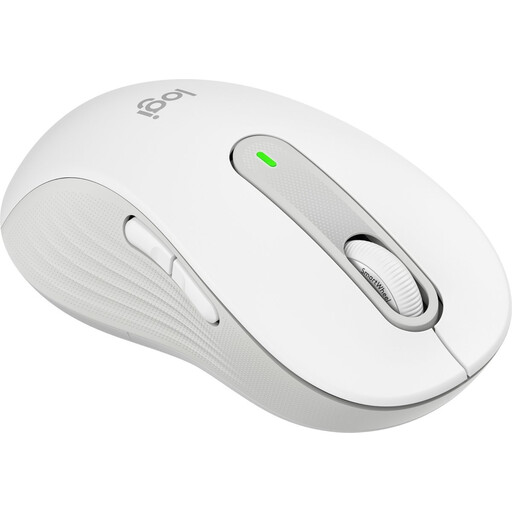
Logitech Signature M650 L Left, White
An option for anyone looking for a left-handed mouse for larger hands, with the flexibility to switch between fast and precise scrolling.
Logitech describes two scrolling modes and different versions for the M650. This version is designed for left-handed users with larger hands.
Joybuy
 No image available
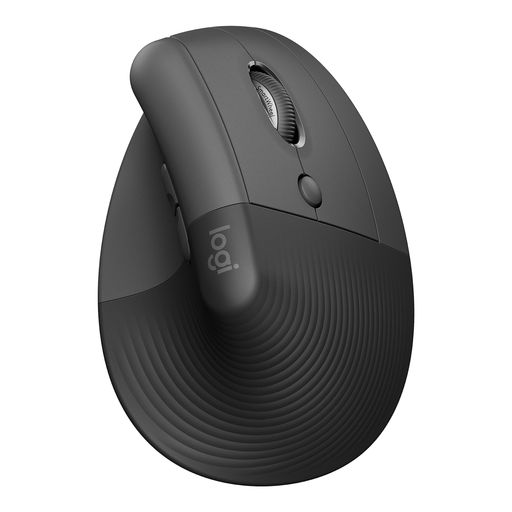
Logitech Lift Vertical Ergonomic Mouse Graphite
An option to compare if you’re looking for a vertical grip rather than a standard mouse shape.
This version is right-handed and designed for small to medium-sized hands. A different grip is no substitute for a well-set-up workstation or taking breaks from extended screen work.
Joybuy
Frequently asked questions
Is a fast scroll wheel useful for timetables?
Yes, if you often scroll through long pages and then want to find one departure time precisely. Check that the mouse also offers precise, line-by-line scrolling; Logitech describes both modes for the M650 and M720.
Can I use a Bluetooth mouse without a USB receiver?
Yes, if the computer supports Bluetooth and the mouse is compatible with that connection. Logitech describes the M240 Silent as a Bluetooth model that doesn’t need a dongle; on a shared computer, also check whether you’re allowed to pair devices.
How can I reduce physical strain when comparing timetables for long periods?
Consider not only how the mouse fits your hand, but also your workstation set-up and how you vary your screen-based work. Arboportaal, part of the Ministry of Social Affairs and Employment, identifies repetitive hand movements and static strain as things to consider during screen work.
What if a mouse I bought online doesn’t feel comfortable in my hand or breaks too soon?
For an online purchase made by a consumer, you generally have a statutory cooling-off period of up to 14 days after delivery. Your statutory guarantee is separate from any manufacturer’s warranty: if a product breaks too soon during normal use, the seller is responsible for providing an appropriate solution. ACM ConsuWijzer explains these consumer rights.
Does Dutch law require a particular mouse model at a shared workstation?
Arboportaal’s information doesn’t specify a required mouse model. Employers do have obligations relating to safe screen work and varying tasks; these rules are not a product certification for an individual mouse.


