
Shared computer user
Wants to get started quickly without first pairing a wireless device, and needs a connection and mouse shape that suit the computer and the people sharing it. HP specifies a 1.5 m cable for its Wired Mouse 1000.


For a single shared computer, a straightforward mouse with a suitable connection and a shape that works for its users is often the most practical choice. If you switch between your own laptop and the shared computer, check the available connections. For long sessions or a meeting table, hand fit and click noise are also worth considering. Before you buy, check the exact version, the port it needs and whether a receiver is included.
Wants to get started quickly without first pairing a wireless device, and needs a connection and mouse shape that suit the computer and the people sharing it. HP specifies a 1.5 m cable for its Wired Mouse 1000.
Works on both their own laptop and the shared computer, and wants to switch between saved connections. Trust describes the Ozaa+ as offering one connection via a USB receiver and two via Bluetooth.
Regularly spends extended periods working on schedules or attendee lists and wants to choose a shape that suits their hand. Arboportaal describes repetitive actions and static strain when working at a screen; varying your tasks is also important.
Choose this when: several people use the same computer and a suitable USB port is free.
Consider: you won't need to pair a wireless connection, but the cable takes up desk space.
Choose this when: you switch between, for example, your own laptop and the shared computer while preparing for an event.
Consider: check which connections the computers support, and factor in set-up, the receiver and charging.
Choose this when: your main concern during longer planning sessions is finding a shape that suits your hand.
Consider: a left- or right-handed design won't necessarily suit everyone using a shared desk.
Choose this when: you take your mouse with you or work alongside a meeting.
Consider: check that the size suits your hand; descriptions of click noise vary by model.
| What to consider | What should you check? | Who should pay extra attention? |
|---|---|---|
| Plugging in and getting started | Check that a suitable USB port is free and that the cable is long enough to reach your workspace. | If I want to get started quickly on a single shared computer, I prioritise a straightforward connection; about 33% of consumers put ease of use straight out of the box first. |
| Switching between devices | Check which connections the computers support and whether a required USB-A receiver is included. | If I switch between my laptop and the shared computer while preparing, I look for connections I can select separately; about 25% of consumers give device switching their top priority. |
| Hand fit | Check your hand size and whether the design is for left- or right-handed use. | If I work on schedules for long periods, I want a shape that suits my hand; about 25% of consumers put hand fit first for longer sessions. |
| A quieter meeting table | Check the noise description for the exact version, and consider its size too. | If I work alongside a meeting, I want clicks to be as unobtrusive as possible; about 17% of consumers make keeping noise down during shared work their main priority. |
The computer must support the Bluetooth connection or receiver you choose. Logitech says a compatible Logi Bolt receiver is not included with the standard Logitech MX Anywhere 3S.
Before buying, check the available ports, access to Bluetooth and what comes in the box for the exact version.
If you need a receiver connection, not having a suitable receiver may mean you need to buy a compatible accessory separately.
A left- or right-handed design may be less suitable for other people sharing the mouse. Logitech offers the Lift in separate left- and right-handed versions.
Work out who will use the mouse and choose a version that works for them.
A mouse shape alone does not prove that it will prevent or relieve discomfort. Arboportaal describes repetitive actions and static strain when working at a screen, and recommends varying your tasks or taking a break.
Consider the mouse as part of your overall workstation, and plan to vary your tasks during longer periods at the screen.
The HP Wired Mouse 1000 is worth considering for a single computer at a shared desk.
The Ozaa+ is an option if you want to switch between computers.
The Lift, Signature M650 and MX Anywhere 3S each focus on different features, including hand shape, size options and portability.
The MW 9100 is a compact, rechargeable option with Bluetooth or a 2.4 GHz receiver.
This selection includes wired and wireless mice for shared computers, switching between devices, different hand preferences and working alongside a meeting.
 No image available
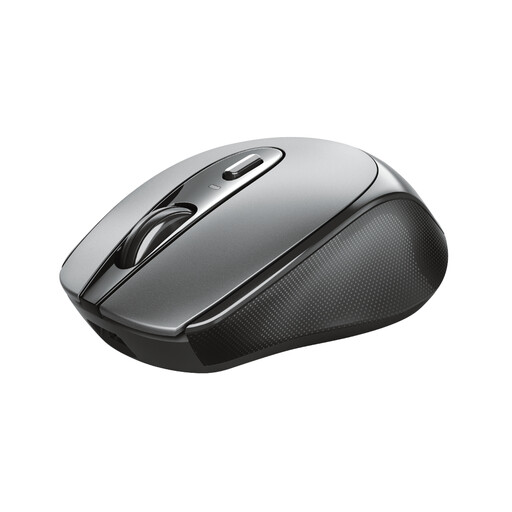
An option if you want to switch between computers and quieter clicks matter to you.
The product information lists 2.4 GHz and Bluetooth connectivity for up to three devices, adjustable DPI and one AA battery.
 No image available
A compact option for a shared desk, suitable for both left- and right-handed users.
The product information lists a USB micro receiver, a rechargeable battery and a resolution of 1600 DPI.
 No image available
A compact option if you're looking for a mouse with silent buttons and a storable receiver.
The product information lists 1600 DPI and compatibility with Windows, macOS and ChromeOS.
 No image available
An option if you want to switch between several devices, provided the right-handed shape suits the user.
The product information lists a USB receiver and Bluetooth connectivity for up to three devices, silent buttons, horizontal scrolling and 3200 DPI.
 No image available
Worth considering if you're looking at a vertical design for a fixed workstation and a right-handed mouse is suitable.
The product information lists a wired USB connection, plug-and-play use with no software installation and a 57-degree vertical angle.
First, check which port is free and whether Bluetooth is permitted on the computer. A wired USB mouse doesn't need Bluetooth pairing. For a wireless model, check that the computer supports your chosen connection and any receiver it needs.
Before your session, check the charge level and which charging cable the model uses. Trust says the Ozaa+ charges via USB-C from a USB-A connection; CHERRY says the MW 9100 can be charged while in use with the supplied USB-C cable. This applies to those models, not every wireless mouse.
According to ACM ConsuWijzer, online consumer purchases generally come with a 14-day cooling-off period from delivery, subject to legal exceptions. If a product breaks during normal use sooner than you could reasonably expect, ACM says the seller is responsible for providing an appropriate remedy at no cost. There is no single fixed statutory guarantee period for all mice.
For radio equipment placed on the EU market, the Dutch Authority for Digital Infrastructure outlines requirements under the Radio Equipment Directive. When the equipment meets all the requirements, the manufacturer applies the CE mark. Check the marking and product information for the specific version.
The obligations described by Arboportaal apply to employers and employees. If the preparation counts as work, the employer must ensure that screen work is regularly alternated with other work or a break. The description of an activity in a neighbourhood alone does not mean that every participant is an employee.