Start with your main concern: quiet buttons can be useful in a shared room, Bluetooth keeps a USB port free, and a comfortable shape matters if you work for long periods. Then compare the connection, scrolling controls and power supply of the exact version. A compact mouse takes up little space, but it won’t necessarily suit every hand or way of working.
Who is this choice relevant to?
Student sharing a room
You’re editing recipes while someone else in the room is studying or resting. So consider both the clicking noise and the connection that works with your laptop. Logitech, Trust and HP describe quiet mouse options with different connection types.
Student with limited desk space
You use a laptop on a small desk and want a mouse whose size, connection and feel suit the space. Trust and Logitech describe compact models; if possible, try one to see whether its shape feels comfortable in your hand.
Frequent recipe editor
You regularly organise longer lists and pay particular attention to scrolling controls and hand comfort. The Arboportaal recommends varying your posture and activities when working at a screen.
What should you look for when choosing?
First, check which connections your laptop supports and which ports are free. Then compare noise levels, fit and scrolling controls. Finally, consider which type of power supply best suits how you use the mouse.
| What to consider |
What to check when buying |
Who is this more important for? |
| Clicking noise |
Check that quiet buttons are included with the exact version; don’t confuse this with the sound of the scroll wheel. |
When I work next to a housemate, I want to keep clicking as quiet as possible. Around 25% of consumers put quiet operation first. |
| Connection |
Check Bluetooth support, available USB-A ports and what’s included in the box. |
I want to know whether my laptop supports Bluetooth or has a free USB-A port, especially if I switch between devices. Around 25% of consumers prioritise a suitable connection. |
| Fit and space |
Consider the shape, your hand size and whether the mouse is designed for left- or right-handed use; if possible, try it at your desk. |
At my small desk, I want the mouse to feel comfortable in my hand, even during longer editing sessions. Around 20% of consumers put fit and workspace first. |
| Scrolling through lists |
Compare the available scrolling modes and check whether you need horizontal scrolling for your work. |
When working with long recipe lists, I want to navigate precisely without choosing extra features I won’t use. Around 15% of consumers prioritise scrolling controls. |
| Battery or charging |
Check whether the model uses a replaceable battery or can be recharged, and which items are included. |
I want to know in advance whether I’d rather replace a battery or recharge the mouse. Around 15% of consumers let the type of power supply decide. |
Common buying pitfalls
-
Confusing the standard M240 with the M240 for Business
Logitech describes the standard M240 as a Bluetooth model without a dongle. For the M240 for Business, Logitech specifies that a Logi Bolt USB-A receiver is included.
Compare the full model name, connection type and box contents of the version you want to buy.
-
Assuming every Yvi+ has the same connections
Trust describes the Yvi+ Multi-device as having Bluetooth and a receiver, but there is also a separate Yvi+ Silent version.
Check the full model name and listed connections before choosing a mouse for switching between devices.
-
Assuming an ergonomic shape will prevent discomfort
You can’t decide whether a mouse is suitable based on its product name alone. Your hand size, whether you’re left- or right-handed, and the space available all matter.
If possible, try the shape, and vary your posture and tasks during longer sessions. The Arboportaal recommends varying your activities when working at a screen.
-
Looking only at the quoted battery life
The power supply varies by model. Logitech specifies an AA battery for the M240 and USB-C charging for the MX Anywhere 3S; quoted battery life is a manufacturer estimate.
Check the type of power supply for the exact version and whether the required battery or charging cable is included.
Brands to compare
Logitech
For this use, Logitech describes options including the M240 Silent, the compact MX Anywhere 3S and the vertical Lift.
- Logitech describes the M240 Silent as a Bluetooth mouse with quiet clicks. For the MX Anywhere 3S, Logitech specifies two scrolling modes and USB-C charging.
- The standard M240 and the M240 for Business don’t come with the same connection accessories. A compatible Logi Bolt receiver isn’t included with the MX Anywhere 3S.
Trust
Trust describes the Yvi+ Multi-device as a compact mouse with quiet buttons and several connection options.
- According to Trust, the Yvi+ Multi-device offers Bluetooth and a 2.4GHz receiver.
- The Yvi+ name is used for several versions. Check the connections on the exact model; don’t assume that features from another version also apply.
HP
HP describes options including the 280 Silent with a receiver and the 405 Quiet Wireless Mouse with Bluetooth.
- HP specifies a thumb rest and quiet clicks for the 280 Silent. For the 405, HP lists Bluetooth and horizontal scrolling.
- According to HP, the 280 requires a free USB-A port. Extra scrolling features are only useful if you’ll actually use them.
CHERRY
CHERRY describes the STREAM MOUSE COMFORT as a right-handed mouse with quiet buttons and a receiver; the MW 9100 is a different model.
- According to CHERRY, the STREAM MOUSE COMFORT has six quiet buttons. CHERRY says the MW 9100 can connect via Bluetooth or a 2.4GHz receiver.
- The STREAM MOUSE COMFORT isn’t designed for left-handed use. CHERRY doesn’t describe the MW 9100 as a quiet mouse.
Mice available at Joybuy
These mouse picks for editing recipes include wireless and wired models, with options featuring quiet buttons and different connections.
 No image available
NAXSIR Rechargeable Wireless Mouse, Bluetooth, 2.4G and Type-C
A wireless option to consider if you want to compare Bluetooth, 2.4G or a Type-C connection with the capabilities of your laptop.
The product name also lists six DPI settings.
View at Joybuy
 No image available
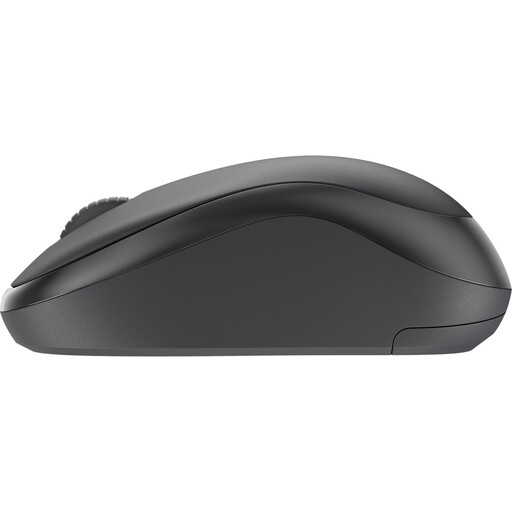
Logitech M240 Silent Wireless Black
A quiet wireless mouse to consider if clicking noise matters in a shared room.
Check that your device supports Bluetooth and compare the full model name with the M240 for Business.
View at Joybuy
 No image available
AJAZZ AJ159 PRO Wireless Gaming Mouse, 26K DPI, White
The product name lists Bluetooth, 2.4G and USB-C; compare these connections with your devices before choosing.
The title mentions a magnetic base. According to the product warning, the base contains magnets; keep it away from pacemakers and other medical implants.
View at Joybuy
 No image available
HP 285 Silent Wireless Mouse
A quiet wireless option if you want to use a receiver and keep clicking noise to a minimum.
The 2.4GHz receiver needs to be plugged into an available USB port.
View at Joybuy
 No image available
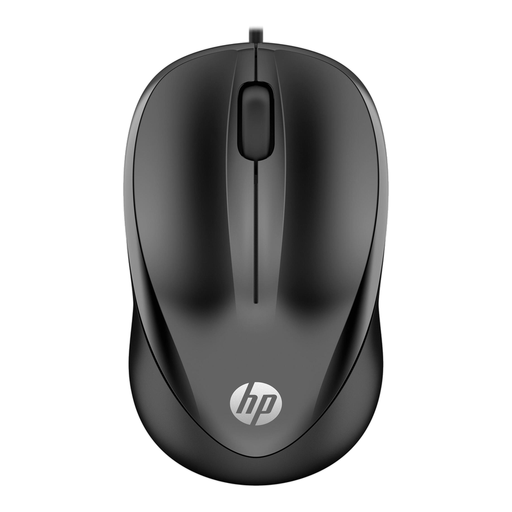
HP Wired Mouse 1000, USB Type-A, 1200 DPI, black
A wired option if you don’t need a wireless connection and have a USB Type-A port available.
The cable is 1.5 metres long, so allow for the distance between your laptop and workspace.
View at Joybuy
Frequently asked questions
Do I need Bluetooth or a USB receiver?
It depends on your laptop and the exact mouse. Logitech describes the standard M240 as a Bluetooth model without a dongle; the HP 280 needs a free USB-A port for its receiver. Trust describes the Yvi+ Multi-device as offering both connection types. Check Bluetooth support, available ports and what’s included in the box.
How can I stop the mouse from running out of power while I’m editing?
Check which type of power supply the exact mouse uses, and keep a suitable battery or charging cable to hand. Logitech specifies an AA battery for the M240 and USB-C charging for the MX Anywhere 3S. Battery life depends on the model, and the quoted figure is a manufacturer estimate.
Will an ergonomic mouse automatically help prevent hand or wrist discomfort?
No, you can’t tell from the product name alone. Try to see whether the size and shape suit your hand and workspace. The Arboportaal recommends varying your posture and activities when working at a screen; this workplace advice isn’t a specific legal requirement for a student editing recipes in their own time.
What are my rights if a mouse I bought online isn’t suitable or breaks too soon?
For online purchases from a business, the Dutch government says you’re often entitled to a 14-day cooling-off period; check the terms of your specific purchase. ACM ConsuWijzer explains that statutory rights are separate from any manufacturer’s warranty: if a product used normally doesn’t do what you could reasonably expect, the seller must offer an appropriate solution.


